
Game Overview
Logic Arrows turns digital logic into a clean, surprisingly absorbing construction puzzle. Its minimalist boards replace dense circuit diagrams with directional components that transform and route signals, asking players to make information travel from input to the correct output. The atmosphere is calm and clinical rather than intimidating, but the ideas quickly grow from simple switches and gates into the foundations of computer hardware. Watching a working circuit pulse to life delivers the same satisfaction as solving a tricky programming problem, only with every operation visible on screen.
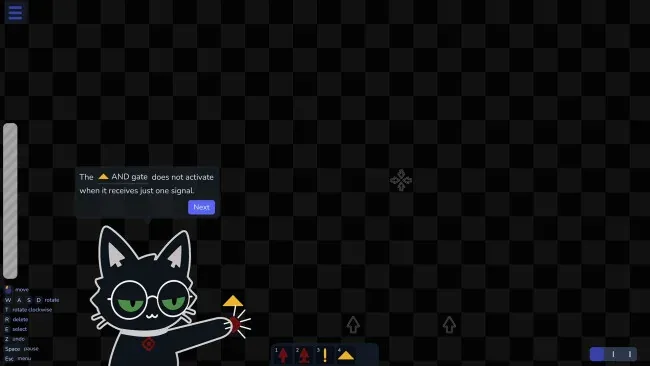
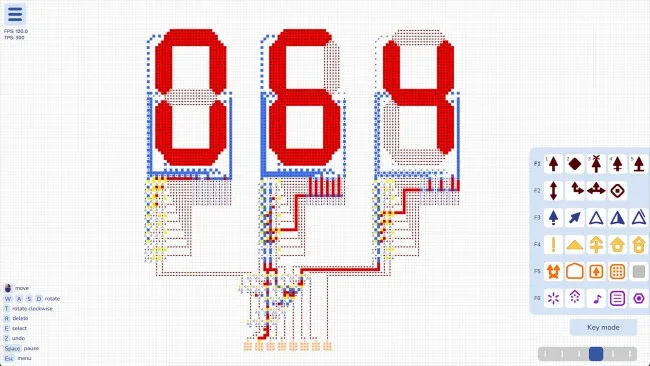
Players begin by placing and connecting arrows that perform individual signal operations, then test whether the resulting machine meets a puzzle’s requirements. Early challenges teach essentials such as routing, inversion, timing, and conditional behavior, while later boards demand compact systems built from the same modest toolkit. Solutions are deliberately open-ended: completing the assigned task is only the first benchmark, since layouts can often be reduced, accelerated, or reorganized into far more elegant designs. That makes experimentation central to the loop, whether you are refining a basic logic gate or combining components into counters, memory, displays, and arithmetic devices.
What stands out is how effectively it makes computer architecture feel tactile without burying the player under textbook jargon or realistic wiring clutter. Every arrow has a legible role, so failures are usually understandable; tracing a bad signal through the board becomes part of the puzzle rather than a frustrating mystery. The open construction side provides serious room for tinkerers to create elaborate machines, including calculator-like devices and processor-style systems, while the authored problems give newcomers a structured route into the concepts. Fans of Opus Magnum, Turing Complete, SHENZHEN I/O, or compact automation puzzles should find plenty to enjoy, especially if they value elegant optimization over flashy presentation.
Screenshots
Installation
- Select the <strong>Download</strong> button at the top of this page to open UploadHaven.
- On UploadHaven, wait for any countdown, then select <strong>Free Download</strong>. Optional: UploadHaven Pro for faster downloads.
- When complete, extract the archive to a <strong>Logic Arrows</strong> folder using 7-Zip.
- Open the extracted folder and start the game normally.
- For errors, check <strong>Setup Guide & Troubleshooting</strong> below. Keep your security software enabled.
System Requirements
- Requires a 64-bit processor and operating system
- OS: Windows 10
- Processor: 64-bit processor
- Memory: 1 GB RAM
- Graphics: Intel HD Graphics 630
- DirectX: Version 10
- Storage: 1 GB available space
Setup Guide & Troubleshooting
Is Logic Arrows (v20261112) free to download on Steam Unlocked?
Yes, Logic Arrows (v20261112) is available as a full-version direct download on Steam Unlocked with verified mirror links and complete release files.
How do I install Logic Arrows without errors?
Download the complete archive from the mirror links, extract using 7-Zip or WinRAR into a path without special characters, install any required runtime redistributables, and launch the main executable.
Does this release of Logic Arrows include the latest updates?
This listing provides build v20261112 of Logic Arrows, tested for offline play and compatibility with modern operating systems and emulators.
What should I do if Logic Arrows crashes on startup?
Verify that your GPU drivers and Visual C++ / DirectX runtimes are updated, run the executable as administrator, and ensure your antivirus did not block any extracted game files.