
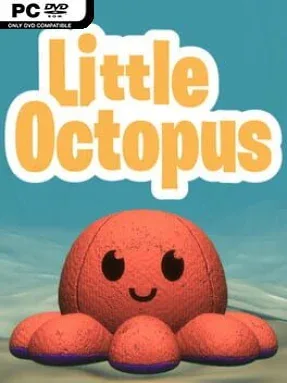
Game Overview
A cheerful arcade challenge built around a familiar reversible plush turns a simple idea into a surprisingly demanding climb for a high score. Little Octopus sends your soft, two-faced companion bouncing upward through a vertical series of platforms, with every successful launch carrying it closer to a new personal best. Its bright presentation and playful mood make it approachable at first glance, but the increasingly exact timing gives the action a satisfying edge.
Each run revolves around tapping at the right moment to close platforms beneath the octopus and convert its landing into another spring upward. Mistime the input and the rhythm breaks, while clean, well-timed bounces keep the climb alive and reward players who learn the spacing between platforms. Gems collected during attempts serve as the main progression currency, unlocking cosmetic options rather than changing the fundamental challenge. The focus remains on repeatable solo score-chasing: restart quickly, sharpen your reactions, and try to rise farther than before.
The reversible plush concept is more than a cute mascot, since the octopus visibly flips between moods as it bounces, giving every run a little personality. Unlockable colors, expressions, and exterior looks let players tailor both sides of the character, making gem collection feel worthwhile even after the core mechanics become familiar. Its clean, one-button design recalls lightweight mobile arcade hits and endless jumpers, favoring immediate feedback over complicated systems or lengthy sessions. Little Octopus suits younger players and casual high-score hunters especially well, while genre veterans may enjoy it as a brief reflex test between larger games.
Installation
- Click the green button below to be redirected to UploadHaven.
- Wait 15 seconds, then hit “Free Download.” (Free downloads may be slower — upgrade to UploadHaven Pro for faster speeds.)
- Once downloaded, right-click the .zip file and choose “Extract to Little Octopus.” (You’ll need 7-Zip for this.)
- Open the extracted folder and run the game as administrator.
- Enjoy! 🎮 If you see missing DLL errors, check the <strong>_Redist</strong> folder inside and install what’s needed.
System Requirements
- OS: Windows Vista SP1+ or higher
- Processor: Intel i5-4590, AMD FX 8350 equivalent or better
- Memory: 1 GB RAM
- Storage: 200 MB available space
Setup Guide & Troubleshooting
How do I fix missing DLL errors for Little Octopus?
After extracting Little Octopus, navigate to the _Redist or _CommonRedist folder inside the game directory and install DirectX, Vcredist, and any other dependencies included.
What should I do if the downloaded file is corrupted?
The full archive is 152.95 MB — make sure your download completed fully before extracting. Use 7-Zip to extract the files. If you still see a "file corrupted" error, re-download and try again.
Why should I run the game as administrator?
Right-click the game executable and select "Run as Administrator" to avoid save file issues and permission errors. This is especially important on the first launch.
How do I update my GPU drivers for this game?
Update your NVIDIA or AMD drivers to the latest version for the best performance and compatibility.
The game won't launch — what should I try?
Try running in compatibility mode, install the latest DirectX runtime, or install the All-in-One VC Redist Package.
My antivirus is blocking the game — is it safe?
Antivirus false positives are common with pre-installed games. Temporarily pause your antivirus during extraction to prevent it from quarantining game files. You can re-enable it after the extraction completes.