
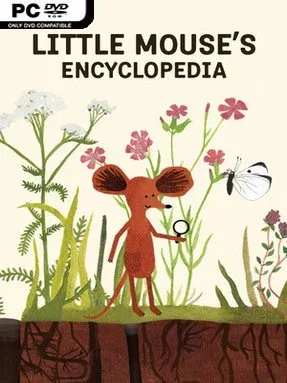

Little Mouse’s Encyclopedia Cover Art

Little Mouse’s Encyclopedia

INDIE 245.76 MB

Game Overview

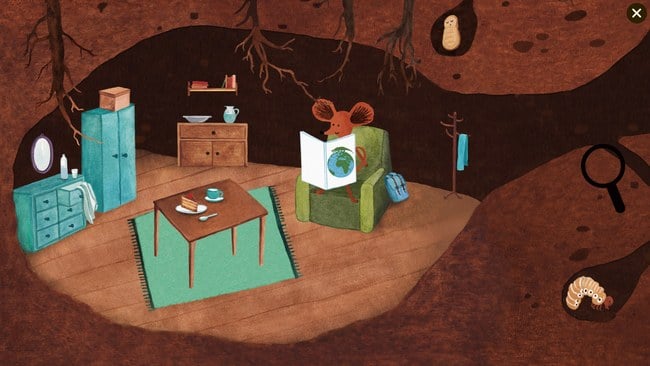
A hand-painted nature book comes alive as a curious little mouse wanders through forests, ponds, gardens, and other quiet habitats. Little Mouse’s Encyclopedia is a gentle educational adventure aimed at younger players, though its warm illustrations and relaxed pace also make it pleasant for parents to share with children. There are no villains, timers, or stressful fail states; the appeal comes from noticing the life tucked into every corner of the scenery. Its tone is calm, colorful, and genuinely curious about the natural world.

Players guide the mouse through four interactive environments, clicking on creatures, flowers, trees, and small details to reveal facts about them. More than 160 animal and plant species are included, turning each area into a lightly structured scavenger hunt where observation is the main skill. Straightforward point-and-click controls keep the focus on discovery, while the encyclopedia-style entries introduce names and information in accessible language. Progress comes from finding new subjects and revisiting locations to spot the things that initially blend into the artwork, making it suitable for independent play without demanding gaming experience.

What stands out is the presentation: every habitat looks like an illustrated children’s book rather than a busy learning app, and the mouse gives the journey a friendly sense of purpose. The game encourages patience and attention without feeling like homework, making its educational content easier to absorb than a conventional quiz format. Multiple language options broaden its usefulness for families and classrooms, especially for children beginning to read or building vocabulary. Fans of peaceful exploration games, interactive storybooks, and nature documentaries made for kids will find a charming, low-pressure experience here; veteran players should treat it as a brief cozy curiosity, while younger newcomers get the most from its simple, inviting design.

Installation

  1. Click the green button below to be redirected to UploadHaven.
  2. Wait 15 seconds, then hit “Free Download.” (Free downloads may be slower — upgrade to UploadHaven Pro for faster speeds.)
  3. Once downloaded, right-click the .zip file and choose “Extract to Little Mouse's Encyclopedia.” (You’ll need 7-Zip for this.)
  4. Open the extracted folder and run the game as administrator.
  5. Enjoy! 🎮 If you see missing DLL errors, check the <strong>_Redist</strong> folder inside and install what’s needed.

System Requirements

  • OS *: Windows 7, 8, 10
  • Processor: 2.3 GHz Dual Core
  • Memory: 1 GB RAM
  • Graphics: Intel HD 4000
  • Storage: 700 MB available space

Setup Guide & Troubleshooting

How do I fix missing DLL errors for Little Mouse’s Encyclopedia?

After extracting Little Mouse’s Encyclopedia, navigate to the _Redist or _CommonRedist folder inside the game directory and install DirectX, Vcredist, and any other dependencies included.

What should I do if the downloaded file is corrupted?

The full archive is 245.76 MB — make sure your download completed fully before extracting. Use 7-Zip to extract the files. If you still see a "file corrupted" error, re-download and try again.

Why should I run the game as administrator?

Right-click the game executable and select "Run as Administrator" to avoid save file issues and permission errors. This is especially important on the first launch.

How do I update my GPU drivers for this game?

Little Mouse’s Encyclopedia requires a Intel HD 4000 or equivalent. Update your NVIDIA or AMD drivers to the latest version for the best performance.

The game won't launch — what should I try?

Try running in compatibility mode, install the latest DirectX runtime, or install the All-in-One VC Redist Package.

My antivirus is blocking the game — is it safe?

Antivirus false positives are common with pre-installed games. Temporarily pause your antivirus during extraction to prevent it from quarantining game files. You can re-enable it after the extraction completes.

Need more help? Browse our FAQ & Troubleshooting Guide for solutions to common issues.
Looking for something else? Explore all games on Steam Unlocked