
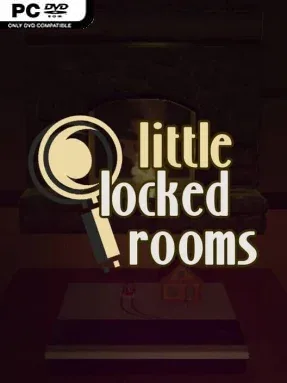
Game Overview
A tabletop full of miniature crime scenes becomes the stage for a warm, clever detective anthology. Detective Loup turns his children’s curiosity about his work into nightly lessons, presenting compact cases involving locked rooms, vanished victims, suspicious witnesses, and seemingly impossible murders. The mood stays playful rather than grim, with a family-story framing device balancing the darker subject matter. Little Locked Rooms is built for players who enjoy studying details, questioning assumptions, and arriving at a satisfying “that’s how it happened” revelation.
Each case places a small diorama in front of you and asks you to reconstruct the crime from its physical layout, written testimony, and the clues hidden in plain sight. You inspect rooms, compare accounts, identify contradictions, and work out the practical trick that lets a culprit fake an alibi, escape a sealed space, or disguise the real sequence of events. Rather than relying on action, inventory management, or sprawling adventure-game item hunts, progression comes from pure observation and deduction. Puzzles vary in complexity across the campaign, while an optional hint system keeps a difficult case from becoming a dead end; most players finish the full set in roughly two to three hours.
Its strongest idea is the diorama presentation: these tiny scenes make every case feel like a puzzle box, and small animations help visualize theories without robbing you of the answer. The mysteries focus on classic detective-fiction logic, rewarding careful reading and lateral thinking more than random clicking. The concise structure also makes it an easy choice for a single evening or for solving a case alongside a friend or family member, even though the experience is primarily built around individual deduction. Fans of Professor Layton-style brainteasers, Ace Attorney’s contradiction hunting, or traditional locked-room mysteries should find plenty to enjoy, while newcomers benefit from the approachable scale and generous hints.
Installation
- Click the green button below to be redirected to UploadHaven.
- Wait 15 seconds, then hit “Free Download.” (Free downloads may be slower — upgrade to UploadHaven Pro for faster speeds.)
- Once downloaded, right-click the .zip file and choose “Extract to Little Locked Rooms.” (You’ll need 7-Zip for this.)
- Open the extracted folder and run the game as administrator.
- Enjoy! 🎮 If you see missing DLL errors, check the <strong>_Redist</strong> folder inside and install what’s needed.
System Requirements
- Requires a 64-bit processor and operating system
- OS *: Windows 7 (64 bit)
- Processor: Intel 6th Gen i5
- Memory: 1 GB RAM
- Graphics: GeForce GTX 660
- Storage: 800 MB available space
Setup Guide & Troubleshooting
How do I fix missing DLL errors for Little Locked Rooms (v1.2.4)?
After extracting Little Locked Rooms (v1.2.4), navigate to the _Redist or _CommonRedist folder inside the game directory and install DirectX, Vcredist, and any other dependencies included.
What should I do if the downloaded file is corrupted?
The full archive is 250.67 MB — make sure your download completed fully before extracting. Use 7-Zip to extract the files. If you still see a "file corrupted" error, re-download and try again.
Why should I run the game as administrator?
Right-click the game executable and select "Run as Administrator" to avoid save file issues and permission errors. This is especially important on the first launch.
How do I update my GPU drivers for this game?
Little Locked Rooms (v1.2.4) requires a GeForce GTX 660 or equivalent. Update your NVIDIA or AMD drivers to the latest version for the best performance.
The game won't launch — what should I try?
Try running in compatibility mode, install the latest DirectX runtime, or install the All-in-One VC Redist Package.
My antivirus is blocking the game — is it safe?
Antivirus false positives are common with pre-installed games. Temporarily pause your antivirus during extraction to prevent it from quarantining game files. You can re-enable it after the extraction completes.