
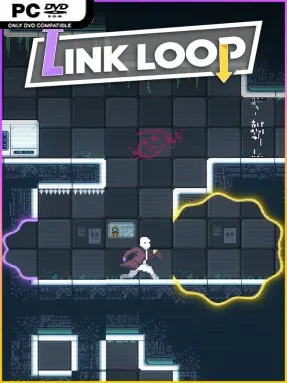
Game Overview
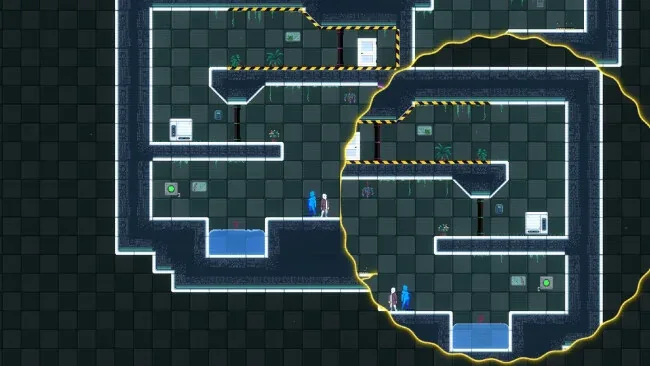
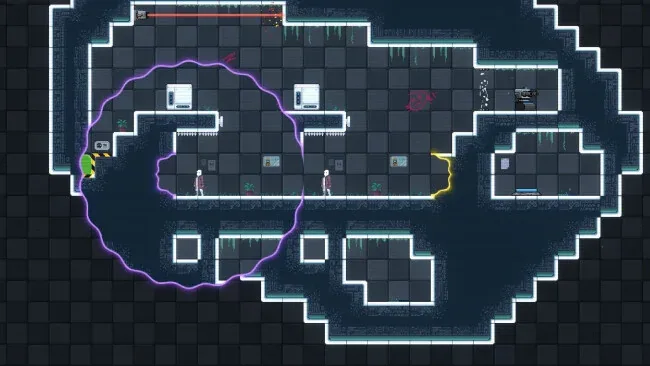
Seamless portals turn a deceptively clean 2D puzzle space into a playground for improbable physics solutions. Link Loop casts players as problem-solvers navigating compact test-like maps, where the exit is often visible long before a route to it makes sense. Its mood is bright, cerebral, and pleasantly tactile rather than oppressive, with every successful setup landing like a clever science experiment. The central appeal lies in seeing ordinary objects behave in extraordinary ways once two linked openings rewrite the layout.
Players place paired portals, aim through them, and exploit their continuous connections to move themselves, crates, liquids, and laser beams toward each stage’s goal. Momentum, gravity, and object placement matter, so a solution may involve redirecting a beam, pouring fluid through a wall, or building a chain reaction instead of simply finding the intended door. More than 50 solo challenges steadily add wrinkles while leaving room for experimentation, while over 30 cooperative puzzles ask two online players to coordinate placements and timing. Controller-friendly right-stick aiming, remappable controls, and Steam Deck optimization make the precision work approachable away from a desk.
What distinguishes Link Loop from a standard Portal-inspired puzzler is how little it insists on one correct answer. Broad, permissive maps reward lateral thinking, while a built-in editor—the same toolkit used for the official content—lets players produce and share JSON-based stages through the Workshop. That community pipeline gives the compact campaign strong long-term value, especially for partners seeking fresh co-op brainteasers. Fans of Portal 2, physics sandboxes, and open-ended logic puzzles should feel at home; newcomers can learn through clear interactions, while veterans can enjoy finding solutions the designer may never have expected.
Screenshots
Installation
- Select the <strong>Download</strong> button at the top of this page to open UploadHaven.
- On UploadHaven, wait for any countdown, then select <strong>Free Download</strong>. Optional: UploadHaven Pro for faster downloads.
- When complete, extract the archive to a <strong>Link Loop</strong> folder using 7-Zip.
- Open the extracted folder and start the game normally.
- For errors, check <strong>Setup Guide & Troubleshooting</strong> below. Keep your security software enabled.
System Requirements
- OS: Windows 10, 11
- Processor: Dual-core processor @ 2.0 Ghz
- Memory: 8 GB RAM
- Graphics: Any graphics card
- Storage: 300 MB available space
- Sound Card: Any