
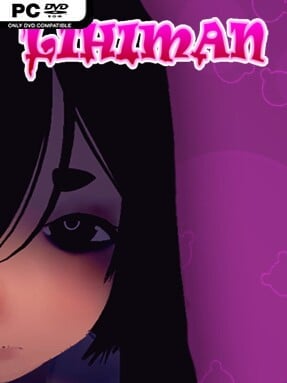
Game Overview
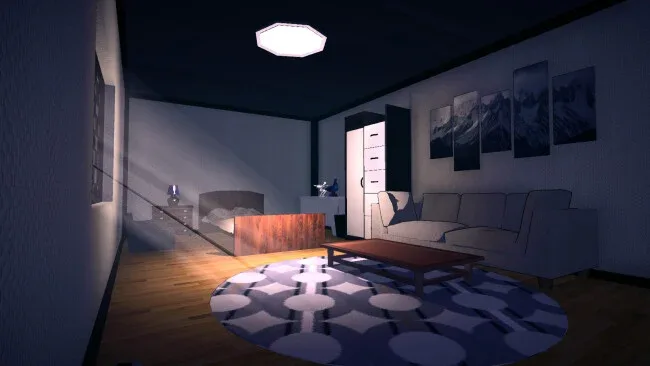
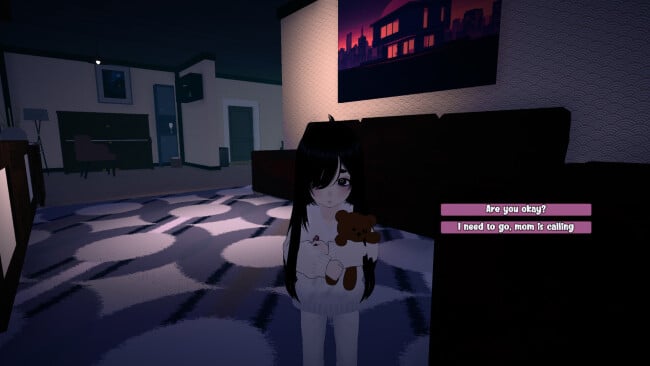
A bright Filipino family home becomes the stage for an uneasy first-person horror story that hides behind an intentionally sugary anime presentation. At first, the focus seems almost disarmingly simple: spend an afternoon with your parents and energetic sister Joyce, enjoy meals, watch television, play around the house, and appreciate the little rituals of family life. Soft colors, cheerful character designs, and gentle domestic scenes establish a cozy mood, but strange details gradually undermine that comfort. The result is less about constant chases or combat than the creeping realization that the home’s warmth may be concealing something deeply wrong.
Players move through the house and its surrounding spaces using straightforward WASD-and-mouse controls, interacting with people and objects to advance scenes and uncover hidden narrative threads. Everyday activities such as talking, doing chores, sharing a picnic, and joining Joyce’s games form the early loop, while a flashlight becomes useful once the tone turns darker. Progress depends on observation and revisiting moments with a different understanding of what is happening, rather than mechanical skill or inventory-heavy puzzle solving. A single route lasts roughly 90 minutes, but seeing every ending can take two to three hours and is important for assembling the full story.
Its strongest idea is the contrast between affectionate family bonding and psychological unease, using the familiarity of home as a source of tension instead of relying on a traditionally haunted setting. Filipino cultural flavor gives the household a more specific identity than the generic suburban locations common in indie horror, while the anime-like visuals make the later disruptions feel sharper. Multiple endings add worthwhile replay value for players who enjoy piecing together ambiguous narratives and searching for secrets. Fans of compact, atmosphere-led horror in the vein of Doki Doki Literature Club! or The Closing Shift should find plenty to like, especially if they prefer unsettling story turns over difficult action.
Screenshots
Installation
- Click the green button below to be redirected to UploadHaven.
- Wait 15 seconds, then hit “Free Download.” (Free downloads may be slower — upgrade to UploadHaven Pro for faster speeds.)
- Once downloaded, right-click the .zip file and choose “Extract to Lihiman.” (You’ll need 7-Zip for this.)
- Open the extracted folder and run the game as administrator.
- Enjoy! 🎮 If you see missing DLL errors, check the <strong>_Redist</strong> folder inside and install what’s needed.
System Requirements
- OS: Windows 10
- Processor: Intel Core i5 @ 2.5 GHz or equivalent
- Memory: 8 GB RAM
- Graphics: GTX 1060 or RX 6600 XT
- Storage: 2 GB available space
- Additional Notes: Requires a 64-bit processor and operating system
Setup Guide & Troubleshooting
How do I fix missing DLL errors for Lihiman (v1.0.5)?
After extracting Lihiman (v1.0.5), navigate to the _Redist or _CommonRedist folder inside the game directory and install DirectX, Vcredist, and any other dependencies included.
What should I do if the downloaded file is corrupted?
The full archive is 866.08 MB — make sure your download completed fully before extracting. Use 7-Zip to extract the files. If you still see a "file corrupted" error, re-download and try again.
Why should I run the game as administrator?
Right-click the game executable and select "Run as Administrator" to avoid save file issues and permission errors. This is especially important on the first launch.
How do I update my GPU drivers for this game?
Lihiman (v1.0.5) requires a GTX 1060 or RX 6600 XT or equivalent. Update your NVIDIA or AMD drivers to the latest version for the best performance.
The game won't launch — what should I try?
Try running in compatibility mode, install the latest DirectX runtime, or install the All-in-One VC Redist Package.
My antivirus is blocking the game — is it safe?
Antivirus false positives are common with pre-installed games. Temporarily pause your antivirus during extraction to prevent it from quarantining game files. You can re-enable it after the extraction completes.