
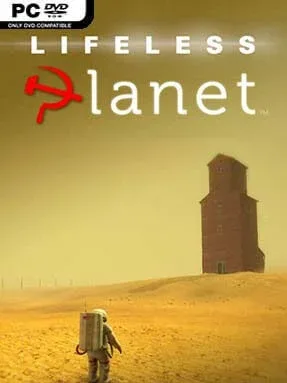
Game Overview
A failed expedition turns a supposedly habitable alien world into a lonely, unsettling mystery. Lifeless Planet: Premier Edition follows a stranded astronaut who expects to find thriving ecosystems, only to uncover dust storms, jagged rock formations, and the inexplicable remains of a Soviet-era settlement far from Earth. The tone leans into vintage science-fiction adventure, mixing isolation, conspiracy, and a steady sense that someone—or something—has reached this place before you. A mysterious survivor becomes central to the story as the planet’s lethal natural forces and buried history begin to make less sense.
Played from a third-person perspective, the adventure centers on navigating large environmental spaces, locating clues, and using a jetpack to cross gaps, climb terrain, and survive hazardous routes. Platforming is deliberately measured rather than twitchy, with oxygen, energy, and dangerous anomalies adding pressure during longer expeditions. Audio logs, documents, and visual details gradually explain the mission’s strange connection to Cold War history, while puzzles typically ask players to read the landscape and find a safe path forward. Combat is not the focus; the challenge comes from traversal, observation, and piecing together what happened to the prior inhabitants.
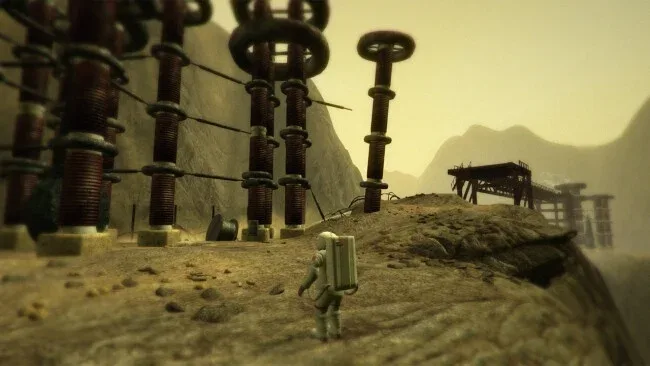
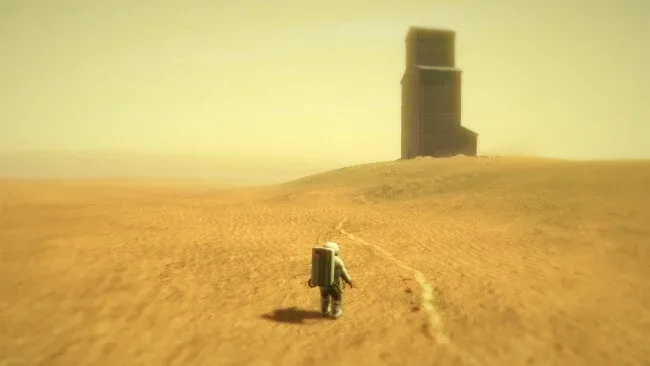
Its most memorable quality is the contrast between alien desert vistas and the familiar, decaying architecture of a forgotten Russian town. The world often evokes the reflective exploration of Firewatch and The Vanishing of Ethan Carter, although its jetpack platforming gives it a more traditional action-adventure structure. Premier Edition includes expanded story material and presentation upgrades that make the journey feel more complete than the original release. Players who enjoy atmospheric sci-fi mysteries, restrained puzzle solving, and exploration driven by narrative will find a distinctive, compact adventure here, while anyone seeking fast combat or an open-ended sandbox should set expectations accordingly.
Screenshots
Installation
- Select the <strong>Download</strong> button at the top of this page to open UploadHaven.
- On UploadHaven, wait for any countdown, then select <strong>Free Download</strong>. Optional: UploadHaven Pro for faster downloads.
- When complete, extract the archive to a <strong>Lifeless Planet Premier Edition</strong> folder using 7-Zip.
- Open the extracted folder and start the game normally.
- For errors, check <strong>Setup Guide & Troubleshooting</strong> below. Keep your security software enabled.
System Requirements
- OS: Windows XP
- Processor: Core 2 Duo or AMD equivalent
- Memory: 1500 MB RAM
- Graphics: NVIDIA GeForce GT 430 or ATI equivalent
- DirectX: Version 9.0c
- Storage: 900 MB available space
- Sound Card: DX9.0c compatible
Setup Guide & Troubleshooting
How do I fix missing DLL errors for Lifeless Planet Premier Edition (v1.5)?
After extracting Lifeless Planet Premier Edition (v1.5), navigate to the _Redist or _CommonRedist folder inside the game directory and install DirectX, Vcredist, and any other dependencies included.
What should I do if the downloaded file is corrupted?
The full archive is 677.26 MB — make sure your download completed fully before extracting. Use 7-Zip to extract the files. If you still see a "file corrupted" error, re-download and try again.
Why should I run the game as administrator?
Right-click the game executable and select "Run as Administrator" to avoid save file issues and permission errors. This is especially important on the first launch.
How do I update my GPU drivers for this game?
Lifeless Planet Premier Edition (v1.5) requires a NVIDIA GeForce GT 430 or ATI equivalent or equivalent. Update your NVIDIA or AMD drivers to the latest version for the best performance.
The game won't launch — what should I try?
This game requires Version 9.0c. Try running in compatibility mode, install the latest DirectX runtime, or install the All-in-One VC Redist Package.
My antivirus is blocking the game — is it safe?
Antivirus false positives are common with pre-installed games. Temporarily pause your antivirus during extraction to prevent it from quarantining game files. You can re-enable it after the extraction completes.