
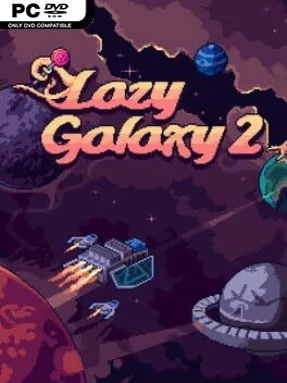
Lazy Galaxy 2 Cover Art

Lazy Galaxy 2

INDIE 90.62 MB v2.0.4

Game Overview

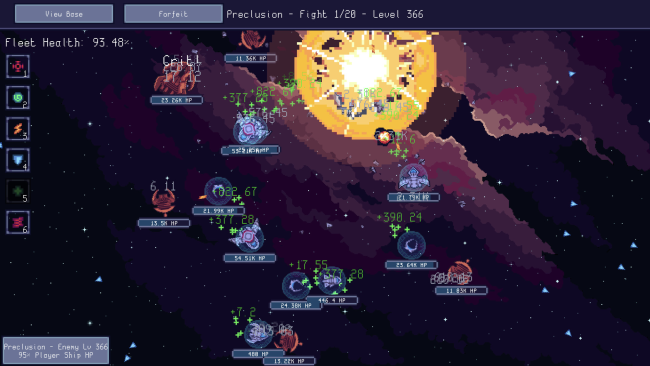
An unapologetically sluggish alien empire turns galactic domination into a colorful incremental strategy project. Lazy Galaxy 2 mixes idle clicking with base expansion, fleet management, and compact real-time battles, giving players plenty to do without demanding constant attention. Its tone is playful rather than grim: the currency that fuels your conquest is candy, and even a supposedly evil species approaches universal takeover with the urgency of a long afternoon. A hand-built campaign provides the structure as you push from local skirmishes toward wider control of space.

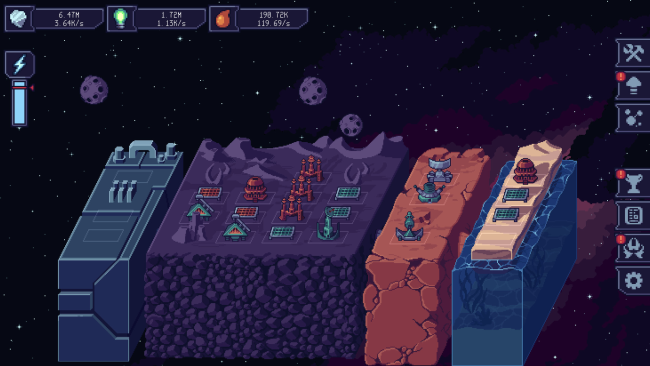
Each mission revolves around improving your production, developing a stronger headquarters, assembling ships, and taking territory from hostile forces. Combat can run largely on its own for players who prefer the idle-game rhythm, but direct control of unit powers makes a real difference when battles become crowded or difficult. Victories award experience that is turned into candy, feeding back into upgrades and opening different routes through the tech and development systems. Progress is not merely numerical either, since base placement and map control add a spatial strategy layer beyond watching resource counters rise.

The smartest feature is how it lets active and passive play coexist instead of forcing a choice between them. Players can check in periodically to grow an efficient interstellar operation, or micromanage abilities and fleet positioning to squeeze more out of every encounter. Achievements also carry practical weight, granting lasting research bonuses that make long-term progression feel more purposeful than in many clickers. Mod support and custom-map tools extend the campaign’s life, allowing the community to create new scenarios, ships, and upgrades. Fans of idle games who want more tactical texture than Cookie Clicker, or strategy players looking for a relaxed alternative to traditional RTS pressure, should find Lazy Galaxy 2 an approachable and surprisingly flexible fit.

Installation

  1. Click the green button below to be redirected to UploadHaven.
  2. Wait 15 seconds, then hit “Free Download.” (Free downloads may be slower — upgrade to UploadHaven Pro for faster speeds.)
  3. Once downloaded, right-click the .zip file and choose “Extract to Lazy Galaxy 2.” (You’ll need 7-Zip for this.)
  4. Open the extracted folder and run the game as administrator.
  5. Enjoy! 🎮 If you see missing DLL errors, check the <strong>_Redist</strong> folder inside and install what’s needed.

System Requirements

  • OS: Windows 7 (SP1+) or later
  • Processor: Intel Core Duo or later (x86, x64 architecture with SSE2 instruction set support)
  • Memory: 1024 MB RAM
  • Graphics: DX10, DX11, DX12 capable
  • DirectX: Version 10
  • Storage: 500 MB available space

Setup Guide & Troubleshooting

How do I fix missing DLL errors for Lazy Galaxy 2 (v2.0.4)?

After extracting Lazy Galaxy 2 (v2.0.4), navigate to the _Redist or _CommonRedist folder inside the game directory and install DirectX, Vcredist, and any other dependencies included.

What should I do if the downloaded file is corrupted?

The full archive is 90.62 MB — make sure your download completed fully before extracting. Use 7-Zip to extract the files. If you still see a "file corrupted" error, re-download and try again.

Why should I run the game as administrator?

Right-click the game executable and select "Run as Administrator" to avoid save file issues and permission errors. This is especially important on the first launch.

How do I update my GPU drivers for this game?

Lazy Galaxy 2 (v2.0.4) requires a DX10, DX11, DX12 capable or equivalent. Update your NVIDIA or AMD drivers to the latest version for the best performance.

The game won't launch — what should I try?

This game requires Version 10. Try running in compatibility mode, install the latest DirectX runtime, or install the All-in-One VC Redist Package.

My antivirus is blocking the game — is it safe?

Antivirus false positives are common with pre-installed games. Temporarily pause your antivirus during extraction to prevent it from quarantining game files. You can re-enable it after the extraction completes.

Need more help? Browse our FAQ & Troubleshooting Guide for solutions to common issues.
Looking for something else? Explore all games on Steam Unlocked