
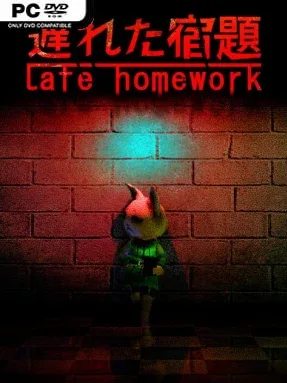
Game Overview
A forgotten assignment turns an ordinary school-night panic into a compact nightmare of locked corridors, failing lights, and unseen danger. Late Homework follows Haneko, a secondary student who returns to campus after dark to retrieve work due the following morning, only to find that the building has become a hunting ground. Its mood recalls late-1990s console horror: lonely, oppressive, and slightly surreal, with the vulnerability of a teenager making every empty classroom feel threatening. The premise stays focused, trading sprawling lore for a direct race to finish a simple task before the school claims another disobedient student.
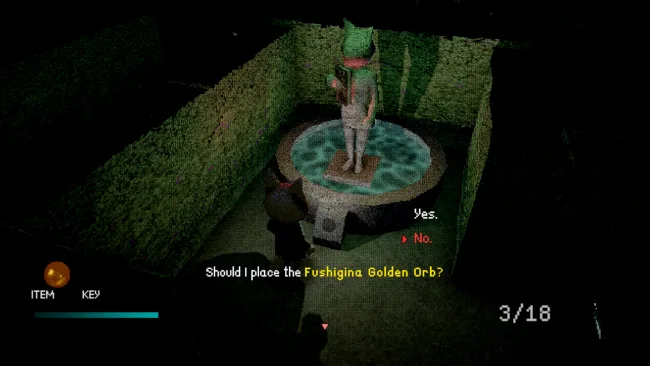
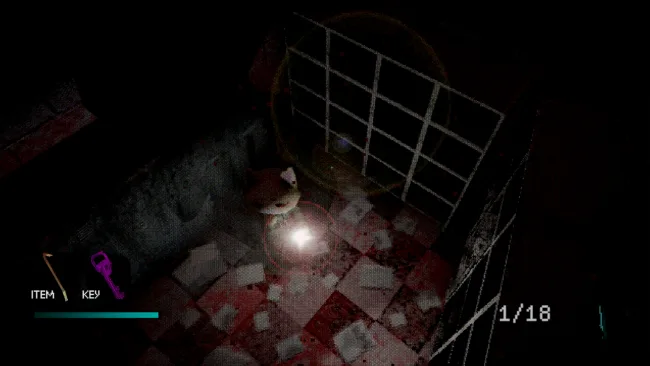
Haneko searches the school through fixed cinematic camera angles, using deliberately old-school tank controls that make movement part of the tension rather than a mere convenience. Progress revolves around navigating corridors, locating changing objectives, avoiding the hostile anomaly, and deciding when to move quickly versus cautiously through dangerous spaces. The low-poly presentation is not just nostalgia dressing; harsh lighting, deep shadows, and crunchy visual effects make familiar desks and lockers look unnervingly alien after hours. Optional difficulty settings let players choose between a breezier first run and a stricter survival-horror challenge, while gamepad support fits the game’s retro-console sensibility well.
What separates it from many modern indie horror games is its commitment to the concise 32-bit survival-horror format instead of relying on extended chase sequences or loud jump scares. Randomized objective locations prevent every playthrough from becoming a memorized route, and hidden unlockables give completion-minded players a reason to return after seeing the initial ending. The short length makes it ideal for a single unsettling evening, though players expecting elaborate combat, huge maps, or a lengthy campaign should adjust expectations. Fans of early Resident Evil-style camera work, PS1-era visual texture, and compact school-set horror will find a focused throwback here, while newcomers should be ready to learn its intentionally stiff, classic control scheme.
Screenshots
Installation
- Select the <strong>Download</strong> button at the top of this page to open UploadHaven.
- On UploadHaven, wait for any countdown, then select <strong>Free Download</strong>. Optional: UploadHaven Pro for faster downloads.
- When complete, extract the archive to a <strong>Late Homework</strong> folder using 7-Zip.
- Open the extracted folder and start the game normally.
- For errors, check <strong>Setup Guide & Troubleshooting</strong> below. Keep your security software enabled.
System Requirements
- OS: Windows 10
- Processor: Intel i5 or equivalent
- Memory: 4 GB RAM
- Graphics: 1 GB VRam
- DirectX: Version 10
- Storage: 2 GB available space
Setup Guide & Troubleshooting
How do I fix missing DLL errors for Late Homework (v1.2r)?
After extracting Late Homework (v1.2r), navigate to the _Redist or _CommonRedist folder inside the game directory and install DirectX, Vcredist, and any other dependencies included.
What should I do if the downloaded file is corrupted?
The full archive is 181.09 MB — make sure your download completed fully before extracting. Use 7-Zip to extract the files. If you still see a "file corrupted" error, re-download and try again.
Why should I run the game as administrator?
Right-click the game executable and select "Run as Administrator" to avoid save file issues and permission errors. This is especially important on the first launch.
How do I update my GPU drivers for this game?
Late Homework (v1.2r) requires a 1 GB VRam or equivalent. Update your NVIDIA or AMD drivers to the latest version for the best performance.
The game won't launch — what should I try?
This game requires Version 10. Try running in compatibility mode, install the latest DirectX runtime, or install the All-in-One VC Redist Package.
My antivirus is blocking the game — is it safe?
Antivirus false positives are common with pre-installed games. Temporarily pause your antivirus during extraction to prevent it from quarantining game files. You can re-enable it after the extraction completes.