
Game Overview
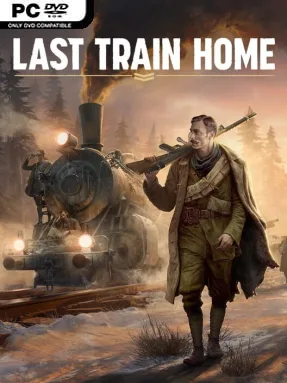
A battered armored locomotive becomes the last refuge for a Czechoslovak legion stranded thousands of miles from home. Last Train Home combines real-time tactical combat with harsh survival management, following soldiers who cross Siberia during the Russian Civil War after World War I. Snowbound stations, ruined towns, and hostile front lines give the journey a grim, exhausted atmosphere, while the goal remains intensely human: keep enough people alive to reach the newly formed Czechoslovakia. It is a war story built less around glory than hunger, frostbite, grief, and the pressure of making one more stop before supplies run out.
Missions send small squads off the train to seize rail stations, secure fuel, rescue allies, raid enemy positions, or slip through dangerous territory. Combat plays like a pause-friendly real-time tactics game, rewarding cover, flanking, specialized soldiers, careful positioning, and using limited ammunition intelligently rather than charging into every fight. Between battles, the train acts as a moving headquarters where troops heal, cook, craft equipment, train, rest, and attempt to recover morale; every soldier assigned to one task is unavailable for another. Scavenged resources and trade decisions feed directly into the campaign, while new cars, locomotive upgrades, weapons, medals, and character skills gradually turn a ragged group into a more capable fighting force.
Its strongest feature is the way tactical losses echo beyond the battlefield: a wounded rifleman is not merely a temporary setback, but another mouth to feed and another job left undone aboard the train. The historical Czechoslovak Legion setting gives the campaign an identity few strategy games possess, and the detailed winter landscapes make Siberia feel vast, hostile, and isolating. Narrative events and the competing demands of fuel, food, medicine, repairs, and manpower keep the route from becoming a simple mission checklist. Players who enjoy the squad control of Commandos or Company of Heroes, but want a more personal survival-management layer, find plenty to admire; newcomers can learn its systems, though patience and willingness to accept difficult consequences are essential.
Installation
- Click the green button below to be redirected to UploadHaven.
- Wait 15 seconds, then hit “Free Download.” (Free downloads may be slower — upgrade to UploadHaven Pro for faster speeds.)
- Once downloaded, right-click the .zip file and choose “Extract to Last Train Home.” (You’ll need 7-Zip for this.)
- Open the extracted folder and run the game as administrator.
- Enjoy! 🎮 If you see missing DLL errors, check the <strong>_Redist</strong> folder inside and install what’s needed.
System Requirements
- Requires a 64-bit processor and operating system
- OS: Windows® 10 64 bit
- Processor: 3 GHz Quad-Core
- Memory: 8 GB RAM
- Graphics: Nvidia® GeForce™ GTX 1050-Ti (4GB) / AMD® Radeon™ RX 570 (4GB)
- Storage: 20 GB available space
Setup Guide & Troubleshooting
How do I fix missing DLL errors for Last Train Home (v1.0.0.32413 & ALL DLC)?
After extracting Last Train Home (v1.0.0.32413 & ALL DLC), navigate to the _Redist or _CommonRedist folder inside the game directory and install DirectX, Vcredist, and any other dependencies included.
What should I do if the downloaded file is corrupted?
The full archive is 22.90 GB — make sure your download completed fully before extracting. Use 7-Zip to extract the files. If you still see a "file corrupted" error, re-download and try again.
Why should I run the game as administrator?
Right-click the game executable and select "Run as Administrator" to avoid save file issues and permission errors. This is especially important on the first launch.
How do I update my GPU drivers for this game?
Last Train Home (v1.0.0.32413 & ALL DLC) requires a Nvidia® GeForce™ GTX 1050-Ti (4GB) / AMD® Radeon™ RX 570 (4GB) or equivalent. Update your NVIDIA or AMD drivers to the latest version for the best performance.
The game won't launch — what should I try?
Try running in compatibility mode, install the latest DirectX runtime, or install the All-in-One VC Redist Package.
My antivirus is blocking the game — is it safe?
Antivirus false positives are common with pre-installed games. Temporarily pause your antivirus during extraction to prevent it from quarantining game files. You can re-enable it after the extraction completes.