
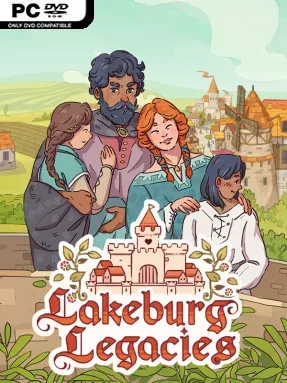
Lakeburg Legacies Cover Art

Lakeburg Legacies

INDIE 808.43 MB v1.1.4.1 & ALL DLC

Game Overview

A medieval settlement rises or falls on far more than lumber, grain, and stone: its people need compatible partners, stable homes, and a reason to build a future together. Lakeburg Legacies turns village management into a generational matchmaking challenge, combining cozy storybook presentation with the practical pressure of keeping an expanding town fed and productive. The tone is warm and playful, but unhappy marriages, poor trait inheritance, and sudden local problems can derail an otherwise promising dynasty.

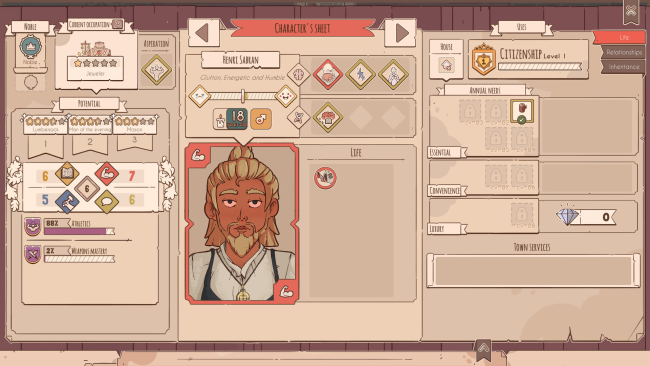
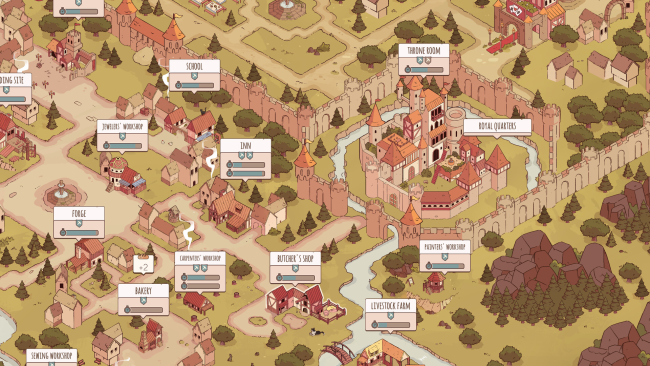
Most of your time goes into assigning villagers to jobs, constructing homes and workplaces, gathering resources, and maintaining production chains as the community grows. The defining system is matchmaking: every resident has preferences, personality quirks, skills, and inherited traits, so pairing two people is as much an economic decision as a romantic one. Successful couples produce children who eventually join the workforce, allowing useful characteristics and talents to carry through multiple generations. Trade, visitors, and unpredictable events force you to adjust plans, while limited supplies make it impossible to focus solely on either happiness or efficiency.

Its strongest idea is making population management personal rather than abstract; villagers are not merely workforce numbers, but members of families whose relationships shape the future of the realm. The charming illustrated art and accessible interface soften the complexity, although players who enjoy optimizing systems can spend plenty of time breeding specialized lines for farming, crafting, or other vital work. Unlike the harsher survival focus of Banished or the broad city-building scale of Anno, Lakeburg Legacies centers its strategy on domestic choices and long-term bloodlines. It suits newcomers who want a gentler management game, while seasoned simulation fans will appreciate the challenge of balancing romance, resources, and hereditary planning.

Installation

  1. Click the green button below to be redirected to UploadHaven.
  2. Wait 15 seconds, then hit “Free Download.” (Free downloads may be slower — upgrade to UploadHaven Pro for faster speeds.)
  3. Once downloaded, right-click the .zip file and choose “Extract to Lakeburg Legacies.” (You’ll need 7-Zip for this.)
  4. Open the extracted folder and run the game as administrator.
  5. Enjoy! 🎮 If you see missing DLL errors, check the <strong>_Redist</strong> folder inside and install what’s needed.

System Requirements

  • OS: Microsoft® Windows® 10
  • Processor: Ryzen 5 1400/i3 8100
  • Memory: 8 GB RAM
  • Graphics: NVIDIA GeForce GTX 1650, 4GB or AMD Radeon RX VEGA 56, 8GB
  • DirectX: Version 9.0
  • Storage: 10 GB available space
  • Additional Notes: 1280×720 minimal screen resolution

Setup Guide & Troubleshooting

How do I fix missing DLL errors for Lakeburg Legacies (v1.1.4.1 & ALL DLC)?

After extracting Lakeburg Legacies (v1.1.4.1 & ALL DLC), navigate to the _Redist or _CommonRedist folder inside the game directory and install DirectX, Vcredist, and any other dependencies included.

What should I do if the downloaded file is corrupted?

The full archive is 808.43 MB — make sure your download completed fully before extracting. Use 7-Zip to extract the files. If you still see a "file corrupted" error, re-download and try again.

Why should I run the game as administrator?

Right-click the game executable and select "Run as Administrator" to avoid save file issues and permission errors. This is especially important on the first launch.

How do I update my GPU drivers for this game?

Lakeburg Legacies (v1.1.4.1 & ALL DLC) requires a NVIDIA GeForce GTX 1650, 4GB or AMD Radeon RX VEGA 56, 8GB or equivalent. Update your NVIDIA or AMD drivers to the latest version for the best performance.

The game won't launch — what should I try?

This game requires Version 9.0. Try running in compatibility mode, install the latest DirectX runtime, or install the All-in-One VC Redist Package.

My antivirus is blocking the game — is it safe?

Antivirus false positives are common with pre-installed games. Temporarily pause your antivirus during extraction to prevent it from quarantining game files. You can re-enable it after the extraction completes.

Need more help? Browse our FAQ & Troubleshooting Guide for solutions to common issues.
Looking for something else? Explore all games on Steam Unlocked