
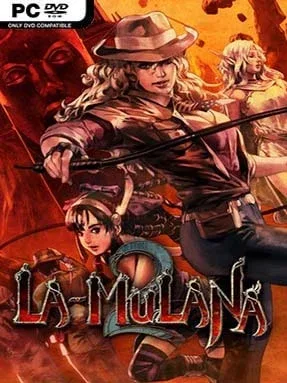
Game Overview
Eg-Lana is a hostile archaeological labyrinth where every screen can conceal a clue, a trap, or a route that only makes sense hours later. La-Mulana 2 casts you as Lumisa Kosugi, daughter of the original game’s explorer, investigating why monsters spill from a second set of ruins linked to humanity’s oldest secrets. Its pixel-art temples, mythological machinery, and looming bosses create an atmosphere closer to an Indiana Jones expedition designed by sadistic puzzle architects than a straightforward action platformer. The tone is mysterious, demanding, and often deliberately opaque, rewarding players who enjoy taking notes as much as landing attacks.
Lumisa searches a huge interconnected 2D world, acquiring relics, weapons, keys, and abilities that open previously unreachable areas. Combat uses seven main weapons and a range of sub-weapons, while punishing enemies and massive Guardians demand careful positioning rather than reckless button-mashing. The real progression comes from reading stone tablets, comparing cryptic messages, recognizing symbols, and manipulating the ruins’ systems; keeping an external notebook or screenshots is not optional for many of its harder riddles. More than 60 items and numerous installable apps for Lumisa’s Mobile Super X3 expand navigation, combat options, and puzzle-solving tools, but the game offers little hand-holding and expects players to make their own discoveries.
What separates La-Mulana 2 from most Metroidvanias is its commitment to being a genuine expedition rather than a guided upgrade hunt. Secrets are layered across the entire map, clues can point far beyond their immediate location, and solving a problem often delivers the satisfaction of deciphering an ancient language instead of merely finding the right door. Its detailed dot-art world and strange mythology give every region a distinct identity, while the enormous bestiary and optional mysteries encourage repeat visits. Fans of La-Mulana, Environmental Station Alpha, and the more cryptic side of classic adventure games find a rich, memorable challenge here; newcomers should arrive patient, observant, and ready to fail forward.
Installation
- Click the green button below to be redirected to UploadHaven.
- Wait 15 seconds, then hit “Free Download.” (Free downloads may be slower — upgrade to UploadHaven Pro for faster speeds.)
- Once downloaded, right-click the .zip file and choose “Extract to La-Mulana 2.” (You’ll need 7-Zip for this.)
- Open the extracted folder and run the game as administrator.
- Enjoy! 🎮 If you see missing DLL errors, check the <strong>_Redist</strong> folder inside and install what’s needed.
System Requirements
- OS: Windows 7 (64-bit)
- Processor: Intel(R) Core(TM) i5 2.3GHz or above
- Memory: 4 GB RAM
- Graphics: Graphic board with at least 1GB of VRAM
- DirectX: Version 11
- Storage: 4 GB available space
Setup Guide & Troubleshooting
How do I fix missing DLL errors for La-Mulana 2 (v1.10.10.1 & ALL DLC)?
After extracting La-Mulana 2 (v1.10.10.1 & ALL DLC), navigate to the _Redist or _CommonRedist folder inside the game directory and install DirectX, Vcredist, and any other dependencies included.
What should I do if the downloaded file is corrupted?
The full archive is 1.03 GB — make sure your download completed fully before extracting. Use 7-Zip to extract the files. If you still see a "file corrupted" error, re-download and try again.
Why should I run the game as administrator?
Right-click the game executable and select "Run as Administrator" to avoid save file issues and permission errors. This is especially important on the first launch.
How do I update my GPU drivers for this game?
La-Mulana 2 (v1.10.10.1 & ALL DLC) requires a Graphic board with at least 1GB of VRAM or equivalent. Update your NVIDIA or AMD drivers to the latest version for the best performance.
The game won't launch — what should I try?
This game requires Version 11. Try running in compatibility mode, install the latest DirectX runtime, or install the All-in-One VC Redist Package.
My antivirus is blocking the game — is it safe?
Antivirus false positives are common with pre-installed games. Temporarily pause your antivirus during extraction to prevent it from quarantining game files. You can re-enable it after the extraction completes.