
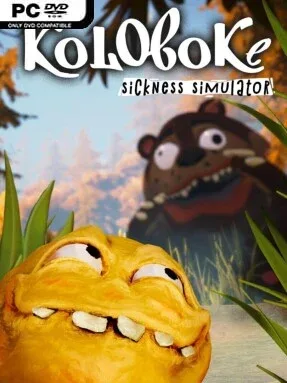
Game Overview
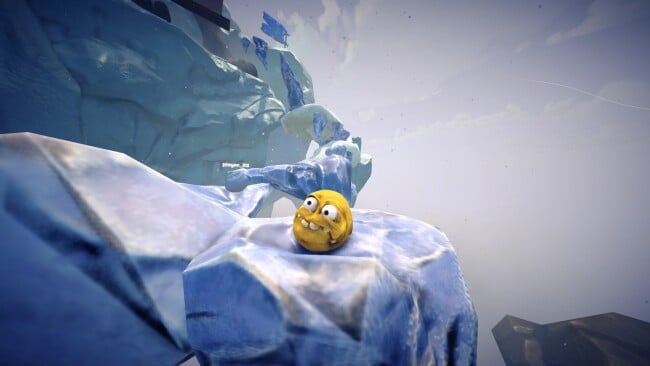
A round, stubborn little hero turns a simple roll-and-jump platformer into a concentrated test of patience, timing, and nerve. Koloboke: Sickness Simulator leans into absurd meme energy, placing its rolling protagonist in obstacle courses built to make every small mistake feel spectacular. The tone is knowingly ridiculous rather than grim, but the challenge is real: steep drops, awkward landings, and sudden traps turn each stretch of ground into a potential disaster. It is the kind of game that invites laughter one second and a deeply personal grudge against a ramp the next.
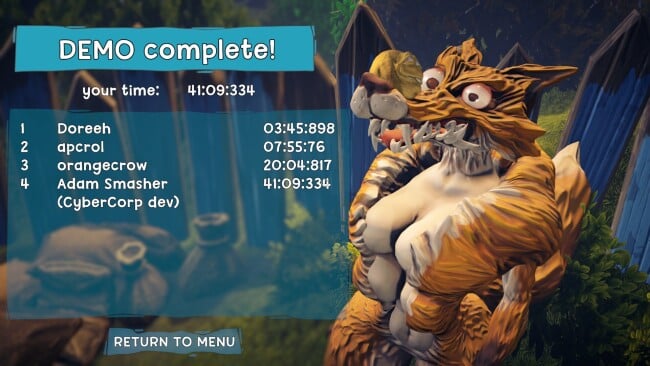
Control is intentionally stripped down to movement, rolling momentum, and jumping, so success comes from learning how the character handles rather than unlocking a growing list of abilities. Players repeatedly assess a hazard, build speed or carefully bleed it off, then commit to jumps where a fraction of a second can decide whether they clear the gap or tumble back down. Fox traps and exaggerated physical obstacles demand both precise inputs and the willingness to retry after a bad bounce. Progress feels earned because there are few shortcuts around execution; practice, route memory, and emotional recovery are the real tools at hand.
What separates it from a standard mascot platformer is its focus on unstable momentum and comedy born from failure. The meme-character presentation gives each collapse a deliberately silly edge, while the sparse move set keeps the difficulty readable: when a jump goes wrong, players usually know exactly why. Fans of rage-platformers and physics-driven challenge games such as Getting Over It or Only Up! should recognize the appeal, though Koloboke is more compact and cartoonish in spirit. It suits players who enjoy mastering demanding movement systems, sharing ridiculous failures with friends, and gradually turning impossible-looking jumps into routine runs.
Screenshots
Installation
- Click the green button below to be redirected to UploadHaven.
- Wait 15 seconds, then hit “Free Download.” (Free downloads may be slower — upgrade to UploadHaven Pro for faster speeds.)
- Once downloaded, right-click the .zip file and choose “Extract to Koloboke: Sickness Simulator.” (You’ll need 7-Zip for this.)
- Open the extracted folder and run the game as administrator.
- Enjoy! 🎮 If you see missing DLL errors, check the <strong>_Redist</strong> folder inside and install what’s needed.
System Requirements
- Requires a 64-bit processor and operating system
- OS *: Windows 7 (64-bit) or newer
- Processor: Intel Core i3 or AMD Phenom
- Memory: 4 GB RAM
- Graphics: GeForce GTX 560 / AMD Radeon RX 550
- Storage: 4 GB available space
Setup Guide & Troubleshooting
How do I fix missing DLL errors for Koloboke: Sickness Simulator (v2026.05.12)?
After extracting Koloboke: Sickness Simulator (v2026.05.12), navigate to the _Redist or _CommonRedist folder inside the game directory and install DirectX, Vcredist, and any other dependencies included.
What should I do if the downloaded file is corrupted?
The full archive is 826.88 MB — make sure your download completed fully before extracting. Use 7-Zip to extract the files. If you still see a "file corrupted" error, re-download and try again.
Why should I run the game as administrator?
Right-click the game executable and select "Run as Administrator" to avoid save file issues and permission errors. This is especially important on the first launch.
How do I update my GPU drivers for this game?
Koloboke: Sickness Simulator (v2026.05.12) requires a GeForce GTX 560 / AMD Radeon RX 550 or equivalent. Update your NVIDIA or AMD drivers to the latest version for the best performance.
The game won't launch — what should I try?
Try running in compatibility mode, install the latest DirectX runtime, or install the All-in-One VC Redist Package.
My antivirus is blocking the game — is it safe?
Antivirus false positives are common with pre-installed games. Temporarily pause your antivirus during extraction to prevent it from quarantining game files. You can re-enable it after the extraction completes.