
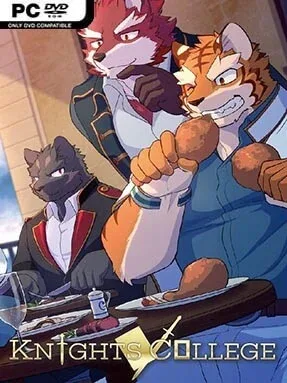
Game Overview
A quiet fishing village gives way to a far more uncertain future when Argo receives an unexpected recommendation to a prestigious academy for aspiring knights. Knights College is a character-driven indie visual novel built around campus life, personal relationships, and the mystery of why an ordinary young man is invited into such an elite institution. Its mood is relaxed and conversational rather than action-heavy, with the appeal coming from meeting fellow candidates, learning their personalities, and steering Argo’s place within the school. Beneath the everyday student routine, the unexplained letter provides a simple but effective reason to keep probing for answers.
Rather than freely roaming maps or selecting dialogue from standard menus, every meaningful interaction runs through a card-based system. New cards represent conversations, actions, opportunities, and possible paths, so collecting one can reveal a fresh scene, unlock another route, or improve Argo’s standing with a particular character. The central loop involves choosing which cards to play, deciding who to spend time with, and gradually opening more of the academy’s social web. Progress therefore feels closer to building a hand in a light narrative card game than following a completely linear visual novel, while choices encourage players to consider the relationships they want to pursue.
The card format is Knights College’s strongest distinguishing feature, turning simple movement and dialogue into a visible progression system with tangible unlocks. Instead of overwhelming players with complicated strategy mechanics, it keeps the focus on character scenes and branching story content, making it accessible even to newcomers to visual novels. Replaying routes to uncover different conversations and raise affinity with other knight candidates gives the compact premise some extra longevity. Players who enjoy relationship-focused school stories, route-based anime adventures, or choice-led games in the vein of lighter visual novels should find an easygoing, structured narrative experience here.
Installation
- Click the green button below to be redirected to UploadHaven.
- Wait 15 seconds, then hit “Free Download.” (Free downloads may be slower — upgrade to UploadHaven Pro for faster speeds.)
- Once downloaded, right-click the .zip file and choose “Extract to Knights College.” (You’ll need 7-Zip for this.)
- Open the extracted folder and run the game as administrator.
- Enjoy! 🎮 If you see missing DLL errors, check the <strong>_Redist</strong> folder inside and install what’s needed.
System Requirements
- Requires a 64-bit processor and operating system
- OS: Windows 10 (64bit)
- Memory: 2 GB RAM
- Storage: 4 GB available space
Setup Guide & Troubleshooting
How do I fix missing DLL errors for Knights College (v2.0.1)?
After extracting Knights College (v2.0.1), navigate to the _Redist or _CommonRedist folder inside the game directory and install DirectX, Vcredist, and any other dependencies included.
What should I do if the downloaded file is corrupted?
The full archive is 1.59 GB — make sure your download completed fully before extracting. Use 7-Zip to extract the files. If you still see a "file corrupted" error, re-download and try again.
Why should I run the game as administrator?
Right-click the game executable and select "Run as Administrator" to avoid save file issues and permission errors. This is especially important on the first launch.
How do I update my GPU drivers for this game?
Update your NVIDIA or AMD drivers to the latest version for the best performance and compatibility.
The game won't launch — what should I try?
Try running in compatibility mode, install the latest DirectX runtime, or install the All-in-One VC Redist Package.
My antivirus is blocking the game — is it safe?
Antivirus false positives are common with pre-installed games. Temporarily pause your antivirus during extraction to prevent it from quarantining game files. You can re-enable it after the extraction completes.