
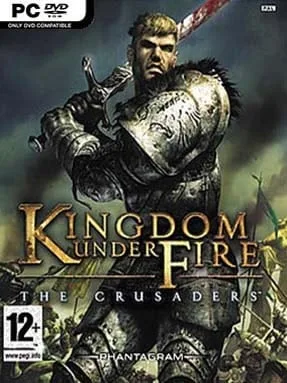
Game Overview
Steel, sorcery, and roaring heavy-metal guitars drive a fantasy war where generals fight in the mud alongside the troops they command. Kingdom Under Fire: The Crusaders blends third-person hack-and-slash combat with real-time battlefield tactics, placing you in control of four distinct heroes across a campaign of human, orc, and dark fantasy factions. Its tone is proudly dramatic and old-school, full of cavalry charges, giant monsters, airborne units, and enormous formations colliding in valleys and burning forests. Rather than watching armies from a distant throne, you lead from the front, cutting through enemy officers while trying to keep an entire war machine intact.
Battles shift constantly between direct action and command decisions. You control your hero with combos, special attacks, magic, and ally-assisted abilities, while issuing orders to infantry, archers, cavalry, siege units, and specialist squads through a tactical map. Terrain and weather matter: hills provide advantages, smoke obscures sight, wind interferes with arrows, rain kills fires, and tightly packed soldiers become easy targets for artillery. Between missions, earned resources let you level units, alter their classes, equip them, and assign battlefield powers that support your preferred approach. The modern release adds widescreen presentation, controller compatibility, and mouse-and-keyboard controls, though a gamepad still suits its console-born action best.
What separates The Crusaders from typical strategy games is its willingness to make you personally responsible for the chaos. Losing a hero’s duel can break an army’s momentum, but smart formations, flanking maneuvers, and carefully chosen reinforcements can rescue even a weaker force. Its interface and pacing show its 2004 roots, yet the hybrid design remains unusual: imagine Dynasty Warriors sharing a battlefield with a streamlined real-time strategy campaign. It suits players who enjoy commanding armies but want the immediacy of personally carving a path through the enemy line.
Installation
- Click the green button below to be redirected to UploadHaven.
- Wait 15 seconds, then hit “Free Download.” (Free downloads may be slower — upgrade to UploadHaven Pro for faster speeds.)
- Once downloaded, right-click the .zip file and choose “Extract to Kingdom Under Fire: The Crusaders.” (You’ll need 7-Zip for this.)
- Open the extracted folder and run the game as administrator.
- Enjoy! 🎮 If you see missing DLL errors, check the <strong>_Redist</strong> folder inside and install what’s needed.
System Requirements
- OS: Windows 7 32bit
- Processor: Intel Core 2 Duo or AMD Athlon 64×2 5600+
- Memory: 4 GB RAM
- Graphics: NVIDIA® GeForce® GT 420 or ATI™ Radeon™ HD 6850 or Intel® HD Graphics 4000 or better with 2 GB VRAM
- DirectX: Version 9.0
- Storage: 2 GB available space
Setup Guide & Troubleshooting
How do I fix missing DLL errors for Kingdom Under Fire: The Crusaders?
After extracting Kingdom Under Fire: The Crusaders, navigate to the _Redist or _CommonRedist folder inside the game directory and install DirectX, Vcredist, and any other dependencies included.
What should I do if the downloaded file is corrupted?
The full archive is 0.98 GB — make sure your download completed fully before extracting. Use 7-Zip to extract the files. If you still see a "file corrupted" error, re-download and try again.
Why should I run the game as administrator?
Right-click the game executable and select "Run as Administrator" to avoid save file issues and permission errors. This is especially important on the first launch.
How do I update my GPU drivers for this game?
Kingdom Under Fire: The Crusaders requires a NVIDIA® GeForce® GT 420 or ATI™ Radeon™ HD 6850 or Intel® HD Graphics 4000 or better with 2 GB VRAM or equivalent. Update your NVIDIA or AMD drivers to the latest version for the best performance.
The game won't launch — what should I try?
This game requires Version 9.0. Try running in compatibility mode, install the latest DirectX runtime, or install the All-in-One VC Redist Package.
My antivirus is blocking the game — is it safe?
Antivirus false positives are common with pre-installed games. Temporarily pause your antivirus during extraction to prevent it from quarantining game files. You can re-enable it after the extraction completes.