
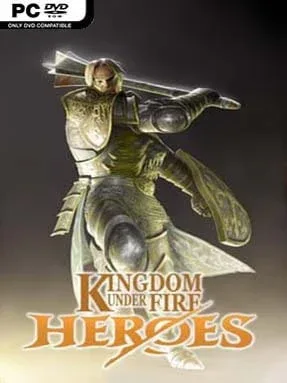
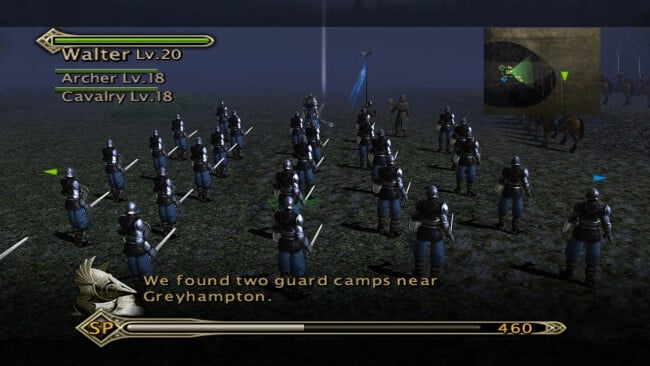
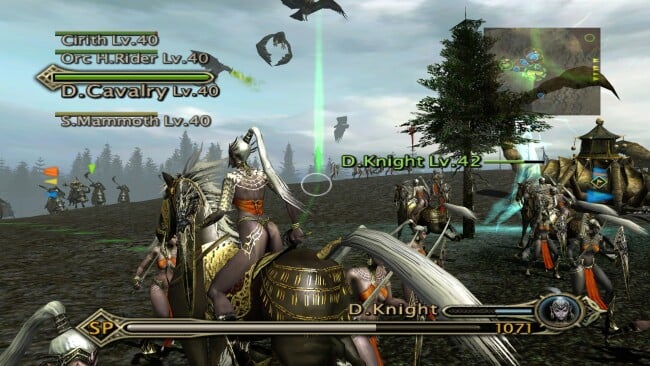
Kingdom Under Fire: Heroes Cover Art

Kingdom Under Fire: Heroes

INDIE 882.80 MB

Game Overview

Bersia turns every battlefield into a noisy collision of cavalry charges, screaming monsters, artillery fire, and one hero fighting in the center of it all. Kingdom Under Fire: Heroes is a fantasy action-strategy hybrid that follows the cult Xbox original, mixing the personal perspective of a hack-and-slash adventure with the large-scale command demands of a real-time tactics game. Its seven story campaigns put players behind very different leaders, from armored human warriors to a half-vampire noble, dark elf fighter, and ogre commander. The mood is proudly over-the-top: grim medieval warfare, towering creatures, and an aggressive metal soundtrack give every clash a heavy-metal fantasy flavor.

Combat asks you to lead from the front rather than watch safely from above. Your chosen hero cuts through enemy formations with melee combos, special attacks, and magic while issuing orders to squads of infantry, archers, cavalry, and monstrous allies. Positioning units, choosing targets, preserving key forces, and responding to ambushes matter, especially when enemy troops include powerful elemental creatures and other battlefield threats. Later missions widen the tactical options with artillery and air support, letting you soften entrenched lines or disrupt a dangerous advance before committing your own forces. Fifty missions across the campaigns provide the main progression, while randomized battles offer a more open-ended way to test different armies and commanders.

What separates Heroes from standard fantasy strategy games is its willingness to make you personally responsible for the fight. It has the army-management appeal of games such as Total War, but compresses battles into immediate, mission-driven encounters where your hero is always one bad decision away from being overwhelmed. Each campaign’s faction, units, and protagonist give the lengthy structure more variety than a single-commander war story, even if the controls and combat show their console-era roots. Modern PC updates add widescreen and ultrawide support alongside gamepad compatibility and mouse-and-keyboard controls, though a controller remains the most natural fit. Fans of Dynasty Warriors-style action who want meaningful tactical command, or strategy veterans curious about a rougher, more hands-on cult classic, find plenty to enjoy here.

Installation

  1. Click the green button below to be redirected to UploadHaven.
  2. Wait 15 seconds, then hit “Free Download.” (Free downloads may be slower — upgrade to UploadHaven Pro for faster speeds.)
  3. Once downloaded, right-click the .zip file and choose “Extract to Kingdom Under Fire: Heroes.” (You’ll need 7-Zip for this.)
  4. Open the extracted folder and run the game as administrator.
  5. Enjoy! 🎮 If you see missing DLL errors, check the <strong>_Redist</strong> folder inside and install what’s needed.

System Requirements

  • OS: Windows 7 32bit
  • Processor: Intel Core 2 Duo or AMD Athlon 64×2 5600+
  • Memory: 4 MB RAM
  • Graphics: NVIDIA® GeForce® GT 420 or ATI™ Radeon™ HD 6850 or Intel® HD Graphics 4000 or better with 2 GB VRAM
  • DirectX: Version 9.0
  • Storage: 2 GB available space

Setup Guide & Troubleshooting

How do I fix missing DLL errors for Kingdom Under Fire: Heroes?

After extracting Kingdom Under Fire: Heroes, navigate to the _Redist or _CommonRedist folder inside the game directory and install DirectX, Vcredist, and any other dependencies included.

What should I do if the downloaded file is corrupted?

The full archive is 882.80 MB — make sure your download completed fully before extracting. Use 7-Zip to extract the files. If you still see a "file corrupted" error, re-download and try again.

Why should I run the game as administrator?

Right-click the game executable and select "Run as Administrator" to avoid save file issues and permission errors. This is especially important on the first launch.

How do I update my GPU drivers for this game?

Kingdom Under Fire: Heroes requires a  NVIDIA® GeForce® GT 420 or ATI™ Radeon™ HD 6850 or Intel® HD Graphics 4000 or better with 2 GB VRAM or equivalent. Update your NVIDIA or AMD drivers to the latest version for the best performance.

The game won't launch — what should I try?

This game requires  Version 9.0. Try running in compatibility mode, install the latest DirectX runtime, or install the All-in-One VC Redist Package.

My antivirus is blocking the game — is it safe?

Antivirus false positives are common with pre-installed games. Temporarily pause your antivirus during extraction to prevent it from quarantining game files. You can re-enable it after the extraction completes.

Need more help? Browse our FAQ & Troubleshooting Guide for solutions to common issues.
Looking for something else? Explore all games on Steam Unlocked