
Game Overview
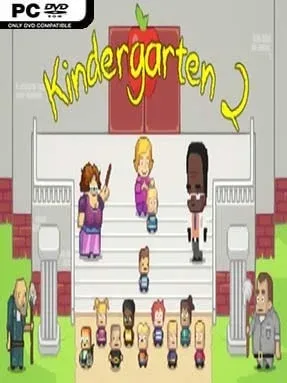
Tuesday at the newly assigned school turns kindergarten into a pitch-black point-and-click comedy full of conspiracies, petty grudges, and wildly inappropriate requests. Kindergarten 2 follows a child trapped in a repeating school day, where every conversation can reveal another route through a campus that is much larger, stranger, and more dangerous than it first appears. The cartoon presentation keeps the mood playful, but the humor is gleefully mean-spirited, absurd, and often violent. Beneath the bright classrooms and playgrounds sits a compact adventure game built around seeing just how badly a normal day can spiral.
Each run begins with limited money, items, and knowledge, then asks you to spend the day choosing whom to help and when to break the rules. Dialogue choices, item trades, timed events, and small environmental puzzles determine whether a mission reaches its bizarre conclusion or ends with an abrupt death and a restart. Failure is part of the design: learned information carries forward, allowing you to revisit Tuesday with a smarter plan, unlock new paths, and combine previously unavailable tools or favors. Nine main mission chains overlap across classrooms, the cafeteria, science areas, outdoor spaces, and other locations, while collectible cards and unlockable costumes provide extra reasons to search every corner.
What separates it from most adventure games is its willingness to turn childish routines into intricate, often shocking puzzle setups. The writing lands somewhere between a Saturday-morning cartoon and an adult animated horror comedy, with each student, teacher, and custodian hiding a memorable brand of dysfunction. Its branching structure rewards experimentation without demanding pixel-perfect reflexes, although players need patience for trial, error, and deliberately opaque solutions. Fans of the first Kindergarten, classic LucasArts-style inventory adventures, or the morbid replay loops of games like The Stanley Parable should find plenty to enjoy, while newcomers can start here without much trouble.
Installation
- Click the green button below to be redirected to UploadHaven.
- Wait 15 seconds, then hit “Free Download.” (Free downloads may be slower — upgrade to UploadHaven Pro for faster speeds.)
- Once downloaded, right-click the .zip file and choose “Extract to Kindergarten 2.” (You’ll need 7-Zip for this.)
- Open the extracted folder and run the game as administrator.
- Enjoy! 🎮 If you see missing DLL errors, check the <strong>_Redist</strong> folder inside and install what’s needed.
System Requirements
- OS: Windows 7
- Processor: Intel Core 2 Duo 2.1 ghz or equivalent
- Memory: 2 GB RAM
- Graphics: 2nd Generation Intel Core HD Graphics (2000/3000), 512MB
- DirectX: Version 9.0
- Storage: 300 MB available space
- Sound Card: Any
Setup Guide & Troubleshooting
How do I fix missing DLL errors for Kindergarten 2 (v2.01)?
After extracting Kindergarten 2 (v2.01), navigate to the _Redist or _CommonRedist folder inside the game directory and install DirectX, Vcredist, and any other dependencies included.
What should I do if the downloaded file is corrupted?
The full archive is 106.57 MB — make sure your download completed fully before extracting. Use 7-Zip to extract the files. If you still see a "file corrupted" error, re-download and try again.
Why should I run the game as administrator?
Right-click the game executable and select "Run as Administrator" to avoid save file issues and permission errors. This is especially important on the first launch.
How do I update my GPU drivers for this game?
Kindergarten 2 (v2.01) requires a 2nd Generation Intel Core HD Graphics (2000/3000), 512MB or equivalent. Update your NVIDIA or AMD drivers to the latest version for the best performance.
The game won't launch — what should I try?
This game requires Version 9.0. Try running in compatibility mode, install the latest DirectX runtime, or install the All-in-One VC Redist Package.
My antivirus is blocking the game — is it safe?
Antivirus false positives are common with pre-installed games. Temporarily pause your antivirus during extraction to prevent it from quarantining game files. You can re-enable it after the extraction completes.