
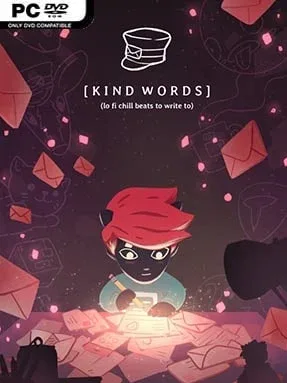
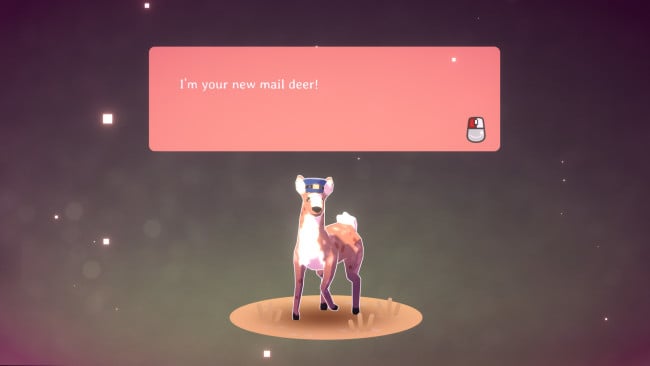
Kind Words (lo fi chill beats to write to) Cover Art

Kind Words (lo fi chill beats to write to)

INDIE 171.16 MB v2021.09.10

Game Overview

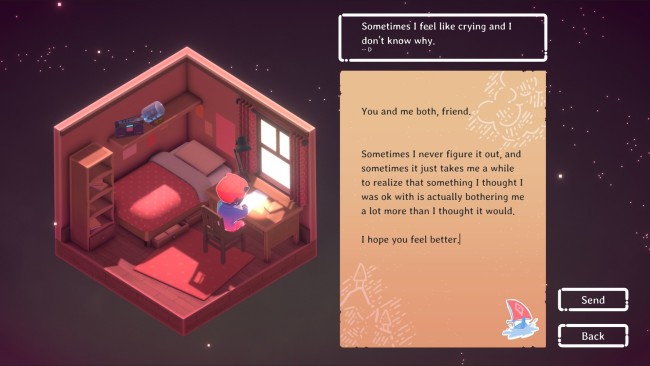
A tiny bedroom, a steady lo-fi soundtrack, and a mailbox full of anonymous human feelings make Kind Words (lo fi chill beats to write to) unlike almost anything else in the indie space. Rather than asking you to defeat enemies or optimize a build, it creates a quiet place to put worries into words and offer kindness to strangers who may need it. The mood is warm, gentle, and deliberately low-pressure, with a handmade visual style that makes the experience feel more like visiting a comforting personal space than playing a conventional game. Its focus is simple but powerful: people write about difficult moments, and other people answer with empathy.

Players submit short anonymous requests when they want encouragement, advice, or simply a sympathetic voice. In return, they browse requests from others and compose supportive letters, with the system built around compassion rather than debate, competition, or social-media-style visibility. There are no complex controls, failure states, or skill barriers; the core loop is reading, writing, sending, and occasionally returning to see whether a response has arrived. Stickers act as the main collectible reward, appearing in your starting inventory and arriving through letter exchanges, while every sticker can be copied and passed along to someone else. Collecting one also adds a corresponding small 3D object to decorate the room, giving generous interactions a tangible, cozy sense of progression.

What stands out is its unusually sincere approach to online interaction. Kind Words avoids profiles, follower counts, and public performance, so the attention stays on the message rather than the person sending it. The sticker-and-decoration system adds a light collecting game around an experience that could otherwise feel purely utilitarian, but it never overwhelms the emotional purpose. Anyone seeking the meditative atmosphere of a lo-fi study playlist, or the communal warmth of games such as Animal Crossing without the chores, should find a welcome retreat here. It suits newcomers especially well, though its value depends on arriving ready to read thoughtfully and write with care.

Installation

  1. Click the green button below to be redirected to UploadHaven.
  2. Wait 15 seconds, then hit “Free Download.” (Free downloads may be slower — upgrade to UploadHaven Pro for faster speeds.)
  3. Once downloaded, right-click the .zip file and choose “Extract to Kind Words (lo fi chill beats to write to).” (You’ll need 7-Zip for this.)
  4. Open the extracted folder and run the game as administrator.
  5. Enjoy! 🎮 If you see missing DLL errors, check the <strong>_Redist</strong> folder inside and install what’s needed.

System Requirements

  • Requires a 64-bit processor and operating system
  • OS: Windows 7 SP1+ 64-bit
  • Processor: SSE2 instruction set support
  • Memory: 4 GB RAM
  • Graphics: DX10 (shader model 4.0) capabilities
  • Storage: 300 MB available space

Setup Guide & Troubleshooting

How do I fix missing DLL errors for Kind Words (lo fi chill beats to write to) (v2021.09.10)?

After extracting Kind Words (lo fi chill beats to write to) (v2021.09.10), navigate to the _Redist or _CommonRedist folder inside the game directory and install DirectX, Vcredist, and any other dependencies included.

What should I do if the downloaded file is corrupted?

The full archive is 171.16 MB — make sure your download completed fully before extracting. Use 7-Zip to extract the files. If you still see a "file corrupted" error, re-download and try again.

Why should I run the game as administrator?

Right-click the game executable and select "Run as Administrator" to avoid save file issues and permission errors. This is especially important on the first launch.

How do I update my GPU drivers for this game?

Kind Words (lo fi chill beats to write to) (v2021.09.10) requires a DX10 (shader model 4.0) capabilities or equivalent. Update your NVIDIA or AMD drivers to the latest version for the best performance.

The game won't launch — what should I try?

Try running in compatibility mode, install the latest DirectX runtime, or install the All-in-One VC Redist Package.

My antivirus is blocking the game — is it safe?

Antivirus false positives are common with pre-installed games. Temporarily pause your antivirus during extraction to prevent it from quarantining game files. You can re-enable it after the extraction completes.

Need more help? Browse our FAQ & Troubleshooting Guide for solutions to common issues.
Looking for something else? Explore all games on Steam Unlocked