
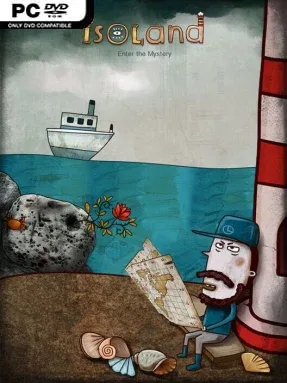
Isoland Cover Art

Isoland

INDIE 249.18 MB

Game Overview

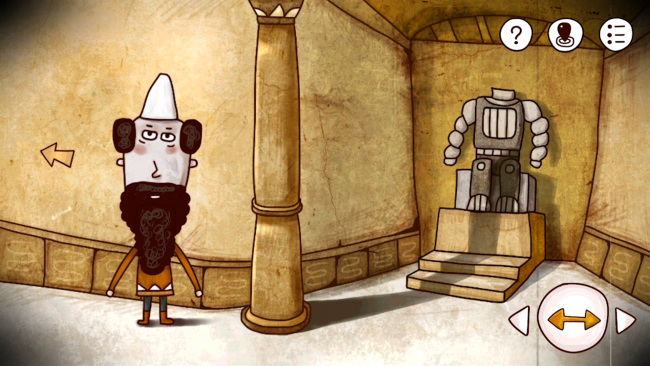
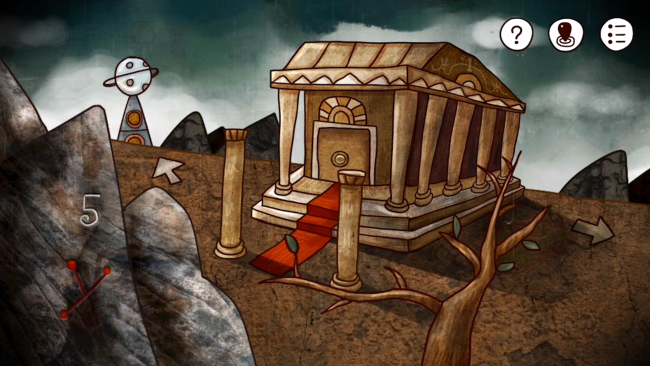
A tiny Atlantic island becomes an unsettling puzzle box where every abandoned building, odd machine, and guarded conversation points toward a larger mystery. Isoland trades action for quiet observation, asking you to inspect a surreal, hand-drawn landscape populated by lighthouse keepers, researchers, strange animals, and clues that rarely explain themselves outright. The mood sits somewhere between a relaxed escape-room adventure and an offbeat science-fiction dream, with colorful art masking a steadily more cryptic story. Its compact scale makes the island feel approachable at first, then increasingly uncanny as its hidden connections emerge.

Players move through a traditional point-and-click interface, collecting objects, speaking to residents, reading notes, and applying clues to locks, switches, symbols, and mechanical contraptions. Progress depends on careful attention rather than quick reflexes: a pattern glimpsed in one room may unlock a device several locations away, while dialogue and environmental details often hide the solution to the next obstacle. Puzzles range from inventory combinations and code-breaking to visual logic challenges, and the game expects you to revisit areas once new information changes your understanding of them. There is no combat or time pressure, so the central loop is all about mapping the island in your mind and slowly turning confusion into discovery.

Its strongest feature is the way its illustrated scenes make even mundane objects feel suspicious, creating a world that rewards clicking on everything and questioning every detail. The puzzles can be deliberately opaque, especially for players unused to old-school adventure design, but hints are often present in the environment rather than absent altogether. Fans of Rusty Lake, The Room, or classic Myst-style mysteries should appreciate its concise, surreal approach, while newcomers get a gentle introduction to point-and-click puzzling without a huge time commitment. Isoland suits patient players who enjoy taking notes, experimenting freely, and uncovering a strange narrative one carefully solved riddle at a time.

Installation

  1. Click the green button below to be redirected to UploadHaven.
  2. Wait 15 seconds, then hit “Free Download.” (Free downloads may be slower — upgrade to UploadHaven Pro for faster speeds.)
  3. Once downloaded, right-click the .zip file and choose “Extract to Isoland.” (You’ll need 7-Zip for this.)
  4. Open the extracted folder and run the game as administrator.
  5. Enjoy! 🎮 If you see missing DLL errors, check the <strong>_Redist</strong> folder inside and install what’s needed.

System Requirements

  • OS: winXP
  • Processor: intel Pentium4
  • Memory: 512 MB RAM
  • Graphics: Intel GMA 950
  • DirectX: Version 9.0
  • Storage: 1 GB available space
  • Sound Card: NO

Setup Guide & Troubleshooting

How do I fix missing DLL errors for Isoland?

After extracting Isoland, navigate to the _Redist or _CommonRedist folder inside the game directory and install DirectX, Vcredist, and any other dependencies included.

What should I do if the downloaded file is corrupted?

The full archive is 249.18 MB — make sure your download completed fully before extracting. Use 7-Zip to extract the files. If you still see a "file corrupted" error, re-download and try again.

Why should I run the game as administrator?

Right-click the game executable and select "Run as Administrator" to avoid save file issues and permission errors. This is especially important on the first launch.

How do I update my GPU drivers for this game?

Isoland requires a Intel GMA 950 or equivalent. Update your NVIDIA or AMD drivers to the latest version for the best performance.

The game won't launch — what should I try?

This game requires Version 9.0. Try running in compatibility mode, install the latest DirectX runtime, or install the All-in-One VC Redist Package.

My antivirus is blocking the game — is it safe?

Antivirus false positives are common with pre-installed games. Temporarily pause your antivirus during extraction to prevent it from quarantining game files. You can re-enable it after the extraction completes.

Need more help? Browse our FAQ & Troubleshooting Guide for solutions to common issues.
Looking for something else? Explore all games on Steam Unlocked