
Game Overview
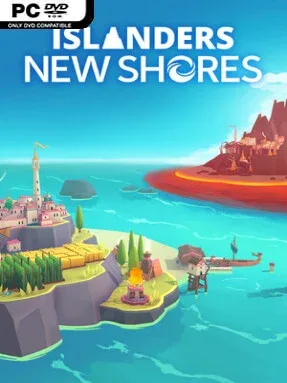
Quiet island construction meets score-chasing strategy in ISLANDERS: New Shores, a minimalist city-builder that turns small patches of land into elegant planning puzzles. Each map asks you to place structures where they make visual and tactical sense, while its clean presentation, vivid biome palettes, and unhurried soundtrack create a mood closer to arranging a model village than managing a punishing urban economy. There are no traffic jams, tax rates, or sprawling tech trees to wrestle with; the focus stays on smart placement and watching a bare shoreline become a compact settlement. Beneath that calm surface sits a satisfying push for one-more-round optimization.
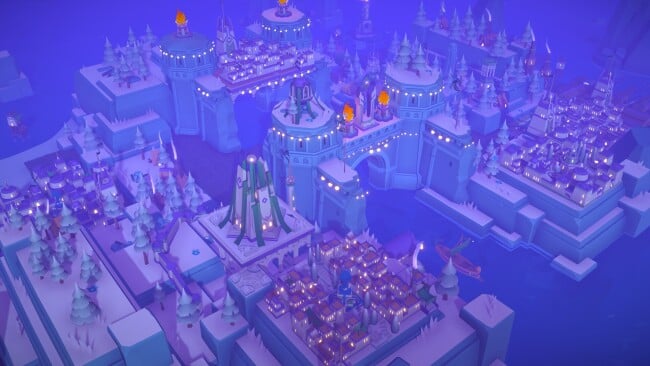
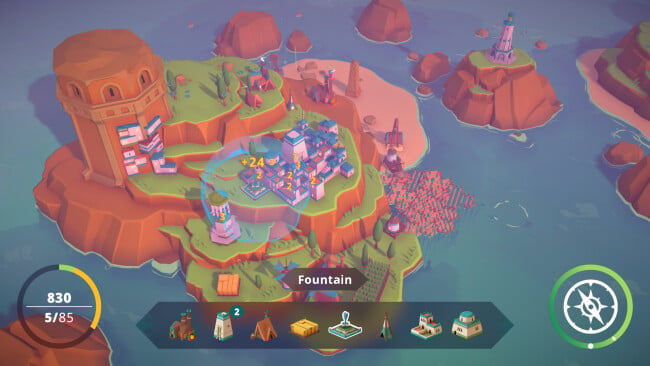
Buildings arrive in limited sets, and placing one well earns the points needed to unlock more options and continue expanding across the island. Houses, industry, landmarks, and specialized structures benefit from particular neighbors and terrain, so every choice involves balancing immediate scoring against the space you will need later. New Shores broadens the formula with 44 building types, varied island properties, six biomes, and 50 island generators that keep layouts from feeling solved after a few sessions. High Score mode supports the more deliberate, competitive side of play, while Sandbox mode removes pressure for players who simply want to build attractive coastal towns; single-use Boons add occasional tactical twists when a run needs rescuing or maximizing.
The strongest addition is its more involved scoring logic, which rewards details such as sightlines and relationships between separate islands rather than simple adjacency alone. A full visual refresh makes each build more striking, and Photo Mode’s filters and rotating camera encourage players to treat finished settlements as little dioramas worth preserving. Twitch integration gives streamers ways to involve an audience, while the lengthy original soundtrack helps sustain the series’ meditative rhythm. Fans of the original ISLANDERS, Dorfromantik, or other compact puzzle-builders should find plenty to enjoy, and newcomers can jump in easily so long as they appreciate thoughtful spatial planning over deep simulation management.
Installation
- Click the green button below to be redirected to UploadHaven.
- Wait 15 seconds, then hit “Free Download.” (Free downloads may be slower — upgrade to UploadHaven Pro for faster speeds.)
- Once downloaded, right-click the .zip file and choose “Extract to ISLANDERS: New Shores.” (You’ll need 7-Zip for this.)
- Open the extracted folder and run the game as administrator.
- Enjoy! 🎮 If you see missing DLL errors, check the <strong>_Redist</strong> folder inside and install what’s needed.
System Requirements
- Requires a 64-bit processor and operating system
- OS: Windows 10 64-bit
- Processor: Intel Corei7 4770K
- Memory: 4 GB RAM
- Graphics: Nvidia GeForce GTX 950
- DirectX: Version 11
- Storage: 4 GB available space
Setup Guide & Troubleshooting
How do I fix missing DLL errors for ISLANDERS: New Shores?
After extracting ISLANDERS: New Shores, navigate to the _Redist or _CommonRedist folder inside the game directory and install DirectX, Vcredist, and any other dependencies included.
What should I do if the downloaded file is corrupted?
The full archive is 366.06 MB — make sure your download completed fully before extracting. Use 7-Zip to extract the files. If you still see a "file corrupted" error, re-download and try again.
Why should I run the game as administrator?
Right-click the game executable and select "Run as Administrator" to avoid save file issues and permission errors. This is especially important on the first launch.
How do I update my GPU drivers for this game?
ISLANDERS: New Shores requires a Nvidia GeForce GTX 950 or equivalent. Update your NVIDIA or AMD drivers to the latest version for the best performance.
The game won't launch — what should I try?
This game requires Version 11. Try running in compatibility mode, install the latest DirectX runtime, or install the All-in-One VC Redist Package.
My antivirus is blocking the game — is it safe?
Antivirus false positives are common with pre-installed games. Temporarily pause your antivirus during extraction to prevent it from quarantining game files. You can re-enable it after the extraction completes.