
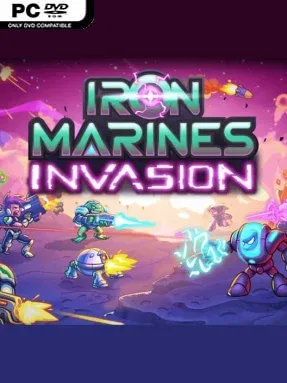
Game Overview
A bright, fast-moving war unfolds across hostile planets where the Federation’s Marines face alien swarms, rival factions, and the sort of escalating threats that turn a routine deployment into a galaxy-wide crisis. Iron Marines Invasion is a compact real-time strategy campaign built around colorful sci-fi battlefields rather than sprawling base-management sandboxes. Its tone is accessible and playful, but missions can become genuinely demanding once enemy waves, hazardous terrain, and multiple objectives begin colliding. The story moves from world to world at a brisk pace, giving every new operation a fresh tactical wrinkle.
Command centers produce the backbone of each force, while heroes and selected reinforcement squads provide the specialized firepower needed to hold chokepoints or break an enemy position. Marines, snipers, mechs, missile teams, and alien allies all occupy different battlefield roles, so success comes from pairing the right units with the mission rather than simply massing an army. Players build defenses, reposition troops in real time, capture resources, call down special weapons, and react quickly when an unexpected threat attacks from another route. Campaign missions and a large set of optional operations feed into upgrades for units, heroes, and tactical tools, while multiple difficulty settings let newcomers learn the systems before Veteran and Impossible modes test tighter execution.
What separates it from heavier RTS games is its emphasis on readable, bite-sized encounters and hero-driven tactics, closer in spirit to Kingdom Rush’s polished mission design than to the economy-first approach of StarCraft. Each planet has its own visual identity and enemy behavior, making the long campaign feel varied even when the core controls remain simple. Nine heroes, numerous squad combinations, achievements, daily challenges, and specialized upgrades provide plenty of reasons to revisit stages with a different plan. It suits strategy newcomers who want an approachable introduction to real-time command, while veterans looking for quick, demanding missions will find the higher difficulties and optional objectives far more punishing.
Installation
- Click the green button below to be redirected to UploadHaven.
- Wait 15 seconds, then hit “Free Download.” (Free downloads may be slower — upgrade to UploadHaven Pro for faster speeds.)
- Once downloaded, right-click the .zip file and choose “Extract to Iron Marines Invasion.” (You’ll need 7-Zip for this.)
- Open the extracted folder and run the game as administrator.
- Enjoy! 🎮 If you see missing DLL errors, check the <strong>_Redist</strong> folder inside and install what’s needed.
System Requirements
- OS: Windows 7
- Processor: Dual Core CPU
- Memory: 1 GB RAM
- Graphics: OpenGL 3.0 compliant with 512MB of video RAM.
- Storage: 2 GB available space
Setup Guide & Troubleshooting
How do I fix missing DLL errors for Iron Marines Invasion (v0.18.32)?
After extracting Iron Marines Invasion (v0.18.32), navigate to the _Redist or _CommonRedist folder inside the game directory and install DirectX, Vcredist, and any other dependencies included.
What should I do if the downloaded file is corrupted?
The full archive is 1.23 GB — make sure your download completed fully before extracting. Use 7-Zip to extract the files. If you still see a "file corrupted" error, re-download and try again.
Why should I run the game as administrator?
Right-click the game executable and select "Run as Administrator" to avoid save file issues and permission errors. This is especially important on the first launch.
How do I update my GPU drivers for this game?
Iron Marines Invasion (v0.18.32) requires a OpenGL 3.0 compliant with 512MB of video RAM. or equivalent. Update your NVIDIA or AMD drivers to the latest version for the best performance.
The game won't launch — what should I try?
Try running in compatibility mode, install the latest DirectX runtime, or install the All-in-One VC Redist Package.
My antivirus is blocking the game — is it safe?
Antivirus false positives are common with pre-installed games. Temporarily pause your antivirus during extraction to prevent it from quarantining game files. You can re-enable it after the extraction completes.