

Game Overview
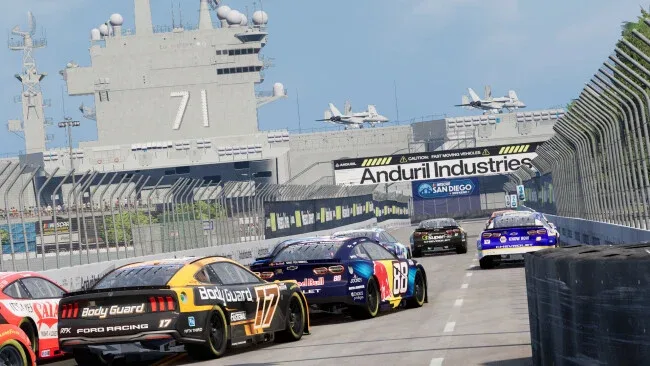
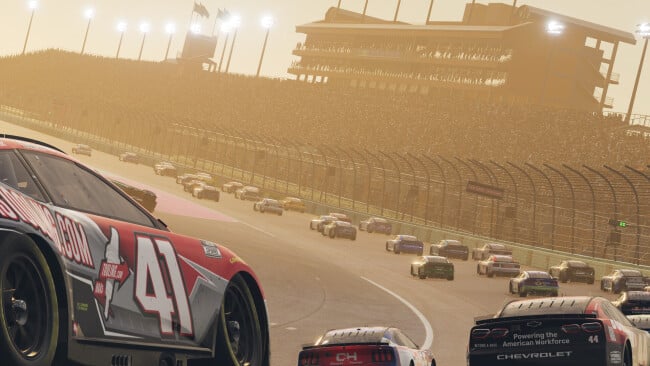
iRacing Studios NASCAR 26 is the official NASCAR racing game, bringing the speed, intensity, and atmosphere of race day to a more authentic experience. Compete across all four NASCAR National Series with detailed cars, tracks, and racing physics built using iRacing’s laser-scanned assets.
Take on Career, Quick Race, Championship, Multiplayer, and the new Chase mode as you work your way through the NASCAR ranks. Dynamic track conditions, improved chassis physics, and the new Peak Performance training mode give you more ways to improve your driving and adapt to each race.
Race solo or challenge other players through cross-play multiplayer, letting you compete with friends across supported platforms. With enhanced realism, multiple game modes, and a full NASCAR progression system, NASCAR 26 aims to deliver a complete stock car racing experience.
Screenshots
Installation
- Click the green button below to be redirected to UploadHaven.
- Wait 15 seconds, then hit “Free Download.” (Free downloads may be slower — upgrade to UploadHaven Pro for faster speeds.)
- Once downloaded, right-click the .zip file and choose “Extract to iRacing Studios NASCAR 26.” (You’ll need 7-Zip for this.)
- Open the extracted folder and run the game as administrator.
- Enjoy! 🎮 If you see missing DLL errors, check the <strong>_Redist</strong> folder inside and install what’s needed.
System Requirements
- Requires a 64-bit processor and operating system
- OS: Windows 10 64-Bit, Windows 11 64-Bit
- Processor: 4 core CPU or better – Some examples (but not limited to): AMD FX-6300, Intel Core i5-4430, Intel Core i5-2320, AMD Ryzen 3 1200
- Memory: 16 GB RAM
- Graphics: A gaming graphics card with at least 4GB of DEDICATED memory – Some examples (but not limited to): Nvidia GeForce GTX 1060 or AMD Radeon 570 or better
- DirectX: Version 12
- Network: Broadband Internet connection
- Storage: 65 GB available space
- Additional Notes: A physical PC running windows is required. A PC emulation on a MAC or other types of Virtual Machines are not supported.
Setup Guide & Troubleshooting
How do I fix missing DLL errors for iRacing Studios NASCAR 26?
After extracting iRacing Studios NASCAR 26, navigate to the _Redist or _CommonRedist folder inside the game directory and install DirectX, Vcredist, and any other dependencies included.
What should I do if the downloaded file is corrupted?
The full archive is 57.42 GB — make sure your download completed fully before extracting. Use 7-Zip to extract the files. If you still see a "file corrupted" error, re-download and try again.
Why should I run the game as administrator?
Right-click the game executable and select "Run as Administrator" to avoid save file issues and permission errors. This is especially important on the first launch.
How do I update my GPU drivers for this game?
iRacing Studios NASCAR 26 requires a A gaming graphics card with at least 4GB of DEDICATED memory – Some examples (but not limited to): Nvidia GeForce GTX 1060 or AMD Radeon 570 or better or equivalent. Update your NVIDIA or AMD drivers to the latest version for the best performance.
The game won't launch — what should I try?
This game requires Version 12. Try running in compatibility mode, install the latest DirectX runtime, or install the All-in-One VC Redist Package.
My antivirus is blocking the game — is it safe?
Antivirus false positives are common with pre-installed games. Temporarily pause your antivirus during extraction to prevent it from quarantining game files. You can re-enable it after the extraction completes.