
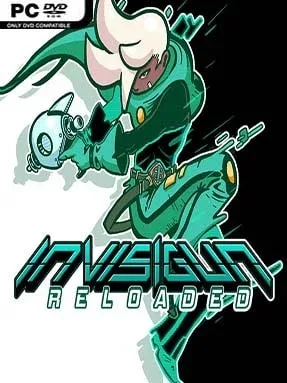
Game Overview
Invisigun Reloaded turns a simple arena shooter idea into a tense game of deduction: every combatant is invisible until they make a mistake. Its colorful top-down battlegrounds are full of grass, water, snow, breakable scenery, and other surfaces that betray movement through footprints, ripples, and displaced objects. Matches feel like a mixture of Bomberman-style spatial awareness, stealth mind games, and sudden arcade gunfights, with a playful presentation hiding a surprisingly ruthless competitive edge. Reading the room matters as much as landing a shot, because the smallest environmental clue can reveal an opponent’s position.
Players choose from a roster of distinct heroes, each built around a special power that changes how they hunt, escape, or manipulate the arena. The basic loop revolves around staying concealed, tracking disturbances, predicting enemy routes, and striking at exactly the right moment before vanishing again. Local and online multiplayer support a broad selection of maps and modes, while private lobbies and join keys make it easy to set up sessions with friends; cross-platform play with Switch users keeps the online pool more active. Solo players are not left with a thin tutorial either, as Hero’s Journey provides hero-specific campaigns packed with puzzle chambers, movement trials, combat encounters, and boss battles designed to teach the nuances of every ability.
What separates Invisigun Reloaded from most party shooters is how seriously it treats mastery. Movement, timing, map knowledge, deception, and ability use all develop gradually, so newcomers can enjoy the immediate chaos while skilled players turn an arena into a psychological trap. Its handcrafted stages remain readable despite their visual variety, and the sheer number of hero combinations and modes gives repeat sessions a different rhythm. Fans of TowerFall, Duck Game, or competitive Bomberman should find plenty to love, especially if they want a local multiplayer favorite with enough solo content and online depth to reward long-term practice.
Installation
- Click the green button below to be redirected to UploadHaven.
- Wait 15 seconds, then hit “Free Download.” (Free downloads may be slower — upgrade to UploadHaven Pro for faster speeds.)
- Once downloaded, right-click the .zip file and choose “Extract to Invisigun Reloaded.” (You’ll need 7-Zip for this.)
- Open the extracted folder and run the game as administrator.
- Enjoy! 🎮 If you see missing DLL errors, check the <strong>_Redist</strong> folder inside and install what’s needed.
System Requirements
- Requires a 64-bit processor and operating system
- OS: Windows XP SP2+
- Processor: Intel Core™ Duo+ (SSE2)
- Memory: 2 GB RAM
- Graphics: DirectX / OpenGL, 512+ MB VRAM
- DirectX: Version 11
- Storage: 475 MB available space
Setup Guide & Troubleshooting
How do I fix missing DLL errors for Invisigun Reloaded (v1.7.13)?
After extracting Invisigun Reloaded (v1.7.13), navigate to the _Redist or _CommonRedist folder inside the game directory and install DirectX, Vcredist, and any other dependencies included.
What should I do if the downloaded file is corrupted?
The full archive is 231.51 MB — make sure your download completed fully before extracting. Use 7-Zip to extract the files. If you still see a "file corrupted" error, re-download and try again.
Why should I run the game as administrator?
Right-click the game executable and select "Run as Administrator" to avoid save file issues and permission errors. This is especially important on the first launch.
How do I update my GPU drivers for this game?
Invisigun Reloaded (v1.7.13) requires a DirectX / OpenGL, 512+ MB VRAM or equivalent. Update your NVIDIA or AMD drivers to the latest version for the best performance.
The game won't launch — what should I try?
This game requires Version 11. Try running in compatibility mode, install the latest DirectX runtime, or install the All-in-One VC Redist Package.
My antivirus is blocking the game — is it safe?
Antivirus false positives are common with pre-installed games. Temporarily pause your antivirus during extraction to prevent it from quarantining game files. You can re-enable it after the extraction completes.