
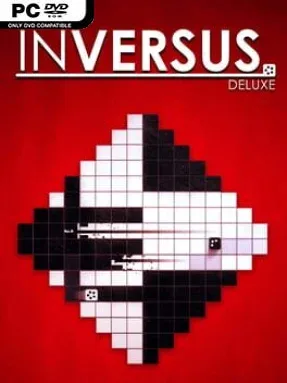
INVERSUS Deluxe Cover Art

INVERSUS Deluxe

INDIE 132.43 MB

Game Overview

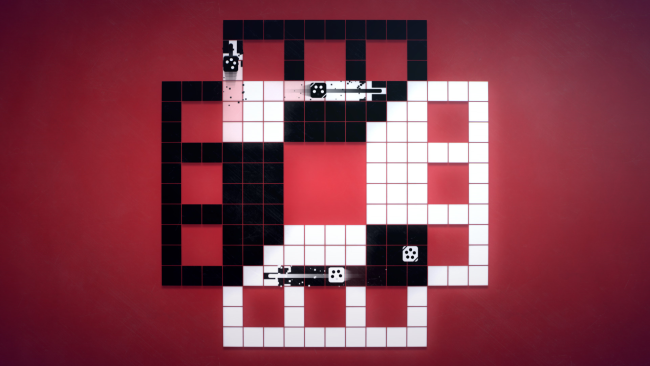
Black-and-white arenas become shifting mazes where every move can save you or seal your fate. INVERSUS Deluxe turns the familiar twin-stick shooter into a razor-sharp territory battle: you travel only across tiles of your own color, while opponents use the opposite space. Firing does not simply deal damage; each bullet repaints a tile, rewriting the battlefield and potentially opening a route for yourself while trapping someone else. The result is fast, cerebral, and wonderfully tense, with the clean arcade presentation making every tactical mistake immediately visible.

Matches revolve around reading lanes, controlling choke points, and timing shots so an enemy runs out of legal places to move. Versus supports one-on-one duels and two-versus-two clashes, with 39 maps that force different approaches rather than serving as cosmetic backdrops; some favor ambushes, others reward aggressive board control. Ranked online play, private lobbies, local multiplayer, and five levels of AI opponents give both competitive groups and solo players plenty of ways to practice. A useful touch lets players work through the single-player content or local modes while matchmaking continues in the background.

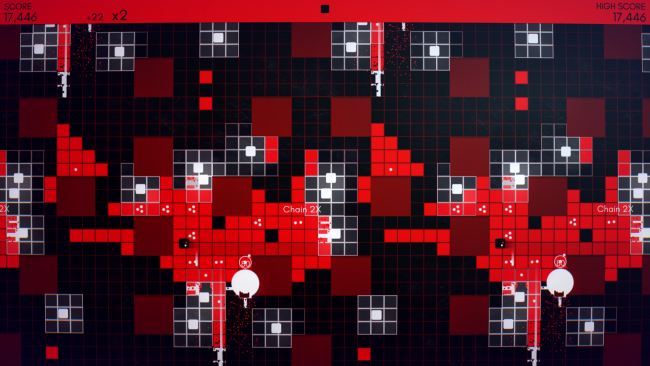
Arcade mode shifts the focus from outmaneuvering friends to surviving enemy waves, alone or cooperatively, across 11 increasingly demanding stages. Chaining shots through crowds creates satisfying score-building opportunities, while global leaderboards give dedicated players a reason to refine routes and learn every arena’s dangerous rhythms. Unlockable palettes, emotes, and motion trails add personality without distracting from the minimalist visual language, and looping board layouts make positioning feel even more deceptive. Fans of Nidhogg’s local rivalry, Geometry Wars’ arcade pressure, or competitive puzzle games should find a lot to love here; its controls are easy for newcomers to grasp, but its constantly changing grids give veterans a deep tactical ceiling.

Installation

  1. Click the green button below to be redirected to UploadHaven.
  2. Wait 15 seconds, then hit “Free Download.” (Free downloads may be slower — upgrade to UploadHaven Pro for faster speeds.)
  3. Once downloaded, right-click the .zip file and choose “Extract to INVERSUS Deluxe.” (You’ll need 7-Zip for this.)
  4. Open the extracted folder and run the game as administrator.
  5. Enjoy! 🎮 If you see missing DLL errors, check the <strong>_Redist</strong> folder inside and install what’s needed.

System Requirements

  • OS: Windows 7
  • Processor: 2 GHz processor (supporting SSE2 instruction set or higher)
  • Memory: 512 MB RAM
  • Graphics: DirectX11 Compatible
  • DirectX: Version 11
  • Storage: 128 MB available space

Setup Guide & Troubleshooting

How do I fix missing DLL errors for INVERSUS Deluxe?

After extracting INVERSUS Deluxe, navigate to the _Redist or _CommonRedist folder inside the game directory and install DirectX, Vcredist, and any other dependencies included.

What should I do if the downloaded file is corrupted?

The full archive is 132.43 MB — make sure your download completed fully before extracting. Use 7-Zip to extract the files. If you still see a "file corrupted" error, re-download and try again.

Why should I run the game as administrator?

Right-click the game executable and select "Run as Administrator" to avoid save file issues and permission errors. This is especially important on the first launch.

How do I update my GPU drivers for this game?

INVERSUS Deluxe requires a DirectX11 Compatible or equivalent. Update your NVIDIA or AMD drivers to the latest version for the best performance.

The game won't launch — what should I try?

This game requires Version 11. Try running in compatibility mode, install the latest DirectX runtime, or install the All-in-One VC Redist Package.

My antivirus is blocking the game — is it safe?

Antivirus false positives are common with pre-installed games. Temporarily pause your antivirus during extraction to prevent it from quarantining game files. You can re-enable it after the extraction completes.

Need more help? Browse our FAQ & Troubleshooting Guide for solutions to common issues.
Looking for something else? Explore all games on Steam Unlocked