
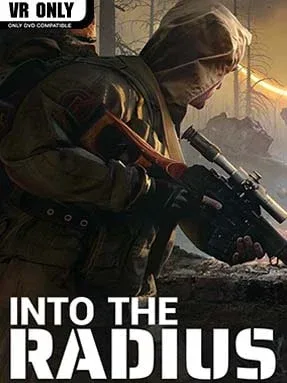
Into the Radius VR Cover Art

Into the Radius VR

13.75 GB v2.7.2

Game Overview

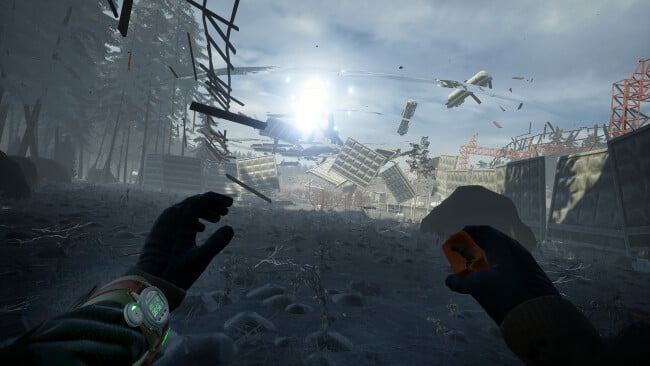
Pechorsk’s abandoned industrial outskirts feel less like a conventional battlefield than a hostile place you are barely allowed to survive in. Into the Radius VR is a tense, single-player survival shooter set inside a Soviet-era exclusion zone warped by an unexplained disaster, where strange artifacts, lethal anomalies, and uncanny humanoid threats stalk the ruins. Its mood draws heavily from the bleak science-fiction atmosphere of Roadside Picnic and STALKER, trading heroic spectacle for isolation, paranoia, and the unnerving sound of something moving just beyond your flashlight beam.

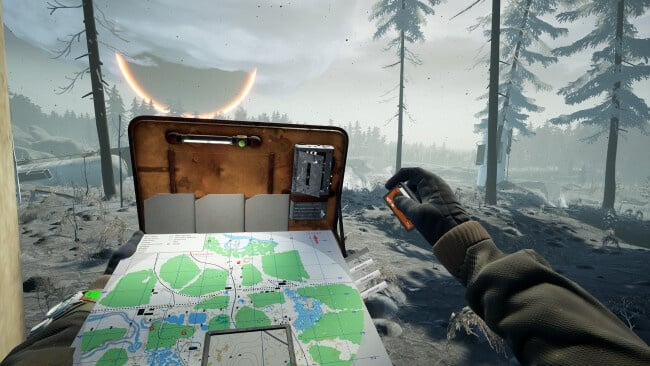
Each expedition begins at a secure base, where you accept missions, buy supplies, organize your backpack, and choose weapons before heading into several connected wilderness and urban areas. Firearms demand deliberate VR handling: magazines need loading, chambers need checking, safeties and grips matter, and neglected guns can jam at exactly the worst moment. You navigate with physical maps and a compass, scavenge valuables, avoid or disarm bizarre environmental hazards, and decide whether to sneak past enemies or spend precious ammunition fighting them. The changing day-and-night cycle sharpens the risk, while periodic world resets alter the zone and force you to plan routes around shifting threats.

What makes Into the Radius VR stand out is how thoroughly it commits to tactile survival rather than using VR as a simple aiming gimmick. Loot management, weapon maintenance, climbing, artifact hunting, and the quiet ritual of returning home with a battered pack all give its excursions a grounded, almost immersive-sim quality. The visuals may be deliberately austere, but that emptiness supports the setting’s dread, making a distant gunshot or a familiar landmark genuinely comforting. It suits VR players who enjoy the methodical tension of STALKER, Metro, or survival sandbox games, especially veterans willing to learn demanding systems; newcomers can still enjoy it, but patience and a strong stomach for suspense are essential.

Installation

  1. Click the green button below to be redirected to UploadHaven.
  2. Wait 15 seconds, then hit “Free Download.” (Free downloads may be slower — upgrade to UploadHaven Pro for faster speeds.)
  3. Once downloaded, right-click the .zip file and choose “Extract to Into the Radius VR.” (You’ll need 7-Zip for this.)
  4. Open the extracted folder and run the game as administrator.
  5. Enjoy! 🎮 If you see missing DLL errors, check the <strong>_Redist</strong> folder inside and install what’s needed.

System Requirements

  • Requires a 64-bit processor and operating system
  • OS: Windows 10
  • Graphics: Geforce 1070 6 GB
  • DirectX: Version 11
  • Additional Notes: For Rift, Rift S or Vive

Setup Guide & Troubleshooting

How do I fix missing DLL errors for Into the Radius VR (v2.7.2)?

After extracting Into the Radius VR (v2.7.2), navigate to the _Redist or _CommonRedist folder inside the game directory and install DirectX, Vcredist, and any other dependencies included.

What should I do if the downloaded file is corrupted?

The full archive is 13.75 GB — make sure your download completed fully before extracting. Use 7-Zip to extract the files. If you still see a "file corrupted" error, re-download and try again.

Why should I run the game as administrator?

Right-click the game executable and select "Run as Administrator" to avoid save file issues and permission errors. This is especially important on the first launch.

How do I update my GPU drivers for this game?

Into the Radius VR (v2.7.2) requires a  Geforce 1070 6 GB or equivalent. Update your NVIDIA or AMD drivers to the latest version for the best performance.

The game won't launch — what should I try?

This game requires  Version 11. Try running in compatibility mode, install the latest DirectX runtime, or install the All-in-One VC Redist Package.

My antivirus is blocking the game — is it safe?

Antivirus false positives are common with pre-installed games. Temporarily pause your antivirus during extraction to prevent it from quarantining game files. You can re-enable it after the extraction completes.

Need more help? Browse our FAQ & Troubleshooting Guide for solutions to common issues.
Looking for something else? Explore all games on Steam Unlocked