
Game Overview
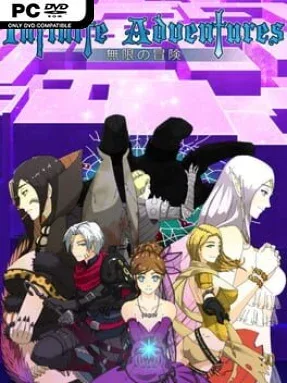
A sprawling labyrinth, anime-styled adventurers, and old-school party-based dungeon crawling define Infinite Adventures. The game sends a custom-built band of heroes into a vast underground complex where every corridor can conceal a new enemy formation, quest hook, or punishing boss encounter. Its central story follows the mystery behind the Labyrinth and the protagonist’s forgotten past, but the mood remains closer to a colorful fantasy RPG than a grim survival crawl. Fully voiced characters and side stories give the dungeon a more personable feel than its maze-heavy structure initially suggests.
Combat plays out in deliberate, strategic turns, asking players to manage positioning, party composition, skills, summons, and enemy weaknesses rather than simply overpowering everything with levels. You choose from five races and ten classes, assemble a full party, and shape each member through a large skill pool containing hundreds of active and passive options. The hand-crafted campaign spans 24 dungeon floors, with dozens of bosses and optional tasks breaking up the steady rhythm of mapping rooms and clearing fights. Once the main route is no longer enough, procedurally generated floors provide an effectively endless source of randomized battles, loot hunting, and party experimentation.
Infinite Adventures stands out through the amount of control it gives over a traditional first-person dungeon-crawler format. Character portraits and visual pieces allow for a surprisingly personalized party, while the 24 summon powers encourage builds beyond the usual tank, healer, and damage-dealer setup. More than 40 voiced NPCs and over 50 optional quests add narrative texture, even if the real appeal lies in steadily refining a capable team for tougher depths. Players who enjoy the methodical exploration of Wizardry, the party planning of Etrian Odyssey, or classic grid-based RPGs should find plenty to work with here. It suits genre veterans best, although patient newcomers can enjoy it if they appreciate careful turn-based combat and a long grind toward mastery.
Installation
- Click the green button below to be redirected to UploadHaven.
- Wait 15 seconds, then hit “Free Download.” (Free downloads may be slower — upgrade to UploadHaven Pro for faster speeds.)
- Once downloaded, right-click the .zip file and choose “Extract to Infinite Adventures.” (You’ll need 7-Zip for this.)
- Open the extracted folder and run the game as administrator.
- Enjoy! 🎮 If you see missing DLL errors, check the <strong>_Redist</strong> folder inside and install what’s needed.
System Requirements
- OS: Windows 7
- Processor: Dual Core 2.4 GHz
- Memory: 4 GB RAM
- Graphics: VRAM 512 MB
- DirectX: Version 9.0
- Storage: 10 GB available space
- Sound Card: DirectX 9
Setup Guide & Troubleshooting
How do I fix missing DLL errors for Infinite Adventures (v1.05)?
After extracting Infinite Adventures (v1.05), navigate to the _Redist or _CommonRedist folder inside the game directory and install DirectX, Vcredist, and any other dependencies included.
What should I do if the downloaded file is corrupted?
The full archive is 1.31 GB — make sure your download completed fully before extracting. Use 7-Zip to extract the files. If you still see a "file corrupted" error, re-download and try again.
Why should I run the game as administrator?
Right-click the game executable and select "Run as Administrator" to avoid save file issues and permission errors. This is especially important on the first launch.
How do I update my GPU drivers for this game?
Infinite Adventures (v1.05) requires a VRAM 512 MB or equivalent. Update your NVIDIA or AMD drivers to the latest version for the best performance.
The game won't launch — what should I try?
This game requires Version 9.0. Try running in compatibility mode, install the latest DirectX runtime, or install the All-in-One VC Redist Package.
My antivirus is blocking the game — is it safe?
Antivirus false positives are common with pre-installed games. Temporarily pause your antivirus during extraction to prevent it from quarantining game files. You can re-enable it after the extraction completes.