
Increlution Cover Art

Increlution

INDIE 126.30 MB v2023.07.06

Game Overview

Time is the enemy in this stripped-back incremental roguelite, where every action competes against a steadily accelerating decline in health. Increlution turns a single life into a tense planning puzzle: gather food, develop useful skills, construct improvements, and push outward before age catches up with you. Its presentation is deliberately minimal, but the mood is far from idle or passive; each decision carries the weight of precious lost moments. Death is inevitable, yet it also forms the foundation for a stronger next generation.

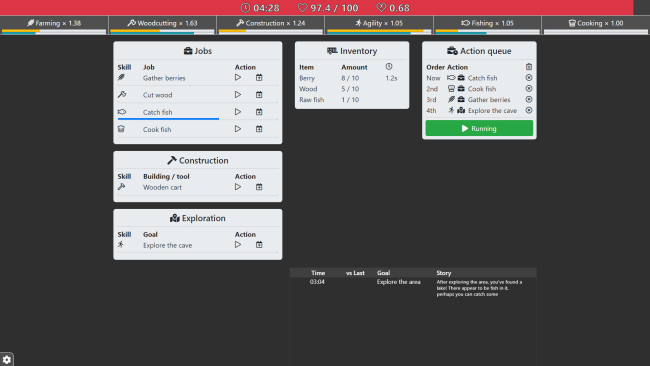
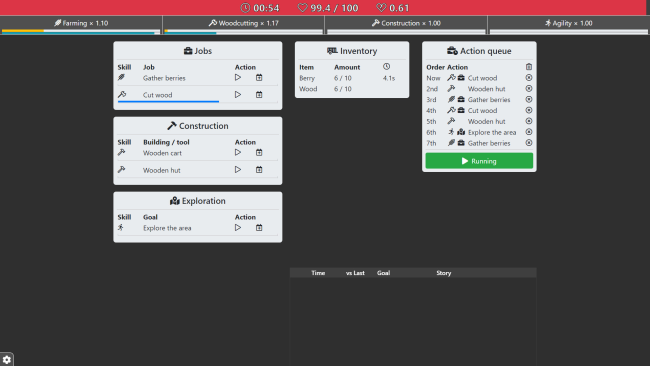
Play revolves around assigning tasks through a clear step-by-step action queue rather than furiously clicking through menus. Your character farms, chops wood, takes jobs, explores, and builds according to the plan you set, while the game pauses when the queue runs dry so wasted time never feels like a punishment. Actions draw on separate skills, and balancing immediate survival against long-term growth becomes the central challenge. Players who want more direct control can interrupt the schedule and prioritize a task at any moment, but thoughtful preparation remains far more valuable than reflexes.

The most satisfying idea is its two-layer progression system: rapidly earned Generation levels make a current life more productive, while slower Instinct improvements survive death and permanently sharpen future attempts. That structure gives each failed run real value, creating the familiar roguelite pleasure of returning wiser and better equipped rather than merely starting over. Increlution feels closer to a compact survival-management puzzle than a conventional clicker, with the deliberate rhythm and compounding decisions of games like Loop Hero or early incremental strategy titles. It suits players who enjoy optimizing systems, testing efficient action orders, and watching modest advantages become the difference between an early grave and another hard-earned day.

Installation

  1. Click the green button below to be redirected to UploadHaven.
  2. Wait 15 seconds, then hit “Free Download.” (Free downloads may be slower — upgrade to UploadHaven Pro for faster speeds.)
  3. Once downloaded, right-click the .zip file and choose “Extract to Increlution.” (You’ll need 7-Zip for this.)
  4. Open the extracted folder and run the game as administrator.
  5. Enjoy! 🎮 If you see missing DLL errors, check the <strong>_Redist</strong> folder inside and install what’s needed.

System Requirements

  • Requires a 64-bit processor and operating system
  • OS: Windows 7 or later (64 bit)
  • Processor: An Intel Pentium 4 processor or later that’s SSE2 capable
  • Memory: 512 MB RAM
  • Storage: 250 MB available space
  • Additional Notes: If your device is able to run a modern browser (Chrome, Safari, Firefox and the like), it should be good to run Increlution

Setup Guide & Troubleshooting

How do I fix missing DLL errors for Increlution (v2023.07.06)?

After extracting Increlution (v2023.07.06), navigate to the _Redist or _CommonRedist folder inside the game directory and install DirectX, Vcredist, and any other dependencies included.

What should I do if the downloaded file is corrupted?

The full archive is 126.30 MB — make sure your download completed fully before extracting. Use 7-Zip to extract the files. If you still see a "file corrupted" error, re-download and try again.

Why should I run the game as administrator?

Right-click the game executable and select "Run as Administrator" to avoid save file issues and permission errors. This is especially important on the first launch.

How do I update my GPU drivers for this game?

Update your NVIDIA or AMD drivers to the latest version for the best performance and compatibility.

The game won't launch — what should I try?

Try running in compatibility mode, install the latest DirectX runtime, or install the All-in-One VC Redist Package.

My antivirus is blocking the game — is it safe?

Antivirus false positives are common with pre-installed games. Temporarily pause your antivirus during extraction to prevent it from quarantining game files. You can re-enable it after the extraction completes.

Need more help? Browse our FAQ & Troubleshooting Guide for solutions to common issues.
Looking for something else? Explore all games on Steam Unlocked