
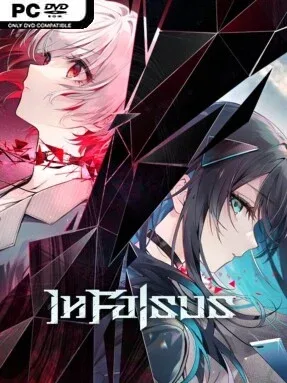
Game Overview
In Falsus combines a story-heavy visual novel with demanding rhythm action, using its music as both a challenge and a narrative language. Set in a near-future high school society where emotions appear visibly and deception is forbidden, it follows five interconnected girls drawn into an unsettling state-run initiative. Their ordinary routines fracture as each viewpoint reveals another piece of a reality that is far less stable than it first appears. The mood leans dramatic and mysterious rather than purely cute or carefree, with personal relationships and hidden motives carrying as much weight as the soundtrack.
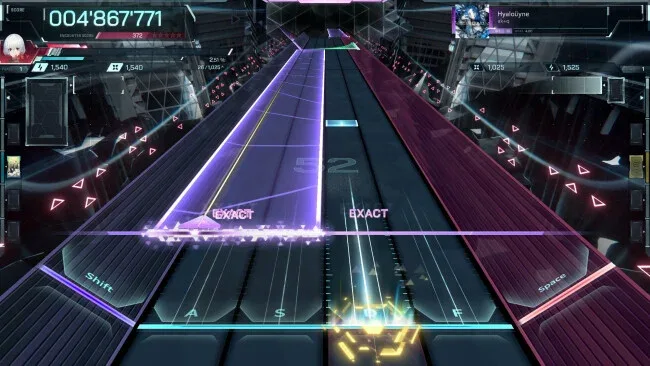
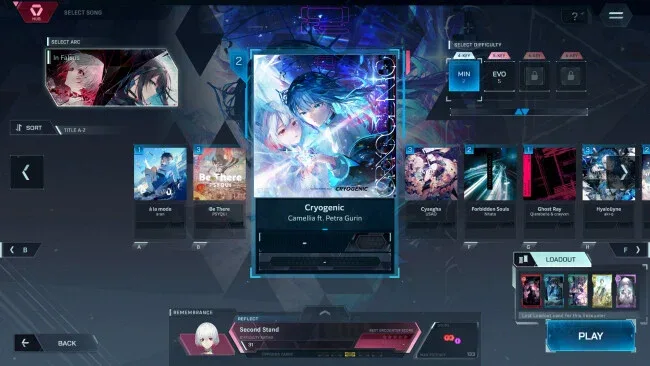
Rhythm sequences use a dedicated mouse-and-keyboard control scheme, asking players to handle incoming notes while following a broad moving Field across the screen. Four difficulty settings let newcomers learn the fundamentals before the denser patterns and faster visual demands take over, while experienced rhythm players have room to chase cleaner runs. Story encounters are linked to individual songs, turning confrontations, alliances, and revelations into playable performances instead of interruptions between them. Success earns materials for a deep crafting layer: players place resources into grid-based Blueprints to create Cards with varied bonuses, then equip up to five Cards to tailor their build for particular tracks.
More than 70 songs, including a substantial selection of original material from Japanese indie and international artists, give In Falsus a notably broad musical identity. Its Card system is more than a cosmetic collection mechanic; the arrangement of materials within each Blueprint creates build puzzles that can change how a difficult song is approached. Full Japanese voice acting, expressive character art, and perspective switching help sell the visual-novel side, though players looking only for arcade-style rhythm play should expect plenty of dialogue. Fans of narrative rhythm games such as Muse Dash or D4DJ who want a darker, more systems-driven campaign will find a lot to dig into, while adjustable difficulty makes its unusual mechanics approachable for newcomers.
Screenshots
Installation
- Click the green button below to be redirected to UploadHaven.
- Wait 15 seconds, then hit “Free Download.” (Free downloads may be slower — upgrade to UploadHaven Pro for faster speeds.)
- Once downloaded, right-click the .zip file and choose “Extract to In Falsus.” (You’ll need 7-Zip for this.)
- Open the extracted folder and run the game as administrator.
- Enjoy! 🎮 If you see missing DLL errors, check the <strong>_Redist</strong> folder inside and install what’s needed.
System Requirements
- Requires a 64-bit processor and operating system
- OS: Windows 10 version or newer
- Processor: Intel i5-7500
- Memory: 8 GB RAM
- Graphics: NVIDIA GeForce GTX 980
- DirectX: Version 11
- Storage: 10 GB available space
Setup Guide & Troubleshooting
How do I fix missing DLL errors for In Falsus (v1.0.2d)?
After extracting In Falsus (v1.0.2d), navigate to the _Redist or _CommonRedist folder inside the game directory and install DirectX, Vcredist, and any other dependencies included.
What should I do if the downloaded file is corrupted?
The full archive is 6.80 GB — make sure your download completed fully before extracting. Use 7-Zip to extract the files. If you still see a "file corrupted" error, re-download and try again.
Why should I run the game as administrator?
Right-click the game executable and select "Run as Administrator" to avoid save file issues and permission errors. This is especially important on the first launch.
How do I update my GPU drivers for this game?
In Falsus (v1.0.2d) requires a NVIDIA GeForce GTX 980 or equivalent. Update your NVIDIA or AMD drivers to the latest version for the best performance.
The game won't launch — what should I try?
This game requires Version 11. Try running in compatibility mode, install the latest DirectX runtime, or install the All-in-One VC Redist Package.
My antivirus is blocking the game — is it safe?
Antivirus false positives are common with pre-installed games. Temporarily pause your antivirus during extraction to prevent it from quarantining game files. You can re-enable it after the extraction completes.