
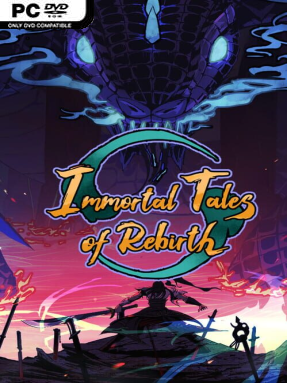
Game Overview
A ruined sect, scattered survivors, and a hostile martial world form the foundation of Immortal Tales of Rebirth, a single-player fantasy management and cultivation adventure. You take the role of a sect leader trying to keep a broken school alive after a devastating war, turning a fragile refuge into the beginning of a new legacy. Its tone leans toward grand wuxia-style ambition rather than pure action spectacle: survival, rebuilding, and personal mastery matter as much as winning fights. The larger continent promises hidden caves, isolated masters, rival sects, and dangerous opportunities for anyone willing to chase them.
Daily play revolves around strengthening your sect while developing the people and creatures under your command. You recruit and train disciples with different talents, seek out martial knowledge, and shape a combat style that reflects your own priorities rather than following one fixed class path. Spirit beasts can be tamed as companions, while rarer divine creatures can be raised from an early age, adding another long-term layer to your growing faction. Exploration sends you toward secluded teachers, forgotten techniques, and concealed locations, but each expedition also risks encounters with enemies that test both your martial skills and preparation.
The appeal lies in how many classic cultivation-fantasy ideas it brings together: leading a school, nurturing successors, collecting techniques, and building a personal martial legacy from the ashes of defeat. Instead of presenting immortality as an instant power fantasy, it frames advancement as something earned through careful decisions, discovery, and persistence against stronger threats. Players who enjoy the sect-building side of Chinese martial arts fiction, alongside creature collecting and character progression, have the clearest reason to give it a look. Fans of cultivation simulators and management-focused RPGs should appreciate its broad ambition, while newcomers may find it inviting if they prefer slower growth and world exploration over constant reflex-driven combat.
Installation
- Click the green button below to be redirected to UploadHaven.
- Wait 15 seconds, then hit “Free Download.” (Free downloads may be slower — upgrade to UploadHaven Pro for faster speeds.)
- Once downloaded, right-click the .zip file and choose “Extract to Immortal Tales of Rebirth.” (You’ll need 7-Zip for this.)
- Open the extracted folder and run the game as administrator.
- Enjoy! 🎮 If you see missing DLL errors, check the <strong>_Redist</strong> folder inside and install what’s needed.
System Requirements
- Requires a 64-bit processor and operating system
- OS: windows 7
- Processor: i3-5代
- Memory: 8 GB RAM
- Graphics: GTX750
- Storage: 2 GB available space
Setup Guide & Troubleshooting
How do I fix missing DLL errors for Immortal Tales of Rebirth (v0.9)?
After extracting Immortal Tales of Rebirth (v0.9), navigate to the _Redist or _CommonRedist folder inside the game directory and install DirectX, Vcredist, and any other dependencies included.
What should I do if the downloaded file is corrupted?
The full archive is 920.69 MB — make sure your download completed fully before extracting. Use 7-Zip to extract the files. If you still see a "file corrupted" error, re-download and try again.
Why should I run the game as administrator?
Right-click the game executable and select "Run as Administrator" to avoid save file issues and permission errors. This is especially important on the first launch.
How do I update my GPU drivers for this game?
Immortal Tales of Rebirth (v0.9) requires a GTX750 or equivalent. Update your NVIDIA or AMD drivers to the latest version for the best performance.
The game won't launch — what should I try?
Try running in compatibility mode, install the latest DirectX runtime, or install the All-in-One VC Redist Package.
My antivirus is blocking the game — is it safe?
Antivirus false positives are common with pre-installed games. Temporarily pause your antivirus during extraction to prevent it from quarantining game files. You can re-enable it after the extraction completes.