
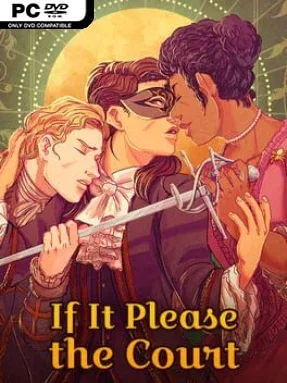
If It Please The Court Cover Art

If It Please The Court

INDIE 89.46 MB

Game Overview

Versailles becomes a glittering battlefield of whispered secrets, coded letters, and dangerous attraction in this choice-driven historical romance. You play a newly recruited operative serving Louis XV’s hidden intelligence network, rising from Parisian poverty into a court where every smile can conceal a knife. The tone balances lavish period drama with intimate sapphic relationships, asking whether ambition, loyalty, or desire matters most when France begins to fracture. Political pressure and personal longing constantly overlap, giving every private encounter the potential to become a national problem.

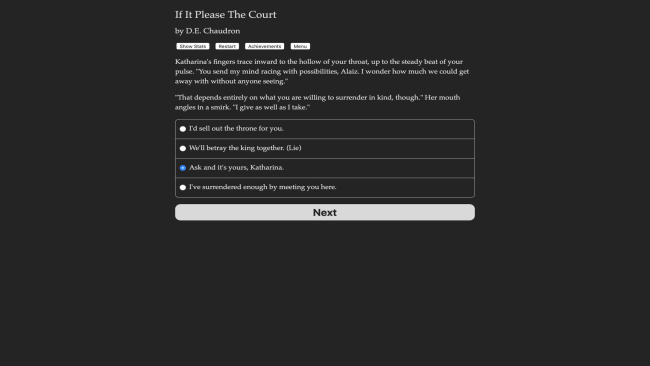
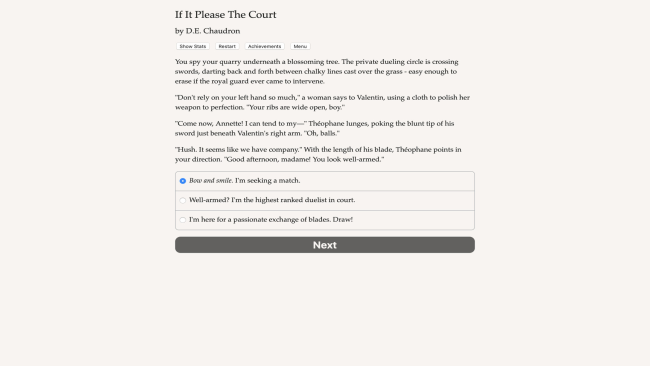
Most of the action unfolds through substantial interactive fiction scenes, where dialogue choices, investigations, and relationship decisions shape your identity and the fate of the court. You can build a spy suited to observation, deception, swordplay, eloquent correspondence, or irresistible persuasion, then use those strengths to navigate missions and social traps. Your choices extend beyond romance: support royal power, undermine it from within, aid foreign interests, reconnect with family, or push ordinary citizens toward revolt. The story accommodates female and nonbinary protagonists, including cis and trans characters, while allowing lesbian, bisexual, and asexual role-playing; romance can develop gradually or begin with far more direct seduction.

Its greatest strength is the scale of its branching narrative, which gives court intrigue real consequences instead of treating romance as a detached side activity. Potential partners—a guarded superior, a courtly poet, and a suspicious double agent—each pull the protagonist toward different emotional and political risks, while rival schemes ensure nobody remains safely neutral. The lack of art, combat animations, and voiced scenes means success depends on your willingness to read and inhabit the role, but the dense prose leaves room for imagination and repeat playthroughs. Fans of Choice of Games-style interactive novels, Regency-tinged social maneuvering, and character-led political dramas will find plenty to savor, while newcomers can approach it as an accessible, highly personalized romance with unusually sharp stakes.

Installation

  1. Click the green button below to be redirected to UploadHaven.
  2. Wait 15 seconds, then hit “Free Download.” (Free downloads may be slower — upgrade to UploadHaven Pro for faster speeds.)
  3. Once downloaded, right-click the .zip file and choose “Extract to If It Please The Court.” (You’ll need 7-Zip for this.)
  4. Open the extracted folder and run the game as administrator.
  5. Enjoy! 🎮 If you see missing DLL errors, check the <strong>_Redist</strong> folder inside and install what’s needed.

System Requirements

  • OS: Windows
  • Storage: 89.46 MB available space
  • License: Free

Setup Guide & Troubleshooting

How do I fix missing DLL errors for If It Please The Court?

After extracting If It Please The Court, navigate to the _Redist or _CommonRedist folder inside the game directory and install DirectX, Vcredist, and any other dependencies included.

What should I do if the downloaded file is corrupted?

The full archive is 89.46 MB — make sure your download completed fully before extracting. Use 7-Zip to extract the files. If you still see a "file corrupted" error, re-download and try again.

Why should I run the game as administrator?

Right-click the game executable and select "Run as Administrator" to avoid save file issues and permission errors. This is especially important on the first launch.

How do I update my GPU drivers for this game?

Update your NVIDIA or AMD drivers to the latest version for the best performance and compatibility.

The game won't launch — what should I try?

Try running in compatibility mode, install the latest DirectX runtime, or install the All-in-One VC Redist Package.

My antivirus is blocking the game — is it safe?

Antivirus false positives are common with pre-installed games. Temporarily pause your antivirus during extraction to prevent it from quarantining game files. You can re-enable it after the extraction completes.

Need more help? Browse our FAQ & Troubleshooting Guide for solutions to common issues.
Looking for something else? Explore all games on Steam Unlocked