
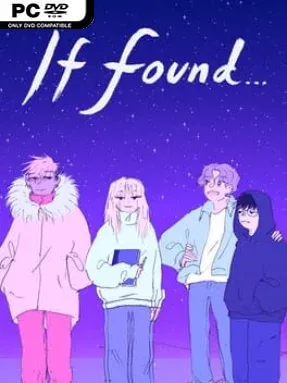

If Found… Cover Art

If Found…

INDIE 398.99 MB

Game Overview

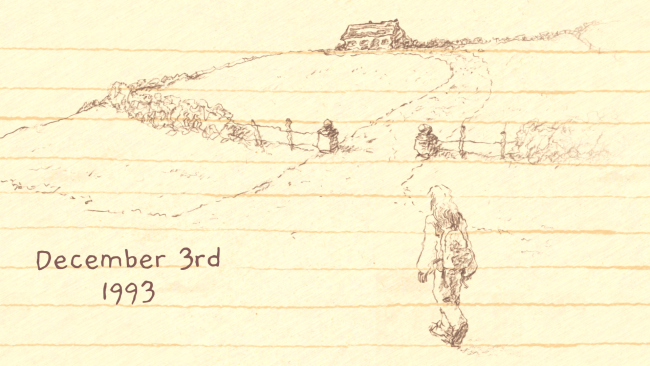
A diary becomes the battlefield for a deeply personal story set against the end of the world. Set on Ireland’s Achill Island during December 1993, If Found… follows Kasio as she returns home, clashes with family expectations, and tries to build a life with people who understand her. Her memories unfold in warm, messy fragments: late-night drives, parties, punk shows, crushes, arguments, friendships, and the uneasy feeling that everything familiar is slipping away. A looming black hole gives the drama a surreal cosmic edge, but the emotional weight comes from Kasio’s search for acceptance and connection.

Rather than relying on conventional dialogue choices or adventure-game puzzles, the experience asks players to erase Kasio’s diary entries by rubbing away words, drawings, and whole pages. That simple physical interaction turns reading into something unexpectedly affecting, since wiping out a memory can feel like an act of grief, frustration, or release. The narrative also shifts to another storyline involving a young astronaut confronting the strange force threatening Earth, gradually linking intimate human pain with impossible astronomical stakes. Playtime is brief, generally a few hours, and the focus stays firmly on storytelling rather than challenge, stat-building, or branching routes.

Hand-drawn artwork gives every scene a sketchbook immediacy, mixing loose pencil lines, scribbled notes, vivid color, and expressive character design. The soundtrack reinforces the setting with an emotional blend of ambient, indie, and punk-influenced music, while the writing captures both the humor and hurt of being young, uncertain, and out of place. Its treatment of transgender identity feels central to Kasio’s life without reducing her to a single label; she is funny, angry, affectionate, awkward, and complicated. Fans of Florence, Gone Home, and other intimate narrative indies should find plenty to love, especially if they value honest character writing over traditional gameplay depth.

Installation

  1. Click the green button below to be redirected to UploadHaven.
  2. Wait 15 seconds, then hit “Free Download.” (Free downloads may be slower — upgrade to UploadHaven Pro for faster speeds.)
  3. Once downloaded, right-click the .zip file and choose “Extract to If Found....” (You’ll need 7-Zip for this.)
  4. Open the extracted folder and run the game as administrator.
  5. Enjoy! 🎮 If you see missing DLL errors, check the <strong>_Redist</strong> folder inside and install what’s needed.

System Requirements

  • Requires a 64-bit processor and operating system
  • OS: Windows 7
  • Processor: Intel i3 Ivy Bridge – AMD FX 6350
  • Memory: 4 GB RAM
  • Graphics: Intel HD Graphics 4000
  • Storage: 2 GB available space

Setup Guide & Troubleshooting

How do I fix missing DLL errors for If Found…?

After extracting If Found…, navigate to the _Redist or _CommonRedist folder inside the game directory and install DirectX, Vcredist, and any other dependencies included.

What should I do if the downloaded file is corrupted?

The full archive is 398.99 MB — make sure your download completed fully before extracting. Use 7-Zip to extract the files. If you still see a "file corrupted" error, re-download and try again.

Why should I run the game as administrator?

Right-click the game executable and select "Run as Administrator" to avoid save file issues and permission errors. This is especially important on the first launch.

How do I update my GPU drivers for this game?

If Found… requires a Intel HD Graphics 4000 or equivalent. Update your NVIDIA or AMD drivers to the latest version for the best performance.

The game won't launch — what should I try?

Try running in compatibility mode, install the latest DirectX runtime, or install the All-in-One VC Redist Package.

My antivirus is blocking the game — is it safe?

Antivirus false positives are common with pre-installed games. Temporarily pause your antivirus during extraction to prevent it from quarantining game files. You can re-enable it after the extraction completes.

Need more help? Browse our FAQ & Troubleshooting Guide for solutions to common issues.
Looking for something else? Explore all games on Steam Unlocked