
Game Overview
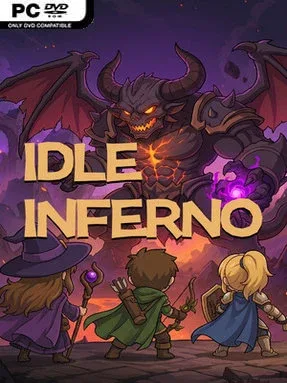
Demons, treasure, and ever-rising damage numbers fuel a compact action-RPG built for players who enjoy the loot chase without constant clicking. Idle Inferno places an automatically fighting hero in a stream of enemy encounters, letting battles continue while it sits alongside other tasks or becomes the focus of a longer optimization session. Its tone is comfortably familiar to fans of dark fantasy grinders: monsters fall quickly, equipment spills out, and every upgrade promises a larger number on the next run. The appeal comes from balancing hands-off convenience with the satisfaction of gradually assembling a powerful character.
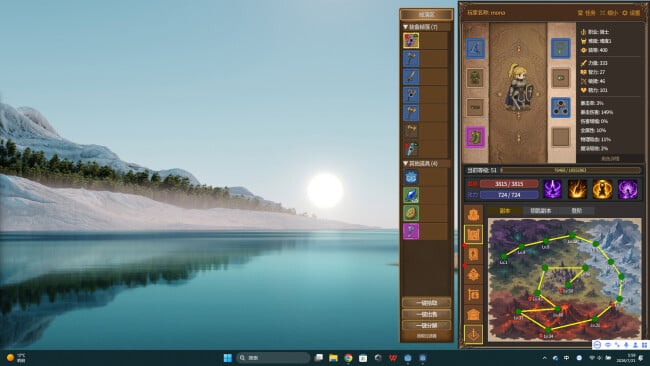
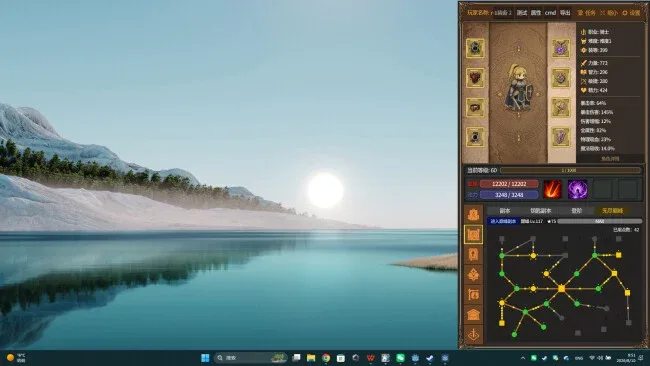
Combat runs on autopilot, with the character locating targets and casting abilities without demanding manual movement or attack inputs. The player’s job is to inspect drops, compare randomized affixes, and shape a build around priorities such as critical damage, survival, or a blend of both. Weapons can be forged and improved, while gem sockets add another layer of stat tuning for players who want to chase more efficient combinations. Keys open unpredictable reward-focused challenges, and consumable potions provide timely boosts that can change how a difficult stretch plays out.
Rather than treating idling as an excuse for shallow progression, Idle Inferno puts much of its depth into gear rolls and stat synergy. A newly dropped item can be an immediate upgrade, a specialized piece for a future setup, or a reason to rethink the entire build, which gives routine farming a useful sense of discovery. The screen-filling loot and escalating power curve recall the reward loop of Diablo-style ARPGs, but the low-input format makes it better suited to relaxed multitasking than demanding dungeon crawling. It is a strong fit for players who like incremental games but want meaningful equipment decisions, while dedicated theorycrafters can spend their time refining builds instead of managing every swing of a sword.
Screenshots
Installation
- Click the green button below to be redirected to UploadHaven.
- Wait 15 seconds, then hit “Free Download.” (Free downloads may be slower — upgrade to UploadHaven Pro for faster speeds.)
- Once downloaded, right-click the .zip file and choose “Extract to Idle Inferno.” (You’ll need 7-Zip for this.)
- Open the extracted folder and run the game as administrator.
- Enjoy! 🎮 If you see missing DLL errors, check the <strong>_Redist</strong> folder inside and install what’s needed.
System Requirements
- OS: win10/win11
- Processor: Intel CPU Core i5-2500K 3.3GHZ /AMD CPU Phenom Il X4 940
- Memory: 4 MB RAM
- Graphics: NVIDIA GeForce GTX 960
- Network: Broadband Internet connection
- Storage: 400 MB available space
Setup Guide & Troubleshooting
How do I fix missing DLL errors for Idle Inferno?
After extracting Idle Inferno, navigate to the _Redist or _CommonRedist folder inside the game directory and install DirectX, Vcredist, and any other dependencies included.
What should I do if the downloaded file is corrupted?
The full archive is 229.39 MB — make sure your download completed fully before extracting. Use 7-Zip to extract the files. If you still see a "file corrupted" error, re-download and try again.
Why should I run the game as administrator?
Right-click the game executable and select "Run as Administrator" to avoid save file issues and permission errors. This is especially important on the first launch.
How do I update my GPU drivers for this game?
Idle Inferno requires a NVIDIA GeForce GTX 960 or equivalent. Update your NVIDIA or AMD drivers to the latest version for the best performance.
The game won't launch — what should I try?
Try running in compatibility mode, install the latest DirectX runtime, or install the All-in-One VC Redist Package.
My antivirus is blocking the game — is it safe?
Antivirus false positives are common with pre-installed games. Temporarily pause your antivirus during extraction to prevent it from quarantining game files. You can re-enable it after the extraction completes.