
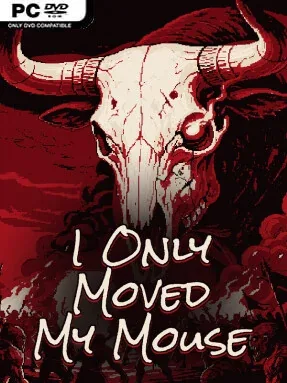
Game Overview
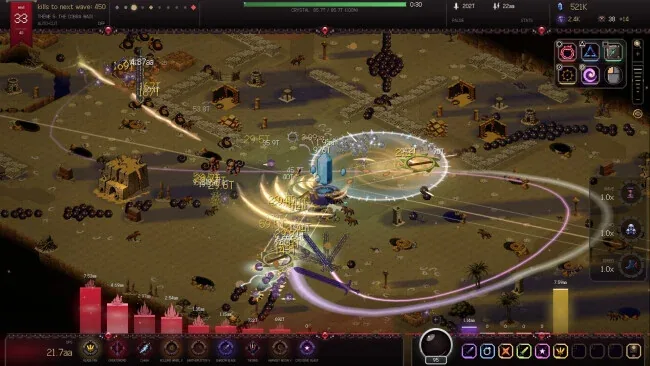
A single cursor becomes both your weapon and your last line of defense in this unusual blend of hack-and-slash action, tower defense, and idle progression. Monsters stream toward a central crystal, and every sweep of the mouse cuts through anything caught in its path. The tone is deliberately busy and numbers-driven: runs begin simply, then build into screens full of enemies, effects, weapon synergies, and escalating damage. It is a game about turning a minimal control scheme into a surprisingly dense roguelite grind.
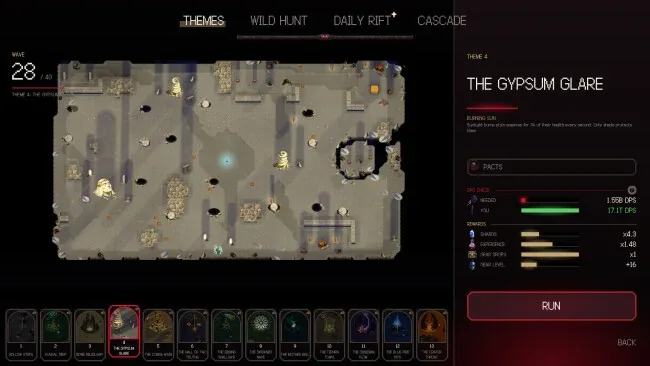
Each run sends waves across one of twenty themed battlefields, where survival depends on keeping the crystal intact while carving through enemies with the cursor-blade. Level-ups offer a choice of three cards, granting new attacks, stat boosts, passives, and build-defining effects; weapons found for the two extra slots grow during the run as well. Skill points feed a permanent tree, while signs add blade-drawn abilities and equipment fills sixteen gear slots across several rarities. Players who prefer a hands-off approach can activate IDLE mode, allowing attacks, skills, signs, and even card choices to run automatically, though manual play remains the better route for controlling a developing build.
Its strongest idea is the three-layer progression structure. A failed run still banks shards and gear, while periodic “melts” reset the forge and sword tier in exchange for embers that purchase permanent relic upgrades; character level, cards, skills, weapons, and unlocked content remain. Optional pacts increase the challenge with harsher timers, fragile crystals, or more elite enemies in return for improved rewards, giving experienced players a reason to revisit cleared stages. Unlockable visual themes and mix-and-match skins add personality, but the real appeal is watching modest cursor swipes become absurdly powerful. Fans of Vampire Survivors, incremental RPGs, and compact roguelites will find plenty to optimize, while newcomers benefit from its straightforward mouse-first controls.
Screenshots
Installation
- Select the <strong>Download</strong> button at the top of this page to open UploadHaven.
- On UploadHaven, wait for any countdown, then select <strong>Free Download</strong>. Optional: UploadHaven Pro for faster downloads.
- When complete, extract the archive to a <strong>I Only Moved My Mouse</strong> folder using 7-Zip.
- Open the extracted folder and start the game normally.
- For errors, check <strong>Setup Guide & Troubleshooting</strong> below. Keep your security software enabled.
System Requirements
- Requires a 64-bit processor and operating system
- OS: Windows 10 64-bit
- Processor: Intel Core i5-4460 / AMD FX-6300
- Memory: 8 GB RAM
- Graphics: GeForce GTX 750 Ti / Radeon R7 265, 2 GB VRAM
- DirectX: Version 11
- Storage: 4 GB available space