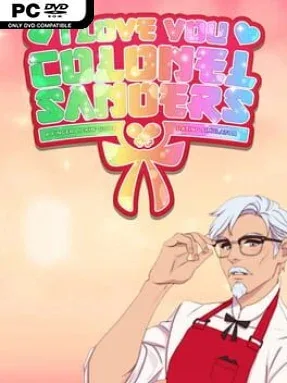
I Love You, Colonel Sanders! A Finger Lickin Good Dating Simulator Cover Art

I Love You, Colonel Sanders! A Finger Lickin Good Dating Simulator

INDIE 417.18 MB v1.0.1

Game Overview

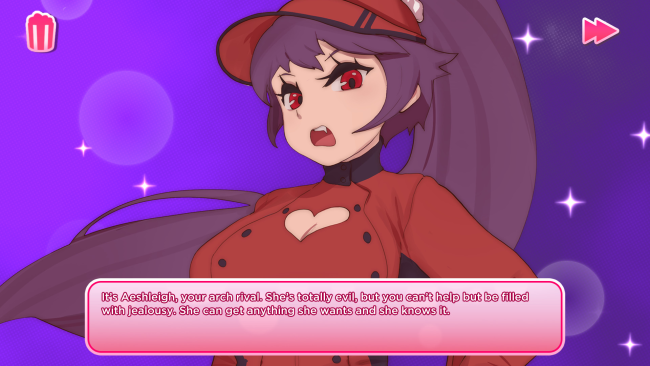
Culinary school becomes a melodramatic anime playground where romance, rivalry, and absurd chicken-themed destiny collide. You play an eager student at the University of Cooking School: Academy for Learning, determined to impress the charismatic, white-suited Colonel Sanders while surviving classes alongside a cast of exaggerated classmates. The tone is knowingly ridiculous, mixing sincere visual-novel romance with food puns, supernatural nonsense, and the kind of corporate-brand parody that is far stranger than it has any right to be. Beneath the jokes, it delivers a surprisingly polished interactive story with colorful character art and plenty of affection for dating-sim clichés.

Most of the time, you read dialogue, choose responses, and steer relationships through conversations that can strengthen friendships or derail your pursuit of the Colonel. Decisions affect scenes and outcomes, while occasional quizzes, cooking challenges, and quick combat-style encounters break up the visual-novel format with simple minigames. Your classmates include rivals, best friends, and wildly theatrical personalities, each helping turn a straightforward romance route into an escalating cartoon. The campaign is short enough to finish in an evening, but replaying choices and hunting for its concealed conclusion gives curious players a reason to return.

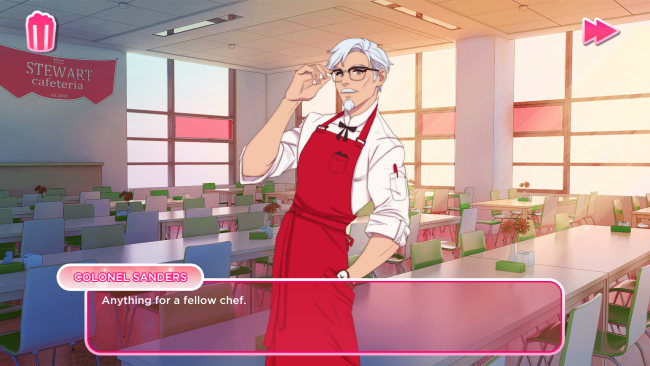
What stands out is its commitment to the bit: Colonel Sanders is treated as both a romantic lead and an anime hero, complete with dramatic poses, culinary ambition, and an almost mythical aura around his recipes. The artwork is bright and expressive, the writing constantly winks at the player, and the whole package understands that its premise is funniest when played completely straight. Fans of Hatoful Boyfriend, Dream Daddy, or offbeat visual novels will appreciate the self-aware humor, though players expecting deep branching routes or demanding cooking mechanics should keep expectations modest. It suits newcomers especially well, offering an accessible, silly introduction to choice-driven dating sims without asking for a major time commitment.

Installation

  1. Click the green button below to be redirected to UploadHaven.
  2. Wait 15 seconds, then hit “Free Download.” (Free downloads may be slower — upgrade to UploadHaven Pro for faster speeds.)
  3. Once downloaded, right-click the .zip file and choose “Extract to I Love You, Colonel Sanders! A Finger Lickin Good Dating Simulator.” (You’ll need 7-Zip for this.)
  4. Open the extracted folder and run the game as administrator.
  5. Enjoy! 🎮 If you see missing DLL errors, check the <strong>_Redist</strong> folder inside and install what’s needed.

System Requirements

  • OS: Windows 7 (64 Bit)
  • Processor: 2.2 Ghz
  • Memory: 4 GB RAM
  • Graphics: DirectX compatible card
  • Storage: 2 GB available space

Setup Guide & Troubleshooting

How do I fix missing DLL errors for I Love You, Colonel Sanders! A Finger Lickin Good Dating Simulator (v1.0.1)?

After extracting I Love You, Colonel Sanders! A Finger Lickin Good Dating Simulator (v1.0.1), navigate to the _Redist or _CommonRedist folder inside the game directory and install DirectX, Vcredist, and any other dependencies included.

What should I do if the downloaded file is corrupted?

The full archive is 417.18 MB — make sure your download completed fully before extracting. Use 7-Zip to extract the files. If you still see a "file corrupted" error, re-download and try again.

Why should I run the game as administrator?

Right-click the game executable and select "Run as Administrator" to avoid save file issues and permission errors. This is especially important on the first launch.

How do I update my GPU drivers for this game?

I Love You, Colonel Sanders! A Finger Lickin Good Dating Simulator (v1.0.1) requires a DirectX compatible card or equivalent. Update your NVIDIA or AMD drivers to the latest version for the best performance.

The game won't launch — what should I try?

Try running in compatibility mode, install the latest DirectX runtime, or install the All-in-One VC Redist Package.

My antivirus is blocking the game — is it safe?

Antivirus false positives are common with pre-installed games. Temporarily pause your antivirus during extraction to prevent it from quarantining game files. You can re-enable it after the extraction completes.

Need more help? Browse our FAQ & Troubleshooting Guide for solutions to common issues.
Looking for something else? Explore all games on Steam Unlocked