
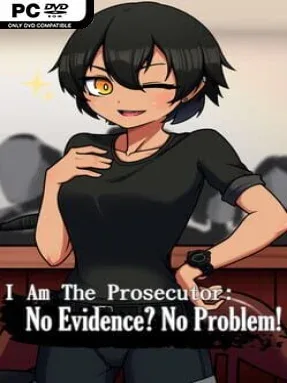
I am the Prosecutor: No Evidence? No Problem! Cover Art

I am the Prosecutor: No Evidence? No Problem!

INDIE 313.86 MB

Game Overview

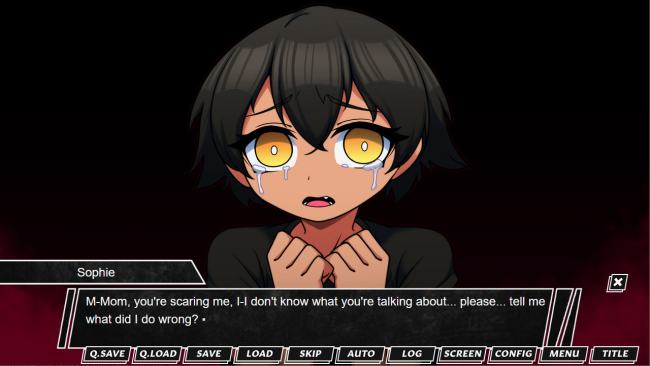
A high-stakes courtroom drama puts an adult survivor’s search for justice at the center of its story. You take the role of the prosecutor handling a case against a mother accused of years of cruel, controlling behavior toward her daughter, with the trial framed as a chance for the victim to finally gain closure. The subject matter is deliberately uncomfortable and emotionally charged, leaning into interpersonal abuse rather than flashy crime-solving spectacle. Its tone is tense, intimate, and often confrontational, with every exchange carrying the weight of a family history that neither side can easily escape.

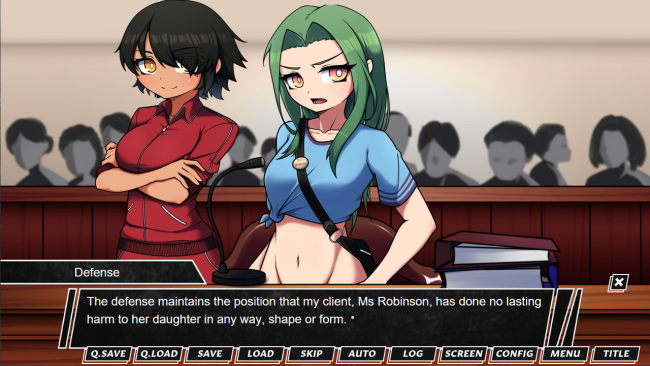
Courtroom arguments, dialogue choices, and rapid decision-making drive the experience. Rather than leisurely examining every option, you often have only 30 seconds to pick a response; hesitating is not a harmless pause, but a direct route to failure. The defense presents a serious obstacle, forcing you to react to testimony and accusations while deciding how best to pursue the case. Branching choices shape the course of the trial and lead to multiple endings, making each answer matter beyond a single conversation. Expect a narrative-focused indie game where reading carefully, judging character motives, and staying calm under time pressure are more important than traditional action skills.

Detailed character art and expressive sprites give the cast a colorful visual-novel presentation, while the soundtrack helps sustain the pressure during critical exchanges. The premise stands apart from conventional courtroom games by focusing on a domestic abuse case and the emotional consequences of pursuing legal accountability, rather than a murder mystery or supernatural twist. Multiple routes encourage replaying the case to see how different prosecutorial decisions affect its conclusion. Fans of choice-driven visual novels and courtroom series such as Ace Attorney may appreciate the dramatic structure, though the harsher subject matter and unforgiving timer make it better suited to players comfortable with serious themes and quick judgments.

Installation

  1. Click the green button below to be redirected to UploadHaven.
  2. Wait 15 seconds, then hit “Free Download.” (Free downloads may be slower — upgrade to UploadHaven Pro for faster speeds.)
  3. Once downloaded, right-click the .zip file and choose “Extract to I am the Prosecutor: No Evidence? No Problem!.” (You’ll need 7-Zip for this.)
  4. Open the extracted folder and run the game as administrator.
  5. Enjoy! 🎮 If you see missing DLL errors, check the <strong>_Redist</strong> folder inside and install what’s needed.

System Requirements

  • OS: Windows 7/8/10
  • Processor: Dual Core CPU
  • Memory: 750 MB RAM
  • Graphics: Integrated Graphics Card
  • Storage: 1 GB available space

Setup Guide & Troubleshooting

How do I fix missing DLL errors for I am the Prosecutor: No Evidence? No Problem!?

After extracting I am the Prosecutor: No Evidence? No Problem!, navigate to the _Redist or _CommonRedist folder inside the game directory and install DirectX, Vcredist, and any other dependencies included.

What should I do if the downloaded file is corrupted?

The full archive is 313.86 MB — make sure your download completed fully before extracting. Use 7-Zip to extract the files. If you still see a "file corrupted" error, re-download and try again.

Why should I run the game as administrator?

Right-click the game executable and select "Run as Administrator" to avoid save file issues and permission errors. This is especially important on the first launch.

How do I update my GPU drivers for this game?

I am the Prosecutor: No Evidence? No Problem! requires a Integrated Graphics Card or equivalent. Update your NVIDIA or AMD drivers to the latest version for the best performance.

The game won't launch — what should I try?

Try running in compatibility mode, install the latest DirectX runtime, or install the All-in-One VC Redist Package.

My antivirus is blocking the game — is it safe?

Antivirus false positives are common with pre-installed games. Temporarily pause your antivirus during extraction to prevent it from quarantining game files. You can re-enable it after the extraction completes.

Need more help? Browse our FAQ & Troubleshooting Guide for solutions to common issues.
Looking for something else? Explore all games on Steam Unlocked