
Game Overview
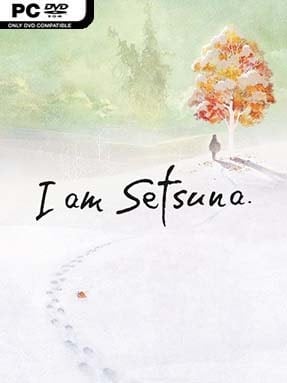
A remote island faces a familiar tragedy: every decade, a chosen sacrifice must be offered to a monstrous fiend to keep the population safe. When the creature becomes violent ahead of schedule, the gifted young woman Setsuna is selected to make the journey early, accompanied by a small group of guardians whose loyalties and regrets shape the road ahead. I Am Setsuna is a melancholy, snow-covered Japanese role-playing game built around loss, duty, and the painful question of whether fate deserves to be obeyed. Its restrained presentation gives the whole adventure a wintry, reflective mood rather than the bombast of a modern blockbuster.
Players guide Setsuna’s party across towns, frozen plains, caves, and ancient ruins while following a focused story campaign. Combat uses an Active Time Battle system clearly inspired by classic 16-bit RPGs: characters wait for gauges to fill, then launch attacks, cast magic, use items, or combine abilities with allies for stronger Tech attacks. Equipment provides Spritnite, magical stones that unlock skills and passive effects, while the Momentum system rewards careful timing by letting charged actions gain extra power or secondary benefits. Encounters are demanding enough to make party setups, elemental weaknesses, healing, and turn timing matter, though the straightforward progression keeps it approachable for players unfamiliar with old-school JRPG design.
What makes the adventure memorable is its commitment to a single visual and emotional identity. Nearly every location sits beneath snow, and the sparse piano score creates an unusually lonely atmosphere that suits a tale about a group walking toward an apparently unavoidable death. The combat rhythm, party techniques, and compact world deliberately recall Chrono Trigger, but the story’s somber tone is closer to a quiet tragic fantasy than a cheerful time-travel romp. Fans of traditional turn-based RPGs, especially those who value character-focused storytelling over enormous open worlds, find plenty to appreciate here, while veterans should expect a polished homage rather than a radical reinvention.
Installation
- Click the green button below to be redirected to UploadHaven.
- Wait 15 seconds, then hit “Free Download.” (Free downloads may be slower — upgrade to UploadHaven Pro for faster speeds.)
- Once downloaded, right-click the .zip file and choose “Extract to I am Setsuna.” (You’ll need 7-Zip for this.)
- Open the extracted folder and run the game as administrator.
- Enjoy! 🎮 If you see missing DLL errors, check the <strong>_Redist</strong> folder inside and install what’s needed.
System Requirements
- OS: Windows 7, Windows 8/8.1, Windows 10
- Processor: Core i3 2GHz and above
- Memory: 2 GB RAM
- Graphics: GeForce GTS250 / Radeon HD5750 or better
Setup Guide & Troubleshooting
How do I fix missing DLL errors for I am Setsuna?
After extracting I am Setsuna, navigate to the _Redist or _CommonRedist folder inside the game directory and install DirectX, Vcredist, and any other dependencies included.
What should I do if the downloaded file is corrupted?
The full archive is 1.35 GB — make sure your download completed fully before extracting. Use 7-Zip to extract the files. If you still see a "file corrupted" error, re-download and try again.
Why should I run the game as administrator?
Right-click the game executable and select "Run as Administrator" to avoid save file issues and permission errors. This is especially important on the first launch.
How do I update my GPU drivers for this game?
I am Setsuna requires a GeForce GTS250 / Radeon HD5750 or better or equivalent. Update your NVIDIA or AMD drivers to the latest version for the best performance.
The game won't launch — what should I try?
Try running in compatibility mode, install the latest DirectX runtime, or install the All-in-One VC Redist Package.
My antivirus is blocking the game — is it safe?
Antivirus false positives are common with pre-installed games. Temporarily pause your antivirus during extraction to prevent it from quarantining game files. You can re-enable it after the extraction completes.