
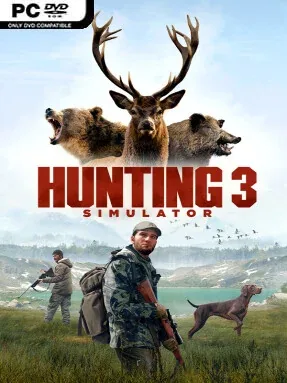
Game Overview
Each hunt begins with preparation at your lodge, where you select weapons, tune equipment, and decide how you want to approach the field. Rifles, shotguns, bows, and crossbows support different ranges and prey, while licensed names such as Remington, Beretta, Winchester, and Browning give the arsenal a recognizable sporting feel. Tracking forms the core loop as you study signs, follow trails, manage your position, and choose whether a shot is ethical and effective. A command-driven hunting dog adds useful support by locating evidence, pursuing a scent line, and retrieving smaller animals, making solo expeditions feel less isolating without removing the need for careful observation.
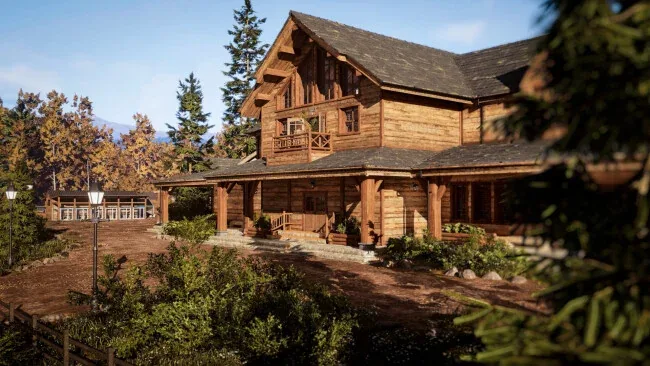
The SimFauna system is the major draw, giving animals lifelike routines, responses, and aging that make repeat visits to a region less predictable. The customizable lodge also gives successful hunts a tangible payoff, letting you display trophies, inspect your collection, and refine your loadout between excursions. For a quicker competitive diversion, clay-pigeon challenges test aim and timing against scoreboards rather than wilderness instincts. Hunting Simulator 3 suits players who enjoy the deliberate realism of theHunter: Call of the Wild but want a stronger focus on equipment brands, dog handling, and a home-base trophy experience; newcomers can settle into the basics, while dedicated virtual hunters have plenty of reason to keep scouting.
Screenshots
Installation
- Select the <strong>Download</strong> button at the top of this page to open UploadHaven.
- On UploadHaven, wait for any countdown, then select <strong>Free Download</strong>. Optional: UploadHaven Pro for faster downloads.
- When complete, extract the archive to a <strong>Hunting Simulator 3</strong> folder using 7-Zip.
- Open the extracted folder and start the game normally.
- For errors, check <strong>Setup Guide & Troubleshooting</strong> below. Keep your security software enabled.
System Requirements
- Requires a 64-bit processor and operating system
- OS: Windows 11 (64-bit)
- Processor: Intel Core i5-9400F or AMD Ryzen 5 3600
- Memory: 8 GB RAM
- Graphics: Radeon RX 5600 XT, 6 GB or GeForce RTX 2060, 6 GB
- DirectX: Version 12
- Storage: 25 GB available space
Setup Guide & Troubleshooting
Is Hunting Simulator 3 completely free?
Yes, the download offered on this page is free. The file size is 19.25 GB and it is provided as a pre-installed PC game through UploadHaven.
How do I install Hunting Simulator 3?
Select the Download button at the top of this page to open UploadHaven, wait for any countdown, then select Free Download. When complete, extract the archive to a Hunting Simulator 3 folder using 7-Zip, open the extracted folder, and start the game normally.
What are the system requirements for Hunting Simulator 3?
You need a 64-bit processor and operating system, Windows 11 (64-bit), an Intel Core i5-9400F or AMD Ryzen 5 3600, 8 GB RAM, a Radeon RX 5600 XT (6 GB) or GeForce RTX 2060 (6 GB), DirectX Version 12, and 25 GB available storage.
How large is the Hunting Simulator 3 download?
The full archive is 19.25 GB. Make sure your download completes fully before extracting to avoid file corruption errors.
What should I do if my antivirus flags the game?
Investigate the warning rather than ignoring it. Keep your security software enabled, review the detection details, and do not run or restore a flagged file unless you have verified it is a false positive. If you are unsure, leave it quarantined.