
Game Overview
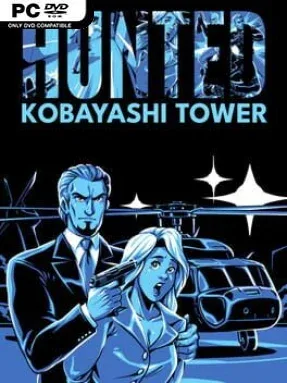
A hostage rescue unfolds one card at a time inside a terrorist-controlled skyscraper, turning a simple deck-building premise into a tense race against time. Hunted: Kobayashi Tower adapts a solo tabletop card game into a compact digital thriller where every floor brings fresh danger, useful gear, and difficult choices. The goal is clear—reach the roof and save your wife—but the route constantly forces you to weigh caution against momentum. Its mood is deliberately claustrophobic: the tower feels less like a place to conquer than a pressure cooker waiting to explode.
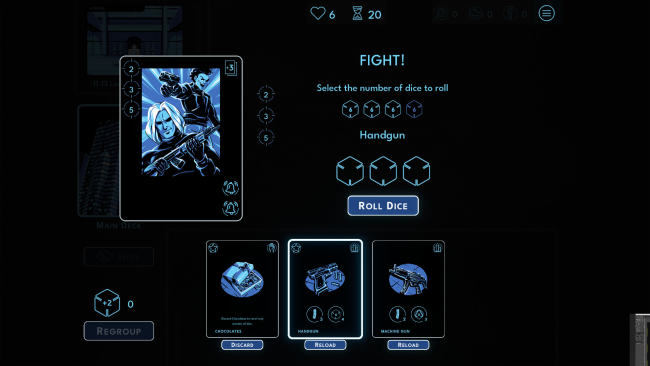
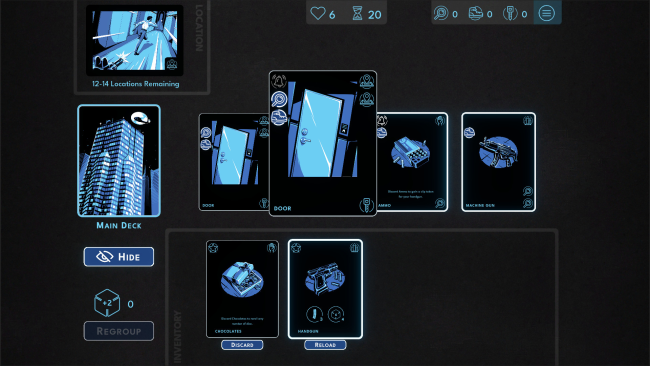
Each location begins with drawing cards into a shared central row, representing the rooms, threats, equipment, hostages, and exits currently within reach. Cards in that row can be spent to trigger other cards, letting you pick up weapons, gain items, free civilians, or advance upward through the building. Noise-producing cards create the central tension, since leaving too much commotion in play attracts terrorists and can start a fight; combat and obstacles rely on dice rolls, so preparation helps but never removes risk entirely. Choosing to Hide clears the dangerous row and buys breathing room, though it also burns precious time, making retreat a calculated sacrifice rather than a free reset.
What makes the design work is its economy of decisions: nearly every draw can become an opportunity, a liability, or both depending on the state of the row. Instead of exploring a tower through direct movement and shooting, players manage an escalating chain of card interactions, creating a distinctly puzzle-like form of action suspense. Random card order and dice-driven confrontations give repeated attempts different rhythms, while the tight time and health limits keep runs from becoming routine. Fans of solo deck-focused games, roguelike risk management, or tense board-game conversions will find plenty to like, especially if they prefer thoughtful planning over reflex-heavy combat.
Installation
- Click the green button below to be redirected to UploadHaven.
- Wait 15 seconds, then hit “Free Download.” (Free downloads may be slower — upgrade to UploadHaven Pro for faster speeds.)
- Once downloaded, right-click the .zip file and choose “Extract to Hunted: Kobayashi Tower.” (You’ll need 7-Zip for this.)
- Open the extracted folder and run the game as administrator.
- Enjoy! 🎮 If you see missing DLL errors, check the <strong>_Redist</strong> folder inside and install what’s needed.
System Requirements
- Requires a 64-bit processor and operating system
- OS: Windows 7 (SP1+), Windows 10
- Processor: 64-bit Intel or AMD CPU with 2 or more cores
- Memory: 2 GB RAM
- Graphics: Graphics card with DirectX 10 or higher support
- DirectX: Version 10
- Storage: 500 MB available space
Setup Guide & Troubleshooting
How do I fix missing DLL errors for Hunted: Kobayashi Tower?
After extracting Hunted: Kobayashi Tower, navigate to the _Redist or _CommonRedist folder inside the game directory and install DirectX, Vcredist, and any other dependencies included.
What should I do if the downloaded file is corrupted?
The full archive is 99.64 MB — make sure your download completed fully before extracting. Use 7-Zip to extract the files. If you still see a "file corrupted" error, re-download and try again.
Why should I run the game as administrator?
Right-click the game executable and select "Run as Administrator" to avoid save file issues and permission errors. This is especially important on the first launch.
How do I update my GPU drivers for this game?
Hunted: Kobayashi Tower requires a Graphics card with DirectX 10 or higher support or equivalent. Update your NVIDIA or AMD drivers to the latest version for the best performance.
The game won't launch — what should I try?
This game requires Version 10. Try running in compatibility mode, install the latest DirectX runtime, or install the All-in-One VC Redist Package.
My antivirus is blocking the game — is it safe?
Antivirus false positives are common with pre-installed games. Temporarily pause your antivirus during extraction to prevent it from quarantining game files. You can re-enable it after the extraction completes.