
Game Overview
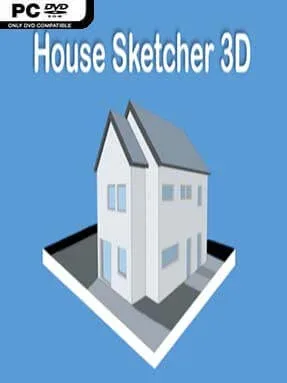
Designing a home from scratch becomes a relaxed, hands-on creative project in this accessible architectural sandbox. House Sketcher 3D focuses on turning rough ideas into complete multi-floor residences, letting players lay out rooms, arrange interiors, and view the result from almost any angle. The tone is practical rather than competitive: there are no enemies, deadlines, or complex simulation systems, just a flexible space for experimenting with layouts and décor. It works best as a casual home-planning tool wrapped in a simple 3D experience.
The main loop revolves around assembling floor plans with room templates, moving between levels, and gradually building a house upward until the roof is in place. A large furnishing selection allows rooms to take on a distinct purpose and style, whether you are arranging a compact apartment, a family house, or an aspirational dream property. Players can inspect their work in flat plan views or full 3D, then use a first-person walkthrough to judge how rooms connect and feel at ground level. A flying camera provides a broader overview for checking the building’s shape, while lighting, shadows, sky settings, and environmental templates help give presentations more atmosphere.
High-resolution screenshots are a major part of the appeal, especially with filters available to give finished designs a cleaner or more stylized look. Switching floors quickly makes it easier to manage larger projects than in basic single-room decorating apps, and the combination of overhead and eye-level views is useful for catching awkward layouts. It is not a deep construction simulator in the vein of The Sims or a professional CAD package; accuracy and technical building rules take a back seat to easy visual creation. House Sketcher 3D suits players who enjoy interior design games, virtual dollhouse building, and sharing attractive concept images, while also offering beginners a straightforward introduction to planning spaces in 3D.
Installation
- Click the green button below to be redirected to UploadHaven.
- Wait 15 seconds, then hit “Free Download.” (Free downloads may be slower — upgrade to UploadHaven Pro for faster speeds.)
- Once downloaded, right-click the .zip file and choose “Extract to House Sketcher 3D.” (You’ll need 7-Zip for this.)
- Open the extracted folder and run the game as administrator.
- Enjoy! 🎮 If you see missing DLL errors, check the <strong>_Redist</strong> folder inside and install what’s needed.
System Requirements
- Requires a 64-bit processor and operating system
- OS: Windows XP/Vista/7/8/10
- Processor: Intel® Core™ 2 Duo (2,00 GHz) / AMD Phenom™ (2,00 GHz)
- Memory: 4 GB RAM
- Graphics: Intel HD 5000 / GeForce GTX 480 / Radeon HD 5450
- DirectX: Version 11
- Storage: 500 MB available space
Setup Guide & Troubleshooting
How do I fix missing DLL errors for House Sketcher 3D?
After extracting House Sketcher 3D, navigate to the _Redist or _CommonRedist folder inside the game directory and install DirectX, Vcredist, and any other dependencies included.
What should I do if the downloaded file is corrupted?
The full archive is 403.36 MB — make sure your download completed fully before extracting. Use 7-Zip to extract the files. If you still see a "file corrupted" error, re-download and try again.
Why should I run the game as administrator?
Right-click the game executable and select "Run as Administrator" to avoid save file issues and permission errors. This is especially important on the first launch.
How do I update my GPU drivers for this game?
House Sketcher 3D requires a Intel HD 5000 / GeForce GTX 480 / Radeon HD 5450 or equivalent. Update your NVIDIA or AMD drivers to the latest version for the best performance.
The game won't launch — what should I try?
This game requires Version 11. Try running in compatibility mode, install the latest DirectX runtime, or install the All-in-One VC Redist Package.
My antivirus is blocking the game — is it safe?
Antivirus false positives are common with pre-installed games. Temporarily pause your antivirus during extraction to prevent it from quarantining game files. You can re-enable it after the extraction completes.