
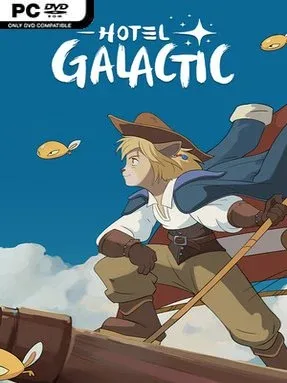
Game Overview
A weathered hotel perched on a cosmic island becomes the center of a gentle but surprisingly personal management adventure. Hotel Galactic mixes the satisfying routine of restoring a failing business with a hand-painted fantasy atmosphere that recalls classic animated films without losing its own oddball identity. Guests arrive from across the stars, each expecting food, comfort, and a memorable stay, while the crumbling building gradually transforms into a destination worth visiting. Beneath the cheerful colors sits a more bittersweet story involving Grandpa Gustav, a resident ghost caught between grief, love, and revenge.
Most of the play revolves around planning rooms, placing amenities, decorating interiors, and expanding the hotel through flexible modular construction. Buildings can grow upward and outward in unconventional shapes, so the goal is not simply efficiency but creating a place with character, whether that means a calm retreat, a bustling spaceport lodge, or a wildly impractical architectural experiment. Staff and visitors need attention as the operation grows, and progress comes through careful investment of time, resources, and effort rather than instant upgrades. Narrative choices also matter: the Galactic Peace Corps monitors how the business operates, tying the hotel’s success to decisions that affect employees, travelers, and Gustav’s unresolved fate.
Its strongest hook is the balance between cozy sandbox freedom and a story with genuine emotional stakes. Many management sims treat guests as anonymous numbers, whereas Hotel Galactic gives its hotel a sense of community and asks players to consider the consequences of expansion. The lovingly animated details and storybook art make even routine construction feel warm and tactile, while the long-term building systems encourage continued experimentation after major story beats. Players who enjoy the creativity of The Sims, the layout planning of Two Point Hospital, or the gentle charm of Studio Ghibli-inspired worlds should find plenty to like, especially if they prefer relaxed management over punishing optimization.
Installation
- Click the green button below to be redirected to UploadHaven.
- Wait 15 seconds, then hit “Free Download.” (Free downloads may be slower — upgrade to UploadHaven Pro for faster speeds.)
- Once downloaded, right-click the .zip file and choose “Extract to Hotel Galactic.” (You’ll need 7-Zip for this.)
- Open the extracted folder and run the game as administrator.
- Enjoy! 🎮 If you see missing DLL errors, check the <strong>_Redist</strong> folder inside and install what’s needed.
System Requirements
- Requires a 64-bit processor and operating system
- OS: Windows 10 or newer
- Processor: Intel Core i3-4130 / Phenom x4 955
- Memory: 6 GB RAM
- Graphics: GeForce GTX 560 / AMD R7-260X
- DirectX: Version 11
- Storage: 5 GB available space
Setup Guide & Troubleshooting
How do I fix missing DLL errors for Hotel Galactic (v0.6.6 & ALL DLC)?
After extracting Hotel Galactic (v0.6.6 & ALL DLC), navigate to the _Redist or _CommonRedist folder inside the game directory and install DirectX, Vcredist, and any other dependencies included.
What should I do if the downloaded file is corrupted?
The full archive is 7.06 GB — make sure your download completed fully before extracting. Use 7-Zip to extract the files. If you still see a "file corrupted" error, re-download and try again.
Why should I run the game as administrator?
Right-click the game executable and select "Run as Administrator" to avoid save file issues and permission errors. This is especially important on the first launch.
How do I update my GPU drivers for this game?
Hotel Galactic (v0.6.6 & ALL DLC) requires a GeForce GTX 560 / AMD R7-260X or equivalent. Update your NVIDIA or AMD drivers to the latest version for the best performance.
The game won't launch — what should I try?
This game requires Version 11. Try running in compatibility mode, install the latest DirectX runtime, or install the All-in-One VC Redist Package.
My antivirus is blocking the game — is it safe?
Antivirus false positives are common with pre-installed games. Temporarily pause your antivirus during extraction to prevent it from quarantining game files. You can re-enable it after the extraction completes.