
Game Overview
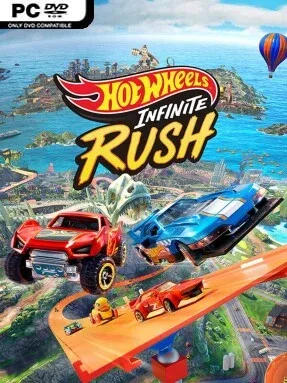
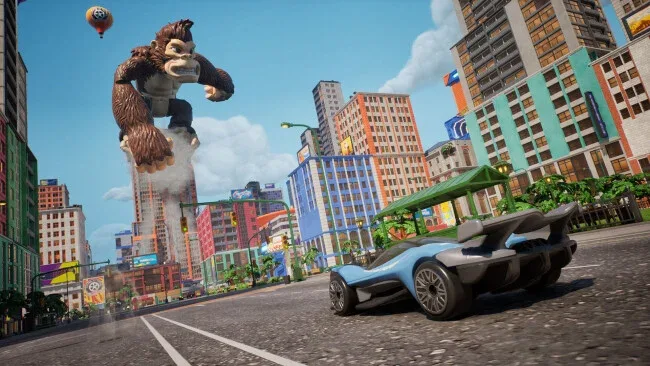
Orange loops give way to four free-roaming islands where miniature cars tear through oversized streets, construction sites, city blocks, and obstacle-packed playgrounds. HOT WHEELS™ Infinite Rush shifts the series away from a menu of isolated races and toward an arcade driving adventure built around exploration, collection, and spectacular stunts. Its tone is bright, fast, and toy-box playful, but the driving asks players to learn how different vehicles handle when a shortcut ends in a leap over a skyscraper-sized gap. Every island has its own visual identity and a reigning Rush Master, turning the campaign into a climb toward four boss-style racing challenges.
Most of the time is spent driving around an island, entering events, wrecking breakable scenery, hunting hidden collectibles, and earning access to tougher activities. Progression centers on defeating each island’s Rush Master, whose signature car becomes part of your garage once you take their title. Four vehicle classes create meaningful choices: Versatiles cover general-purpose racing, Titans favor force and impact, Drifters thrive on nimble cornering, and Speeders emphasize outright pace. A squad system encourages keeping several cars ready for different tasks, while cosmetic customization lets players alter the look of each ride down to its wheels.
The standout feature is the Track Builder, which treats the open world as construction space rather than just scenery: modules can be placed on the ground, wrapped around existing structures, or suspended high above the city. That should give players who enjoyed the creative side of Hot Wheels Unleashed a broader canvas, while the open islands make driving between races feel closer to a lightweight arcade sandbox. With more than 150 vehicles to unlock, plus solo play, four-player split-screen, and cross-platform online multiplayer, there is plenty here for collectors and competitive racers alike. It suits younger players and casual couch-racing groups especially well, but veterans looking for precise simulation handling should approach it as a stunt-driven arcade racer first.
Screenshots

Installation
- Click the green button below to be redirected to UploadHaven.
- Wait 15 seconds, then hit “Free Download.” (Free downloads may be slower — upgrade to UploadHaven Pro for faster speeds.)
- Once downloaded, right-click the .zip file and choose “Extract to HOT WHEELS™ Infinite Rush.” (You’ll need 7-Zip for this.)
- Open the extracted folder and run the game as administrator.
- Enjoy! 🎮 If you see missing DLL errors, check the <strong>_Redist</strong> folder inside and install what’s needed.
System Requirements
- Requires a 64-bit processor and operating system
- OS: Windows 10 x64 or later
- Processor: Ryzen 3 1200 / Core i3-12100
- Memory: 8 GB RAM
- Graphics: GeForce GTX 1050Ti / Radeon RX 460
- DirectX: Version 12
- Storage: 30 GB available space
- Additional Notes: DLSS 4: Super Resolution, DLAA | FSR 4: FSR Upscaling
Setup Guide & Troubleshooting
How do I fix missing DLL errors for HOT WHEELS™ Infinite Rush?
After extracting HOT WHEELS™ Infinite Rush, navigate to the _Redist or _CommonRedist folder inside the game directory and install DirectX, Vcredist, and any other dependencies included.
What should I do if the downloaded file is corrupted?
The full archive is 16.81 GB — make sure your download completed fully before extracting. Use 7-Zip to extract the files. If you still see a "file corrupted" error, re-download and try again.
Why should I run the game as administrator?
Right-click the game executable and select "Run as Administrator" to avoid save file issues and permission errors. This is especially important on the first launch.
How do I update my GPU drivers for this game?
HOT WHEELS™ Infinite Rush requires a GeForce GTX 1050Ti / Radeon RX 460 or equivalent. Update your NVIDIA or AMD drivers to the latest version for the best performance.
The game won't launch — what should I try?
This game requires Version 12. Try running in compatibility mode, install the latest DirectX runtime, or install the All-in-One VC Redist Package.
My antivirus is blocking the game — is it safe?
Antivirus false positives are common with pre-installed games. Temporarily pause your antivirus during extraction to prevent it from quarantining game files. You can re-enable it after the extraction completes.