
Game Overview
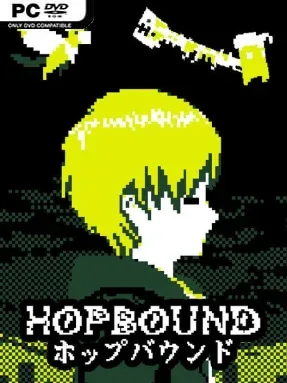
Mayumi’s fractured inner life becomes the setting for a compact psychological horror tale disguised as a lost handheld game. HopBound follows the reclusive protagonist as she navigates a malicious retro software world shaped by memory, guilt, and something far less human lurking beyond the display. The mood is quiet, oppressive, and dreamlike rather than reliant on constant shocks, using the limitations of old-school visuals to make every empty corridor and distorted enemy feel wrong. Although it continues the story of DERE EVIL .EXE, its intimate, self-contained narrative gives newcomers enough context to follow Mayumi’s ordeal.
Play alternates between side-scrolling platforming stages and frantic endless-runner sequences, with Mayumi jumping hazards, evading threats, and pushing through increasingly hostile levels. Progress is driven primarily by the story and the unnerving changes in the world around her, so the tension comes from surviving unfamiliar layouts and deciphering what each surreal encounter says about her past. Returning monsters from the earlier series appear in altered, more abstract forms, making them feel like fragments of a corrupted program rather than conventional videogame enemies. Keyboard controls are essential here: controller support is absent, and connected controllers can interfere with movement.
A sharply restricted four-color palette gives HopBound an authentic 1990s portable-console look while also making its glitches, silhouettes, and sudden visual shifts more unsettling. Ambient music does much of the horror work, filling levels with a hazy sense of dread instead of bombarding players with loud stingers. Its inward-looking scale separates it from horror sequels that simply add larger monsters and louder set pieces; the result feels closer to a haunted experimental platformer than a combat-heavy survival game. Fans of meta-horror, pixel-art indies, and emotionally focused stories in the vein of Doki Doki Literature Club’s reality-bending unease should find plenty to appreciate, while players wanting precise action and a concise narrative can finish it without prior series knowledge.
Installation
- Click the green button below to be redirected to UploadHaven.
- Wait 15 seconds, then hit “Free Download.” (Free downloads may be slower — upgrade to UploadHaven Pro for faster speeds.)
- Once downloaded, right-click the .zip file and choose “Extract to HopBound.” (You’ll need 7-Zip for this.)
- Open the extracted folder and run the game as administrator.
- Enjoy! 🎮 If you see missing DLL errors, check the <strong>_Redist</strong> folder inside and install what’s needed.
System Requirements
- OS: Windows XP, Vista, 7, 8, 10
- Processor: 1.5GHz Intel/AMD CPU
- Memory: 1 GB RAM
- Graphics: 512mb Graphics Card
- Storage: 100 MB available space
- Sound Card: On-board sound
Setup Guide & Troubleshooting
How do I fix missing DLL errors for HopBound (v1.8)?
After extracting HopBound (v1.8), navigate to the _Redist or _CommonRedist folder inside the game directory and install DirectX, Vcredist, and any other dependencies included.
What should I do if the downloaded file is corrupted?
The full archive is 129.84 MB — make sure your download completed fully before extracting. Use 7-Zip to extract the files. If you still see a "file corrupted" error, re-download and try again.
Why should I run the game as administrator?
Right-click the game executable and select "Run as Administrator" to avoid save file issues and permission errors. This is especially important on the first launch.
How do I update my GPU drivers for this game?
HopBound (v1.8) requires a 512mb Graphics Card or equivalent. Update your NVIDIA or AMD drivers to the latest version for the best performance.
The game won't launch — what should I try?
Try running in compatibility mode, install the latest DirectX runtime, or install the All-in-One VC Redist Package.
My antivirus is blocking the game — is it safe?
Antivirus false positives are common with pre-installed games. Temporarily pause your antivirus during extraction to prevent it from quarantining game files. You can re-enable it after the extraction completes.