

Game Overview
A calm animated room, a favorite virtual performer, and a carefully chosen background sound form the entire appeal here. HoloCozy is an idle desktop companion centered on hololive talent, designed to sit unobtrusively beside work, study sessions, other games, or a quiet break. Rather than pushing quests or demanding reflexes, it offers low-pressure digital company: characters relax in cozy personal spaces while music and ambience establish an easygoing mood. The tone stays gentle and domestic, making it closer to a customizable focus aid or virtual aquarium than a conventional game.
Players choose from five hololive members available at launch and spend time with them across character-specific rooms and shared spaces. The core loop involves leaving the companion running, changing rooms to suit the moment, and selecting music or ambient soundscapes that help with concentration or relaxation. Time spent together gradually improves each character’s abilities, giving the otherwise passive experience a modest sense of long-term progression. Nothing requires constant attention, so it works best in a second monitor window or quietly on the desktop while the player handles something else.
Its strongest feature is the way it combines officially supported hololive characters with the everyday usefulness of a background relaxation app. Switching between individual rooms and communal settings gives it more variety than a single looping desktop scene, while the growth system provides a reason to return without turning comfort time into a grind. Fans of hololive who want a softer alternative to rhythm games, action titles, or stream archives should find it especially appealing, and newcomers can still enjoy it as a simple ambient companion. Anyone looking for deep systems, active minigames, or a demanding management sim should look elsewhere, but players who enjoy virtual pets, idle apps, and cozy desktop tools will understand the appeal immediately.
Screenshots
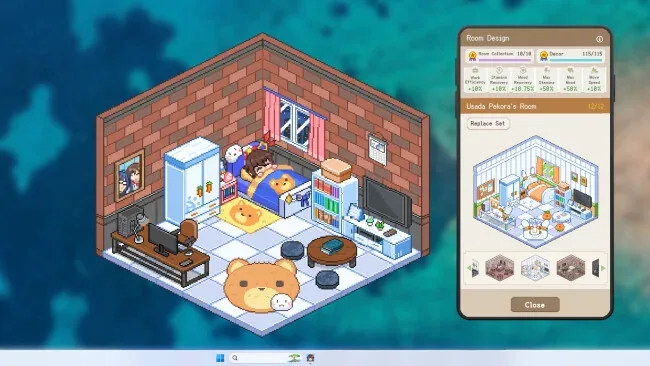
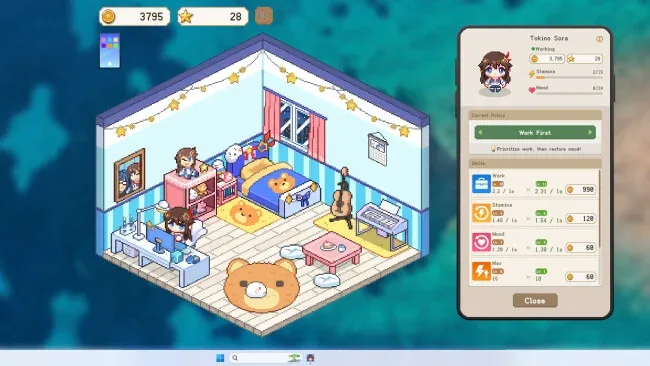
Installation
- Select the <strong>Download</strong> button at the top of this page to open UploadHaven.
- On UploadHaven, wait for any countdown, then select <strong>Free Download</strong>. Optional: UploadHaven Pro for faster downloads.
- When complete, extract the archive to a <strong>HoloCozy</strong> folder using 7-Zip.
- Open the extracted folder and start the game normally.
- For errors, check <strong>Setup Guide & Troubleshooting</strong> below. Keep your security software enabled.
System Requirements
- OS: Windows 10 (64-bit)
- Processor: Intel Core i3-2100 / AMD FX-6300
- Memory: 4096 MB RAM
- Graphics: NVIDIA GeForce GTX 650 / AMD Radeon HD 7750 or equivalent DirectX 11 compatible GPU
- DirectX: Version 11
- Storage: 2048 MB available space
- Sound Card: DirectX-compatible sound card
- Additional Notes: Requires a 64-bit processor and operating system.