
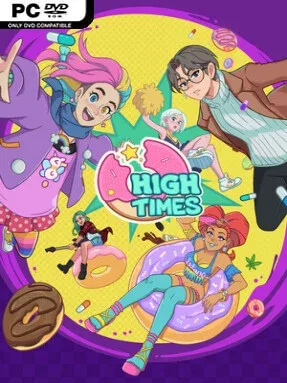
Game Overview
A late-night donut counter becomes the center of a strange, heartfelt urban drama where emotions are as tangible as frosting. High Times blends anime-styled visual novel storytelling with light shop management, casting you as an employee at The Hotbox, where every pastry carries a mood-altering effect. Customers arrive burdened by grief, insecurity, romance troubles, and old conflicts, and the right snack can push them toward courage, comfort, confidence, or a much-needed change of perspective. The tone stays colorful and playful on the surface, but its personal stories lean into closure, healing, and the awkward reality of helping people who do not always know what they need.
Most of your time revolves around listening to visitors, learning what is bothering them, and selecting or preparing donuts suited to their emotional state. Serving people well advances their storylines, affects how they view you, and opens paths through a branching narrative with different relationship outcomes and endings. Between conversations, you run and improve the shop by earning tips, unlocking recipes and equipment, and decorating the space to make it feel like your own. Character customization lets you put a personal stamp on the protagonist, while six romance options add another layer of choices to the daily routine.
The central gimmick is more thoughtful than a standard café sim: food is effectively dialogue, and a seemingly small order can alter a customer’s next decision. More than 30 voiced patrons give the shop a lively rhythm, with performances from recognizable voice talent including LilyPichu and Johnny Yong Bosch helping the cast feel distinct. Comic-book-inspired presentation, expressive anime character art, and a soundtrack that mixes lo-fi, city pop, and rock give the setting a warm after-hours identity. Players who enjoy Coffee Talk, VA-11 Hall-A, or relationship-focused visual novels should find plenty to like, especially if they prefer conversation-driven choices over demanding management mechanics.
Installation
- Click the green button below to be redirected to UploadHaven.
- Wait 15 seconds, then hit “Free Download.” (Free downloads may be slower — upgrade to UploadHaven Pro for faster speeds.)
- Once downloaded, right-click the .zip file and choose “Extract to High Times.” (You’ll need 7-Zip for this.)
- Open the extracted folder and run the game as administrator.
- Enjoy! 🎮 If you see missing DLL errors, check the <strong>_Redist</strong> folder inside and install what’s needed.
System Requirements
- OS *: Windows 7/8/10/11
- Processor: 2 Ghz or greater
- Memory: 3 GB RAM
- Graphics: GTX 660 or better
- DirectX: Version 10
- Storage: 5 GB available space
Setup Guide & Troubleshooting
How do I fix missing DLL errors for High Times (v1.0.0S)?
After extracting High Times (v1.0.0S), navigate to the _Redist or _CommonRedist folder inside the game directory and install DirectX, Vcredist, and any other dependencies included.
What should I do if the downloaded file is corrupted?
The full archive is 2.90 GB — make sure your download completed fully before extracting. Use 7-Zip to extract the files. If you still see a "file corrupted" error, re-download and try again.
Why should I run the game as administrator?
Right-click the game executable and select "Run as Administrator" to avoid save file issues and permission errors. This is especially important on the first launch.
How do I update my GPU drivers for this game?
High Times (v1.0.0S) requires a GTX 660 or better or equivalent. Update your NVIDIA or AMD drivers to the latest version for the best performance.
The game won't launch — what should I try?
This game requires Version 10. Try running in compatibility mode, install the latest DirectX runtime, or install the All-in-One VC Redist Package.
My antivirus is blocking the game — is it safe?
Antivirus false positives are common with pre-installed games. Temporarily pause your antivirus during extraction to prevent it from quarantining game files. You can re-enable it after the extraction completes.