
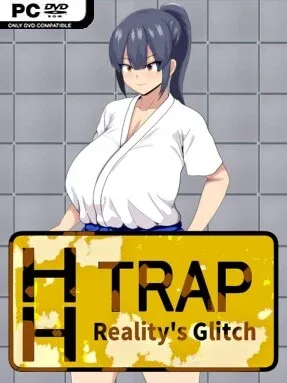
Game Overview
A short, unnerving anomaly-spotting challenge turns a martial artist’s treasure hunt into a reality-bending survival test. Maika enters a fantasy dungeon seeking relics tied to legendary fighters, only to find herself caught on a strange floor where the rules of space and safety no longer behave as expected. The mood sits somewhere between a compact horror puzzle and a parody of dungeon-crawling adventure, with an intentionally suggestive mature edge. Its premise is simple, but the tension comes from doubting every repeated corridor, object, and detail you thought you understood.
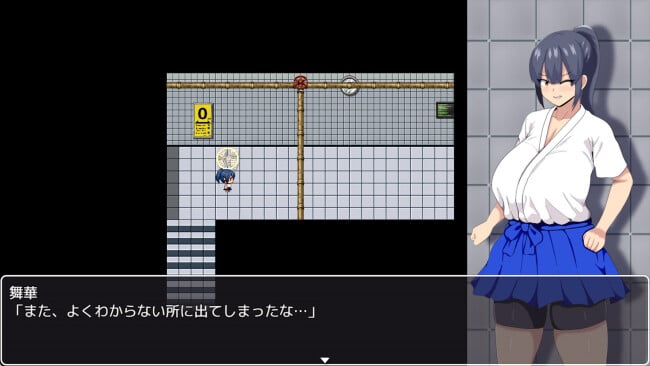
Play revolves around carefully observing each section of the trap and deciding whether something has changed. When the area appears normal, Maika must continue onward; when an anomaly appears, she needs to turn back immediately rather than risk advancing into danger. Successful runs require identifying every irregularity across a sequence of floors, with escape only available after reaching the required point without missing a change. A complete attempt lasts roughly five to ten minutes, making it ideal for repeated runs, though the challenge depends more on concentration and memory than fast reflexes. Missing signs can lead to one of several failure outcomes, so the game rewards players who slow down and inspect the scene rather than blindly rushing ahead.
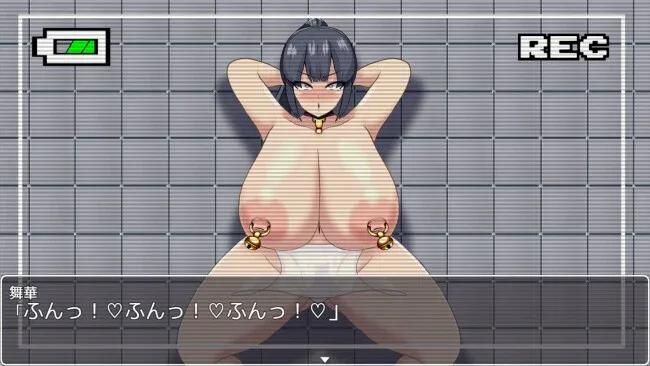
Its strongest idea is the deliberately minimal structure: a familiar “spot the difference” formula becomes more stressful once the consequences of a wrong call become clear. The dungeon setting and animated mature bad endings give the experience a more character-focused identity than many corridor-anomaly games, while five total endings offer a reason to replay and test alternate outcomes. Expect a brief, linear title rather than a substantial RPG or combat-heavy dungeon crawler; Maika’s martial-arts background supports the theme more than it defines the mechanics. Fans of The Exit 8-style observation horror, especially those looking for a very short adult-oriented variation, are the clearest audience, while players wanting deep exploration or conventional action may find it too slight.
Screenshots
Installation
- Click the green button below to be redirected to UploadHaven.
- Wait 15 seconds, then hit “Free Download.” (Free downloads may be slower — upgrade to UploadHaven Pro for faster speeds.)
- Once downloaded, right-click the .zip file and choose “Extract to HH TRAP: Reality's Glitch.” (You’ll need 7-Zip for this.)
- Open the extracted folder and run the game as administrator.
- Enjoy! 🎮 If you see missing DLL errors, check the <strong>_Redist</strong> folder inside and install what’s needed.
System Requirements
- OS: Windows® 11
- Memory: 4 GB RAM
- Graphics: DirectX 9/OpenGL 4.1 capable GPU
Setup Guide & Troubleshooting
How do I fix missing DLL errors for HH TRAP: Reality’s Glitch (v1.21 & R18)?
After extracting HH TRAP: Reality’s Glitch (v1.21 & R18), navigate to the _Redist or _CommonRedist folder inside the game directory and install DirectX, Vcredist, and any other dependencies included.
What should I do if the downloaded file is corrupted?
The full archive is 579.94 MB — make sure your download completed fully before extracting. Use 7-Zip to extract the files. If you still see a "file corrupted" error, re-download and try again.
Why should I run the game as administrator?
Right-click the game executable and select "Run as Administrator" to avoid save file issues and permission errors. This is especially important on the first launch.
How do I update my GPU drivers for this game?
HH TRAP: Reality’s Glitch (v1.21 & R18) requires a DirectX 9/OpenGL 4.1 capable GPU or equivalent. Update your NVIDIA or AMD drivers to the latest version for the best performance.
The game won't launch — what should I try?
Try running in compatibility mode, install the latest DirectX runtime, or install the All-in-One VC Redist Package.
My antivirus is blocking the game — is it safe?
Antivirus false positives are common with pre-installed games. Temporarily pause your antivirus during extraction to prevent it from quarantining game files. You can re-enable it after the extraction completes.