
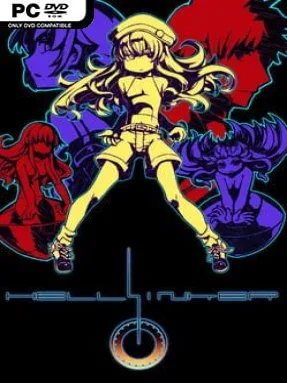
Game Overview
Ruined supertechnology, cryptic destiny, and screens dense with hostile fire give Hellsinker. an unusually severe identity even among cult shoot-’em-ups. Its world surfaces through scattered text fragments rather than clean exposition, following artifact-bound agents drawn back to ancient ruins that once helped split civilization apart. The mood is abstract, mournful, and intensely focused, with every visual flourish and piece of music reinforcing the sense of an old catastrophe still echoing through the present. Beneath that strange fiction lies a relentlessly demanding vertical shooter built for players who enjoy learning a system rather than merely surviving a barrage.
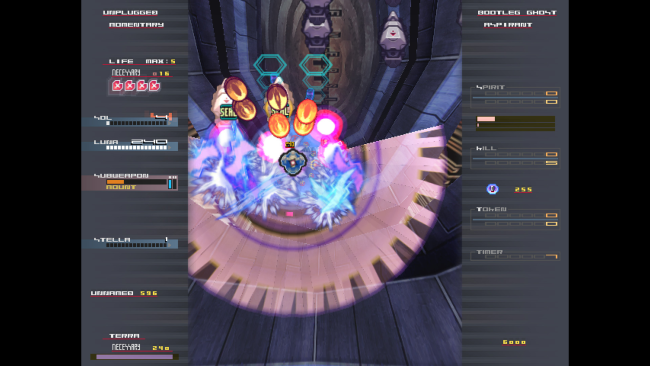
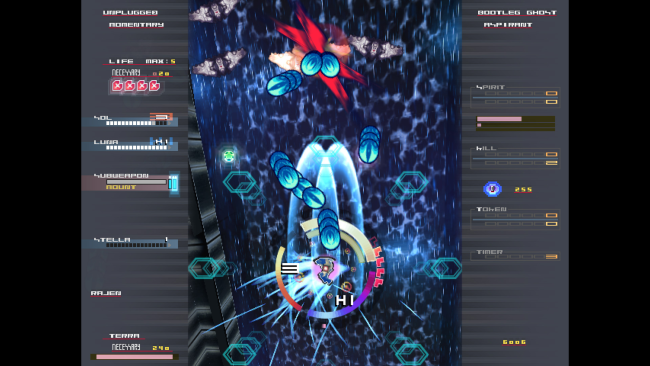
Runs send one of several radically different characters through shifting stages and a long sequence of elaborate boss confrontations, using shot types, special attacks, defensive options, and carefully managed resources. Positioning matters as much as reflexes: bullets can be guarded against in certain situations, life functions as a resource with trade-offs, and scoring across multiple elements feeds into a deeper extend system for skilled players. Stages alter their behavior and intensity as a run progresses, so memorization alone is not enough; adapting to enemy placement, target priority, and your current state is central to success. A tutorial, unrestricted practice mode, boss selection, replays, and character-specific online rankings give newcomers a route in while offering score chasers the tools they expect.
What separates Hellsinker. from more approachable genre staples is its deliberately opaque presentation and astonishing mechanical density. Its visual language can initially look chaotic, but it becomes readable as players understand the relationship between their ship, incoming patterns, and the systems that reward aggressive control. The enormous doujin soundtrack and episodic lore make it feel like a complete auteur work rather than a simple arcade challenge, while the alternate characters substantially change how a run is approached. Fans of Cave shooters, Radiant Silvergun, or high-level Touhou play find plenty to dissect here; newcomers can learn the basics, but patience and repeated practice are essential.
Installation
- Click the green button below to be redirected to UploadHaven.
- Wait 15 seconds, then hit “Free Download.” (Free downloads may be slower — upgrade to UploadHaven Pro for faster speeds.)
- Once downloaded, right-click the .zip file and choose “Extract to Hellsinker..” (You’ll need 7-Zip for this.)
- Open the extracted folder and run the game as administrator.
- Enjoy! 🎮 If you see missing DLL errors, check the <strong>_Redist</strong> folder inside and install what’s needed.
System Requirements
- OS: Windows 7, 8, 8.1, 10
- Processor: Core i3 or more
- Memory: 4 GB RAM
- Graphics: Integrated Graphics Chip
- DirectX: Version 9.0c
- Storage: 500 MB available space
- Sound Card: Integrated Sound Chip
Setup Guide & Troubleshooting
How do I fix missing DLL errors for Hellsinker.?
After extracting Hellsinker., navigate to the _Redist or _CommonRedist folder inside the game directory and install DirectX, Vcredist, and any other dependencies included.
What should I do if the downloaded file is corrupted?
The full archive is 355.43 MB — make sure your download completed fully before extracting. Use 7-Zip to extract the files. If you still see a "file corrupted" error, re-download and try again.
Why should I run the game as administrator?
Right-click the game executable and select "Run as Administrator" to avoid save file issues and permission errors. This is especially important on the first launch.
How do I update my GPU drivers for this game?
Hellsinker. requires a Integrated Graphics Chip or equivalent. Update your NVIDIA or AMD drivers to the latest version for the best performance.
The game won't launch — what should I try?
This game requires Version 9.0c. Try running in compatibility mode, install the latest DirectX runtime, or install the All-in-One VC Redist Package.
My antivirus is blocking the game — is it safe?
Antivirus false positives are common with pre-installed games. Temporarily pause your antivirus during extraction to prevent it from quarantining game files. You can re-enable it after the extraction completes.