
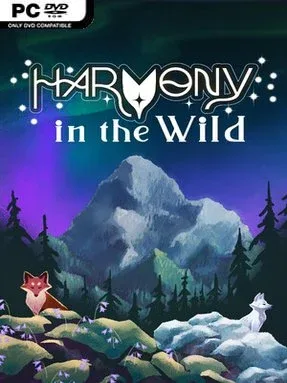
Game Overview
A young fox carries the fate of a fading wilderness in a gentle adventure built around curiosity rather than combat. Harmony In The Wild sends its transforming hero across sunlit forests, frozen coasts, lakes, and open water as the natural world slowly loses its color and life. The mood is warm, calm, and storybook-like, supported by a soft string soundtrack and an illustrated narrative that frames each discovery as part of a larger ecological mystery. Although its stakes concern a dying ecosystem, the journey favors wonder, kindness, and quiet restoration over danger and aggression.
Exploration drives nearly every moment. Players roam broad natural areas, meet animal companions, and gain new traversal or environmental abilities that open previously unreachable paths. Switching between a red fox and an arctic fox helps the pup handle different climates, while skills such as gliding, swimming, freezing water, smashing rocks, long charge jumps, and telegrabbing turn the landscape into a set of approachable movement puzzles. Progress comes from following clues, mastering each power, and revisiting regions with new ways to cross obstacles or uncover secrets. The pace appears deliberately relaxed, making it a good fit for players who prefer navigation and environmental problem-solving to punishing platforming or complex action systems.
Its most appealing idea is the way advancement visibly heals the world: color, vitality, and atmosphere return as nature’s imbalance is addressed. Rather than using transformation as a combat gimmick, the fox forms feel tied to place, weather, and the feeling of adapting alongside the creatures met on the road. The handcrafted presentation and animal-led ability system give it a family-friendly character reminiscent of the peaceful exploration in Alba: A Wildlife Adventure, with a little of the traversal growth associated with A Short Hike. Harmony In The Wild suits newcomers, younger players, and anyone seeking a low-stress indie adventure with an uplifting conservation theme, though action-focused veterans should approach it for its atmosphere and exploration rather than challenge.
Installation
- Click the green button below to be redirected to UploadHaven.
- Wait 15 seconds, then hit “Free Download.” (Free downloads may be slower — upgrade to UploadHaven Pro for faster speeds.)
- Once downloaded, right-click the .zip file and choose “Extract to Harmony In The Wild.” (You’ll need 7-Zip for this.)
- Open the extracted folder and run the game as administrator.
- Enjoy! 🎮 If you see missing DLL errors, check the <strong>_Redist</strong> folder inside and install what’s needed.
System Requirements
- OS: Windows 10
- Processor: Intel Core i7-7800X @ 3.50GHz
- Memory: 8 GB RAM
- Graphics: GeForce RTX 3050 6GB
- DirectX: Version 12
- Storage: 10 GB available space
Setup Guide & Troubleshooting
How do I fix missing DLL errors for Harmony In The Wild?
After extracting Harmony In The Wild, navigate to the _Redist or _CommonRedist folder inside the game directory and install DirectX, Vcredist, and any other dependencies included.
What should I do if the downloaded file is corrupted?
The full archive is 1.28 GB — make sure your download completed fully before extracting. Use 7-Zip to extract the files. If you still see a "file corrupted" error, re-download and try again.
Why should I run the game as administrator?
Right-click the game executable and select "Run as Administrator" to avoid save file issues and permission errors. This is especially important on the first launch.
How do I update my GPU drivers for this game?
Harmony In The Wild requires a GeForce RTX 3050 6GB or equivalent. Update your NVIDIA or AMD drivers to the latest version for the best performance.
The game won't launch — what should I try?
This game requires Version 12. Try running in compatibility mode, install the latest DirectX runtime, or install the All-in-One VC Redist Package.
My antivirus is blocking the game — is it safe?
Antivirus false positives are common with pre-installed games. Temporarily pause your antivirus during extraction to prevent it from quarantining game files. You can re-enable it after the extraction completes.