
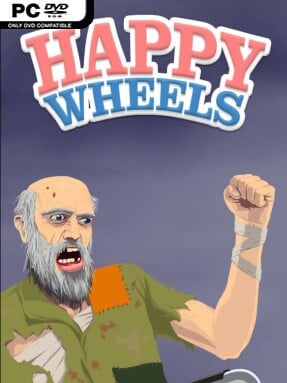
Game Overview
Happy Wheels is a Indie game for Windows. This tested release features 1 with an estimated download size of 303.88 MB. Pre-installed, DRM-free, verified clean, and ready to play offline with full gamepad support.
Few physics sandboxes turn catastrophic failure into the main attraction as effectively as Happy Wheels. Beneath its deliberately crude cartoon presentation sits a vicious side-scrolling obstacle-course game where an ordinary bike ride, lawnmower trip, or wheelchair outing can end in spectacular ragdoll dismemberment. The tone is gleefully tasteless and darkly funny rather than frightening, built around the gap between each rider’s mundane vehicle and the absurdly lethal traps waiting ahead. Its Steam release presents the long-running browser cult favorite without advertisements, while preserving the chaotic community spirit that made it endure.
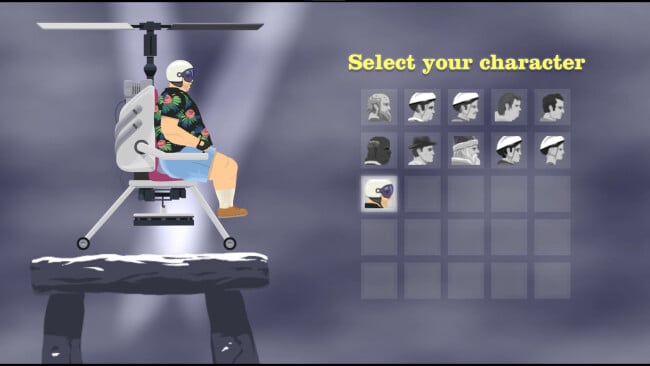
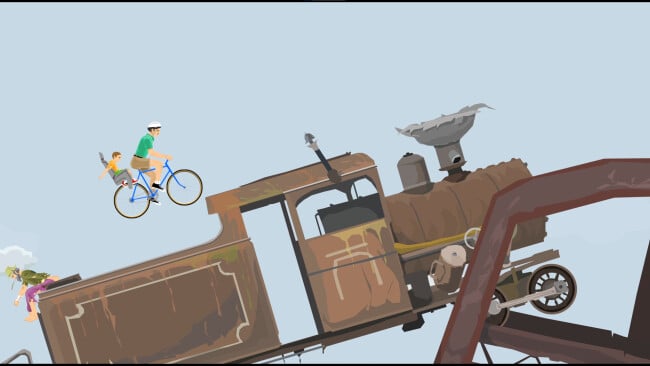
Each level asks you to guide one of several poorly equipped contestants to a finish line through spikes, mines, wrecking balls, collapsing platforms, harpoons, and other hazards designed to punish even small mistakes. Controls are intentionally simple, but keeping momentum, balancing a vehicle, ejecting at the right instant, or crawling toward victory after a crash creates a surprisingly demanding physics challenge. Characters handle differently, so the wheelchair racer, irresponsible dad on a bicycle, pogo-stick rider, and other options all change how courses play. Thousands upon thousands of player-built stages supply everything from carefully tuned stunt runs and puzzle maps to short joke levels and brutally unfair death machines, with downloadable courses supporting offline sessions and controller support available for a more traditional setup.
The real draw is the level editor and browser: Happy Wheels is less a fixed campaign than a sprawling archive of community experiments accumulated over many years. Searching by rating, date, or theme makes it easy to find polished creations, revisit old favorites, or uncover strange relics from earlier eras of the community. Its exaggerated gore and intentionally awkward controls will not suit players who want precision platforming or serious racing, but fans of Trials-style momentum challenges, ragdoll comedy, and user-generated chaos find an enormous supply of unpredictable entertainment. Newcomers can jump into highly rated levels immediately, while creative veterans have every reason to build elaborate traps for the next unsuspecting racer.
Recommended For You: If you enjoy this game, also check out 18 Wheels of Steel: Across America (GOG) and A Happy Place (v0.5.1) and Chocolate Makes You Happy 3 Free Download for more top-rated gameplay.
Screenshots
Installation
- Select the <strong>Download</strong> button at the top of this page to open UploadHaven.
- On UploadHaven, wait for any countdown, then select <strong>Free Download</strong>. Optional: UploadHaven Pro for faster downloads.
- When complete, extract the archive to a <strong>Happy Wheels</strong> folder using 7-Zip.
- Open the extracted folder and start the game normally.
- For errors, check <strong>Setup Guide & Troubleshooting</strong> below. Keep your security software enabled.
System Requirements
- OS: Windows 10 64-bit or later
- Processor: Intel Core i3 / AMD equivalent, 2.0 GHz or better
- Memory: 4096 MB RAM
- Graphics: Any GPU with WebGL / DirectX 11 support (Intel HD Graphics 4000 or better)
- DirectX: Version 11
- Storage: 1024 MB available space
- Sound Card: Windows-compatible sound card
Setup Guide & Troubleshooting
How do I fix missing DLL errors for Happy Wheels (v1.99s)?
After extracting Happy Wheels (v1.99s), navigate to the _Redist or _CommonRedist folder inside the game directory and install DirectX, Vcredist, and any other dependencies included.
What should I do if the downloaded file is corrupted?
The full archive is 303.88 MB — make sure your download completed fully before extracting. Use 7-Zip to extract the files. If you still see a "file corrupted" error, re-download and try again.
Do I need to run the game as administrator?
Usually, no. Start the game normally from the extracted folder. If you see a permissions or save error, check that the folder is writable and follow the game's documented fix. Only grant administrator access when a trusted game's specific setup requires it.
How do I update my GPU drivers for this game?
Happy Wheels (v1.99s) requires a Any GPU with WebGL / DirectX 11 support (Intel HD Graphics 4000 or better) or equivalent. Update your NVIDIA or AMD drivers to the latest version for the best performance.
The game won't launch — what should I try?
Check that extraction completed and your PC meets the system requirements, including Version 11. Note any error message before choosing a fix. If it identifies a missing runtime, install the required DirectX components or Microsoft Visual C++ Redistributable from Microsoft.
My antivirus is blocking the game — is it safe?
A warning needs to be investigated; the download source alone cannot confirm that a file is safe. Keep your security software enabled and review the detection details. Do not run or restore a flagged file unless you have verified that it is a false positive. If you are unsure, leave it quarantined.