
Game Overview
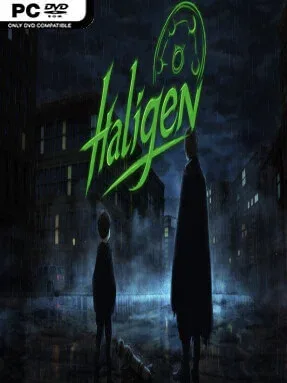
Daylight kidnappings by faceless, unnatural figures give Haligen Zero a bleak mystery-novel pulse from its opening moments. Set against a Washington crisis and the unsettling isolation of Alzamera Island, the story follows researcher Chase Haligen as a personal tragedy turns his academic interest in the Shadows into an urgent pursuit of answers. The mood is tense, mournful, and deliberately dramatic, with the supernatural threat functioning as both a central puzzle and a source of emotional pressure. Rather than relying on action sequences, the game builds suspense through revelations, relationships, and the fear of what may be hiding behind each new clue.
Play revolves around reading scenes, questioning circumstances, and making dialogue decisions that steer Chase’s investigation in different directions. Choices carry narrative weight, influencing how characters respond, which details come to light, and where individual fates may ultimately lead. As a Ren’Py visual novel, it keeps its mechanics approachable: players spend their time following conversations, examining the implications of new information, and deciding whom Chase can trust when events grow stranger. Progress comes through uncovering the truth behind the disappearances, with branching outcomes encouraging a second run for players who want to see how alternate decisions reshape the story.
Haligen Zero stands out most through its focus on a contained supernatural conspiracy rather than broad world-building or genre combat. Stylized character art and detailed island backdrops give its locations a theatrical, ominous quality, helping even quiet conversations feel charged with uncertainty. Its format sits closer to choice-driven mystery visual novels than to adventure games built around inventory puzzles, making it a good fit for readers who value plot momentum and character consequences. Fans of dark, decision-based stories in the vein of Doki Doki Literature Club’s unsettling atmosphere or the investigative side of The Wolf Among Us may find plenty to like, while newcomers to visual novels can jump in easily thanks to the straightforward interface.
Installation
- Click the green button below to be redirected to UploadHaven.
- Wait 15 seconds, then hit “Free Download.” (Free downloads may be slower — upgrade to UploadHaven Pro for faster speeds.)
- Once downloaded, right-click the .zip file and choose “Extract to Haligen Zero.” (You’ll need 7-Zip for this.)
- Open the extracted folder and run the game as administrator.
- Enjoy! 🎮 If you see missing DLL errors, check the <strong>_Redist</strong> folder inside and install what’s needed.
System Requirements
- Requires a 64-bit processor and operating system
- OS: Windows 10/11
- Processor: 2.0 GHz Dual Core
- Graphics: 2 GB RAM
- DirectX: Version 9.0c
- Storage: 500 MB available space
- Sound Card: DirectX Compatible
Setup Guide & Troubleshooting
How do I fix missing DLL errors for Haligen Zero (v1.0)?
After extracting Haligen Zero (v1.0), navigate to the _Redist or _CommonRedist folder inside the game directory and install DirectX, Vcredist, and any other dependencies included.
What should I do if the downloaded file is corrupted?
The full archive is 450.77 MB — make sure your download completed fully before extracting. Use 7-Zip to extract the files. If you still see a "file corrupted" error, re-download and try again.
Why should I run the game as administrator?
Right-click the game executable and select "Run as Administrator" to avoid save file issues and permission errors. This is especially important on the first launch.
How do I update my GPU drivers for this game?
Haligen Zero (v1.0) requires a 2 GB RAM or equivalent. Update your NVIDIA or AMD drivers to the latest version for the best performance.
The game won't launch — what should I try?
This game requires Version 9.0c. Try running in compatibility mode, install the latest DirectX runtime, or install the All-in-One VC Redist Package.
My antivirus is blocking the game — is it safe?
Antivirus false positives are common with pre-installed games. Temporarily pause your antivirus during extraction to prevent it from quarantining game files. You can re-enable it after the extraction completes.