
Game Overview
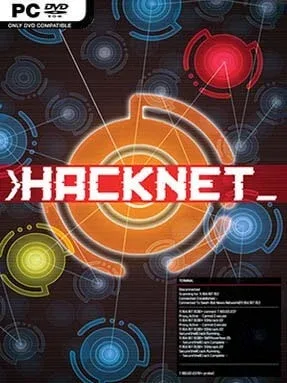
A dead hacker’s automated failsafe pulls you into a tense digital conspiracy where every clue arrives through terminals, encrypted messages, and poorly secured servers. Hacknet turns command-line hacking into a surprisingly absorbing detective story, casting you as an anonymous operator following the trail left by Bit, a legendary programmer whose reported death does not add up. The mood is paranoid rather than flashy: corporate networks hide ugly secrets, activists have their own agendas, and even routine jobs can expose something larger. Its neon-on-black interface sells the fantasy without pretending you are breaking into real systems.
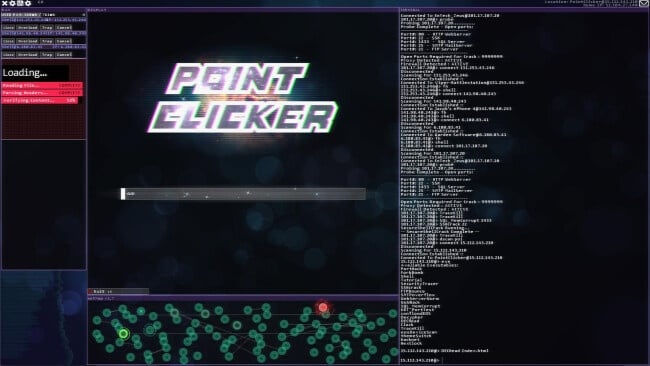
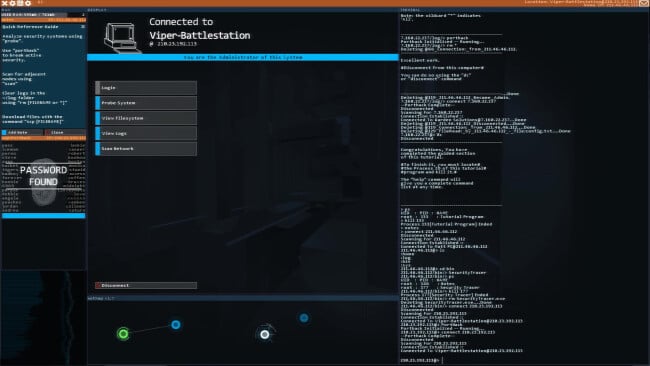
Most of the action happens through a simulated operating system, where you scan networks, breach ports, crack passwords, read files, erase logs, and chain together commands under pressure. Missions range from stealing data and exposing wrongdoing to repairing systems or quietly altering records, with objectives often leaving enough room to make mistakes and find your own solution. New tools gradually expand your options, while server security, trace timers, and limited access force you to work quickly once an intrusion begins. The campaign is single-player and largely guided by emails and chat messages, but it trusts players to read carefully, experiment with commands, and connect details that are never highlighted with a giant objective marker.
What makes Hacknet stand out is its commitment to the terminal as both its main mechanic and storytelling device; typing commands feels more involved than clicking through a conventional hacking minigame. The systems are accessible enough for newcomers because the game teaches its fictionalized command set as you go, yet it retains a satisfying sense of technical problem-solving for players who enjoy learning procedures. Its compact missions, branching-looking investigations, hidden files, and optional side content give the world more texture than the simple visuals suggest. Fans of Uplink, Orwell, and cyberpunk mysteries with puzzle-like investigation will find a smart, focused experience here, especially if they enjoy reading, experimenting, and solving problems without constant hand-holding.
Installation
- Click the green button below to be redirected to UploadHaven.
- Wait 15 seconds, then hit “Free Download.” (Free downloads may be slower — upgrade to UploadHaven Pro for faster speeds.)
- Once downloaded, right-click the .zip file and choose “Extract to Hacknet.” (You’ll need 7-Zip for this.)
- Open the extracted folder and run the game as administrator.
- Enjoy! 🎮 If you see missing DLL errors, check the <strong>_Redist</strong> folder inside and install what’s needed.
System Requirements
- OS: Windows XP
- Processor: 2.0 GHz
- Memory: 512 MB RAM
- Graphics: OpenGL 3.0+ (2.1 with ARB extensions acceptable)
- Storage: 500 MB available space
Setup Guide & Troubleshooting
How do I fix missing DLL errors for Hacknet (v5.069 & DLC)?
After extracting Hacknet (v5.069 & DLC), navigate to the _Redist or _CommonRedist folder inside the game directory and install DirectX, Vcredist, and any other dependencies included.
What should I do if the downloaded file is corrupted?
The full archive is 395.33 MB — make sure your download completed fully before extracting. Use 7-Zip to extract the files. If you still see a "file corrupted" error, re-download and try again.
Why should I run the game as administrator?
Right-click the game executable and select "Run as Administrator" to avoid save file issues and permission errors. This is especially important on the first launch.
How do I update my GPU drivers for this game?
Hacknet (v5.069 & DLC) requires a OpenGL 3.0+ (2.1 with ARB extensions acceptable) or equivalent. Update your NVIDIA or AMD drivers to the latest version for the best performance.
The game won't launch — what should I try?
Try running in compatibility mode, install the latest DirectX runtime, or install the All-in-One VC Redist Package.
My antivirus is blocking the game — is it safe?
Antivirus false positives are common with pre-installed games. Temporarily pause your antivirus during extraction to prevent it from quarantining game files. You can re-enable it after the extraction completes.